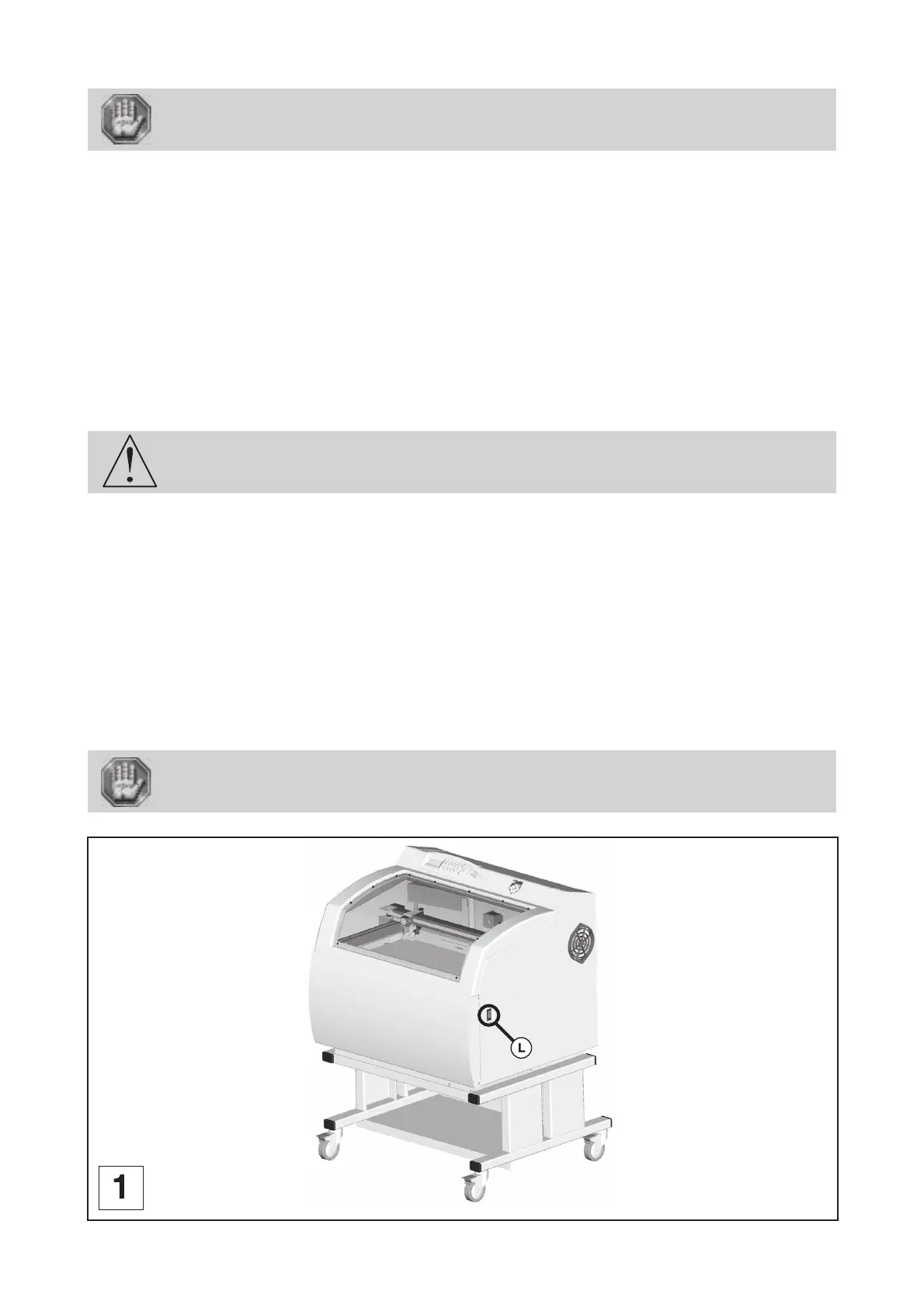
L-SOLUTION 800 machine . 16
First contact
Ambient room temperature MUST be between 50 and 95 degrees F(10 and
35 degrees C).
• If transporting the LASER system from a very cold or very hot environment to the proper operating environment, the
LASER system must be allowed time to adjust to the ambient temperature. To do this, turn on the LASER system (and
chiller if applicable), and let the system idle for 15 minutes before processing materials. This will allow the ambient
temperature to circulate through the LASER system to either warm it up or cool it off.
Ambient room dewpoint temperatures MUST be less than 50 degrees F (10 degrees C).
• Normal lighting is sufficient to use the machine (Inside the work area of the L-SOLUTION 900 machine, there is an electric
lighting device with ON/OFF switch).
• Clear the work surface so that you can
- easily and quickly access all external parts of the machine,
- quickly access, in case of necessity, the main stop button (L) on the engraving table (pict. 1),
- make sure that all moving parts of the machine have enough room to move freely,
- place the computer within 10 feet (3m) of the machine, if planning to connect the LASER engraving system
to a computer through the parallel port (the maximum recommended parallel cable length is 10 feet (3m)).
- avoid any accidental unplugging of the cables.
The connectors screws must be very tight to avoid accidental disconnection of the
cables while the machine is turned on as this could permanently damage the electronic
cards.
• If connecting an additional LASER system or other printer to the same computer, we recommend the installation of an
additional parallel port into the computer. DO NOT use a manual A/B type switch box. This creates electrical noise which
can cause an engraving problem or damage the LASER system and/or the computer’s electronics.
• Protect your Gravograph equipment against:
- Moisture (rain, snow, condensation, etc.),
- Heat (direct sunlight, heating, etc.),
- Sudden changes in temperature,
- Dust (exhaust pipe, sand-blasting or sandpapering systems),
- Liquid splashes, spillages on the electronic rack, cables and connections, and any other part of the machine; unless
recommended by GRAVOGRAPH (e.g. lubrication),
- Vibrations,
- Electric or electronic radiation.
The electrical plug acts as a sectioning device. it is therefore important that you set
up the machine in order to always have easy access to the power cable.
Installation
L-SOLUTION 800











 To Next Page