First contact
L-SOLUTION 700 / 800 / 900 machines . 57
Rubber
(pict. 1)
The Rubber function allows one to easily make marks for rubber stamps.
Tick the Rubber box (as shown on the pict. 1) to activate this function.
Click to enter those needed by this function (pict. 2).
Button allows one to define the orientation of the engraving text or graphic. The most frequently ced orientation for
rubber stamps is the back side (as shown on the pict. 2).
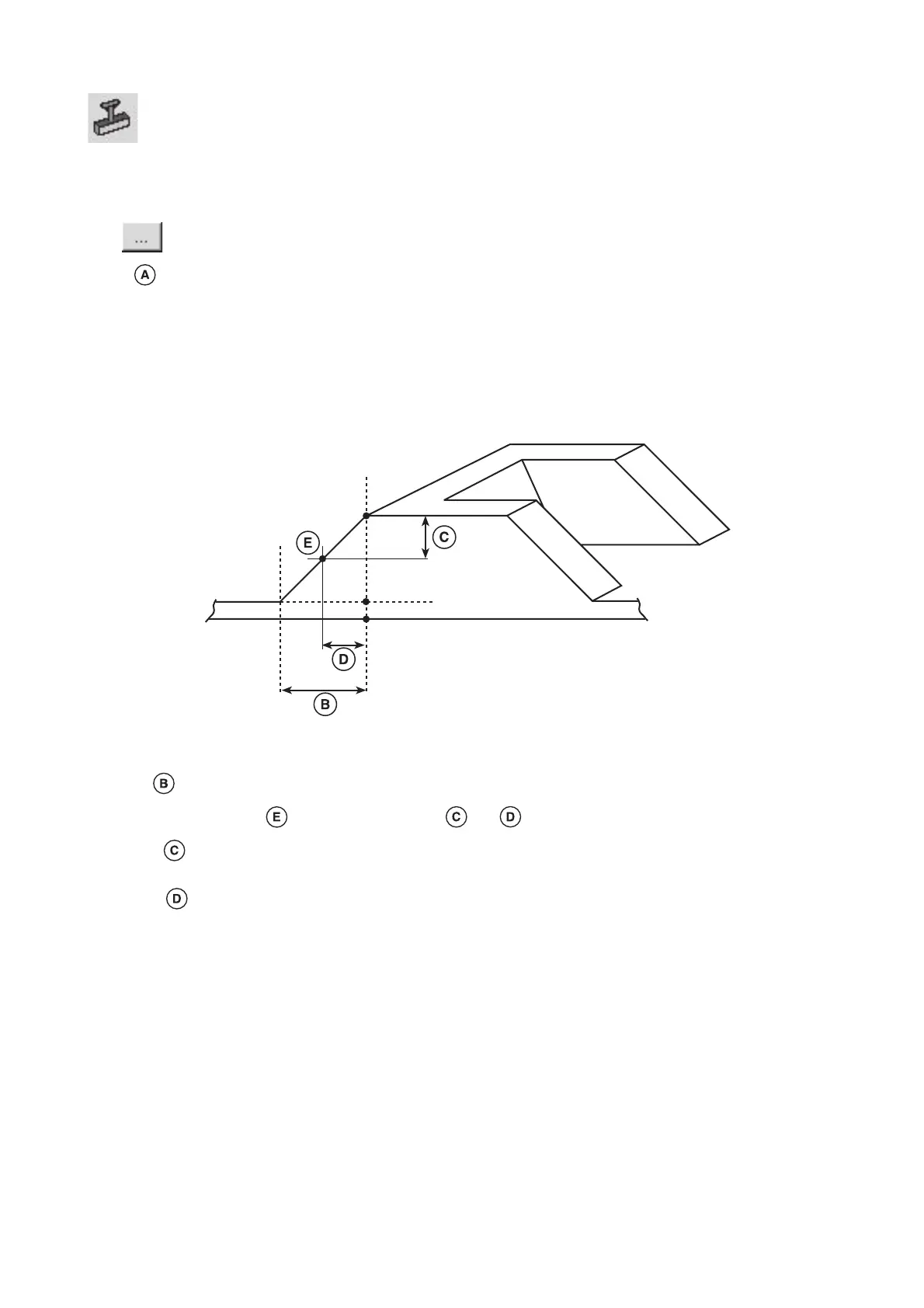
The graphic representation which appears in the "Settings" window corresponds to the shoulder shape of the letter which
will be engraved :
The value corresponds to the shoulder length in mm.
The shoulder inflexion point is defined by the values and :
The value corresponds to the power requested by the user in % of the available power (defined for the black colour).
This value positions the inflexion point to a certain engraving depth .
The value corresponds to a length in mm. This value positions the inflexion point on the shoulder length.
0
1
1mm
0 %
100 %
50 %
0,5
Shoulder
B= 1 mm
C= 50%
D= 0.5 mm
"C" letter
Printer driver











 To Next Page