Model 672/675 Technical Reference Manual
2-11
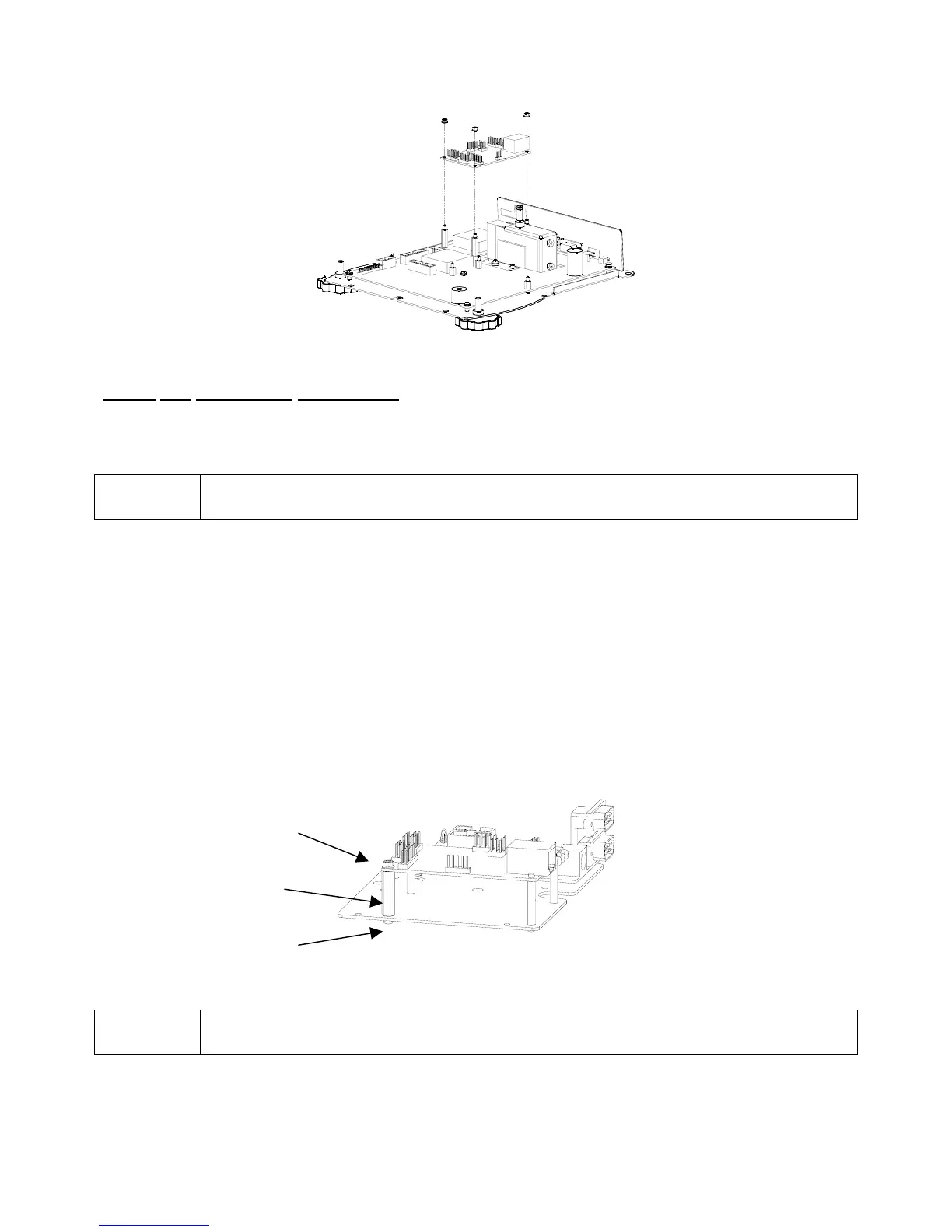
Figure 2-5: Model 672 Ethernet Interface Module Installation
Model 675 Installation Instructions
1. DISCONNECT POWER! UNPLUG THE MODEL 675 TO INSURE DAMAGE WILL NOT OCCUR
DURING OPTION INSTALLATION.
2. Remove the (6) 38-31-8710 M5 x 0.8 x 10 mm screws from the enclosure bottom plate and set it aside.
Be sure to install the SBM modules first on the option-mounting plate.
3. Locate the portion of the option-mounting bracket that is labeled ETH. Notice that there are (8) mounting
holes.
4. Install (2) nylon spacers in the holes closest to the edge of the notched side of the option-mounting
bracket.
5. Install the other (1) nylon spacer in the hole furthest from the back edge.
6. Place the nylon standoff under the left edge of the Ethernet Interface Module and fasten the standoff
with the screw from underneath the option-mounting bracket.
7. Position the Ethernet Interface Module so that the LED's and RJ45 jack face the same edge as the
notch. Install the Ethernet Interface Module on the (3) spacers and (1) standoff. Place the nylon hex nut
on the screw post of the nylon standoff and tighten the hex nut. Refer to Figure 2-6 for illustration.
Figure 2-6: Ethernet Interface Module Installation
Be sure to install the SBM modules first on the option-mounting plate.
8. Make sure to cut out the rear label to match the installed options. For the Ethernet Interface Module cut
out the dotted line label Ethernet. Refer to the back panel on page 1-9.
lon Hex Nu
lon Standoff
Screw



 To Next Page