Model 672/675 Technical Reference Manual
2-7
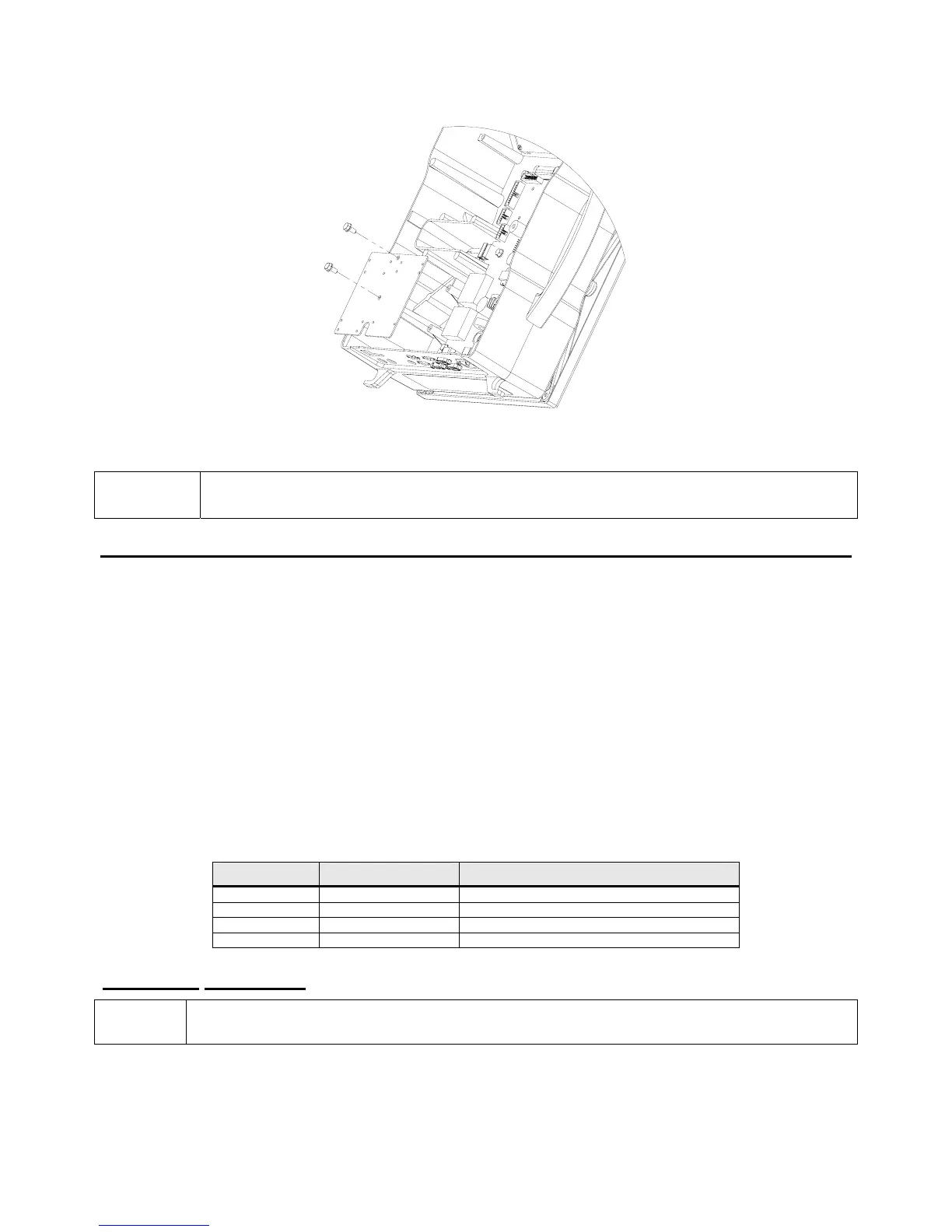
Figure 2-3: Installing the Option Mounting Bracket
Use caution when removing the bottom plate. Do not rest the scale upside down on the top
plate. This may cause excessive damage to low capacity load cells.
R
R
E
E
M
M
O
O
T
T
E
E
S
S
C
C
A
A
L
L
E
E
(
(
M
M
O
O
D
D
E
E
L
L
6
6
7
7
5
5
)
)
This section provides procedures for installing the multi-scale option module.
The multi-scale option modules enable the 675 to receive input signals from additional scales. The Model
675 comes standard with two scale inputs and two additional (2) multi-scale option modules can be
connected for a total of 4 scale inputs. The Model 672 comes standard with two scale inputs and no more
can be added.
T
HIRD
S
CALE
O
PTION
The remote scale kit (24660B-200B0) provides a third scale input to be used with a remote scale. This
option installs on the option-mounting bracket (see page 16). The 299229-41108 DB9 multi-scale option
cable can be connected to the back panel for load cell connection. The 10" option ribbon cable (22-30-
35454) is needed to connect the option to the main board.
Quantity Part Number Description
1 420919-36553 Multi-scale option board
4 17-20-3019 Aluminum standoffs
4 38-21-1640 Hex nuts
4 38-21-0101 Screws
Installation Instructions
Be sure to install the SBM modules first on the option-mounting plate.
1. DISCONNECT POWER! UNPLUG THE MODEL 675 TO INSURE DAMAGE WILL NOT OCCUR
DURING OPTION INSTALLATION.
2. Remove the (6) 38-31-8710 M5 x 0.8 x 10 mm screws from the enclosure bottom plate and set it aside.



 To Next Page