Model 672/675 Technical Reference Manual
2-41
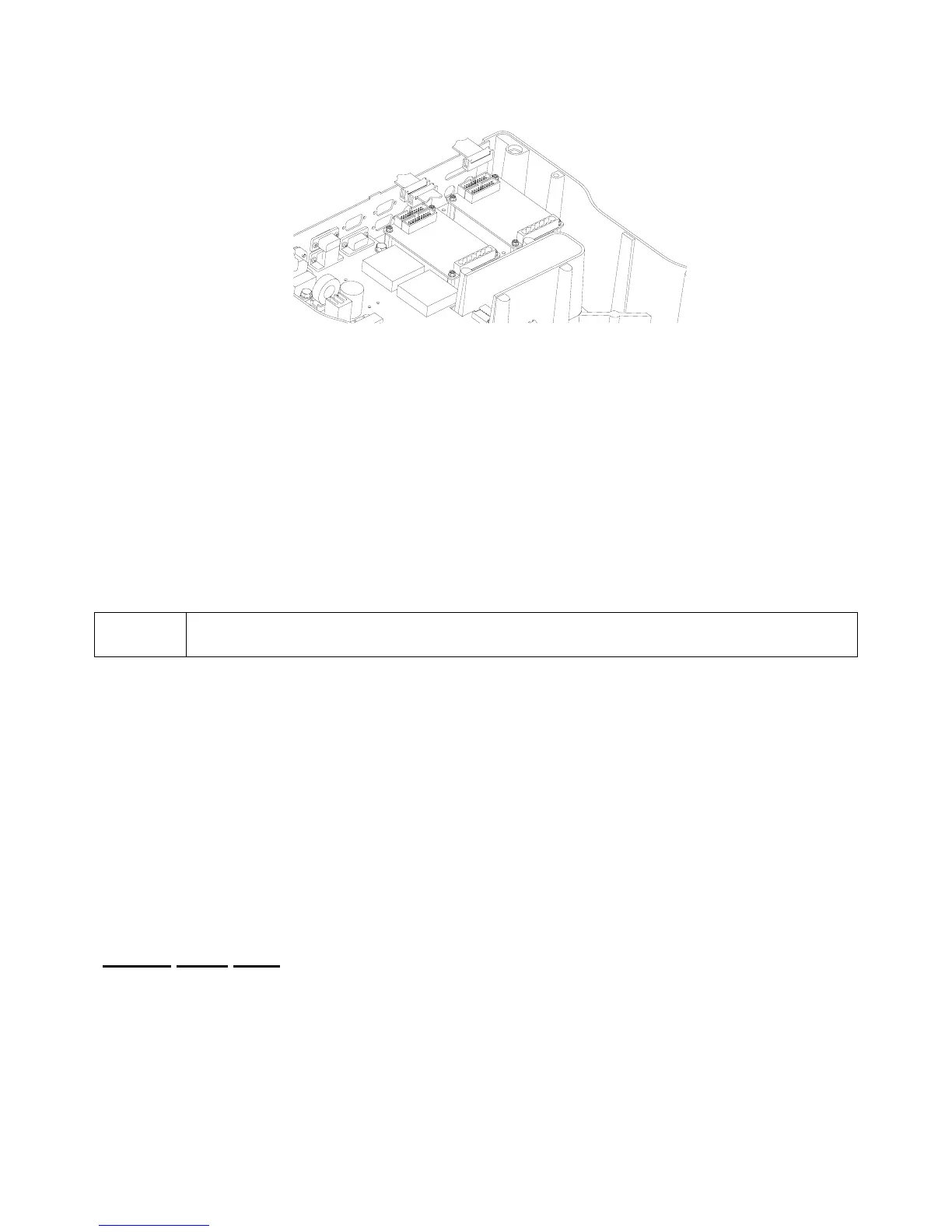
Figure 2-14: Setpoint and Analog Output Option Mounting
S
ETPOINT
S
ETUP
I
NSTRUCTIONS
S
ETPOINT SETUP PARAMETERS
The setpoint setup parameters are detailed in Chapter 3 beginning on page 3-52.
The setup for all the setpoints begins at parameter P5099 and continues through P5150. To access the
setup for any setpoint, you must enter the Setpoint Setup Mode number and press [SELECT]. A setpoint
instance must be specified (a setpoint number between 1 and 256) at parameter P5099. Once a setpoint
instance is specified, the other parameters through P5150 are associated with that setpoint. Each setpoint
uses the same parameters for setup. The only difference is the instance of the setpoint selected at P5099.
To set up Setpoint #1, press 5099 [SELECT]. You will be asked to enter the program security
code before changes can be made. Key in 23640 [ENTER].
SETPOINT OPERATION
When a setpoint is inactive, only the conditions relating to the activation of the setpoint are checked and
reacted to accordingly. Similarly, when a setpoint is active, only the conditions relating to the de-activation of
the setpoint are checked and acted upon. Each setpoint is checked and updated 60 times per second, with
the following exceptions:
• Installing additional multi-scale modules may reduce the update.
• The execution of a command can delay the next setpoint update slightly.
• Continuous transmit transmissions can delay the setpoint update.
• Accessing the setup mode will deactivate all setpoints.
• Setpoints for the net or gross weight will be based upon the weight after it is rounded off to the
selected display increment (set in P111).
Setpoint Status Mode
Once the setpoints are set up for your application, you can check the status of a particular setpoint by
accessing the Setpoint Status Mode. The setpoint continues to be updated in this mode. In addition, any or
all setpoints can be set to an active or inactive state.
To reach the Setpoint Status Mode, key in 78 [SELECT]. The numeric display will read SP- 1. The top line
of the dot matrix display will indicate whether the setpoint is enabled or disabled. The bottom line will display
Activ or DeAct, depending on the current state of the setpoint.



 To Next Page