P/N 53063-30, Manual revision: B
2-5
Describing the Cell Saver 5+ System Components
Keypad
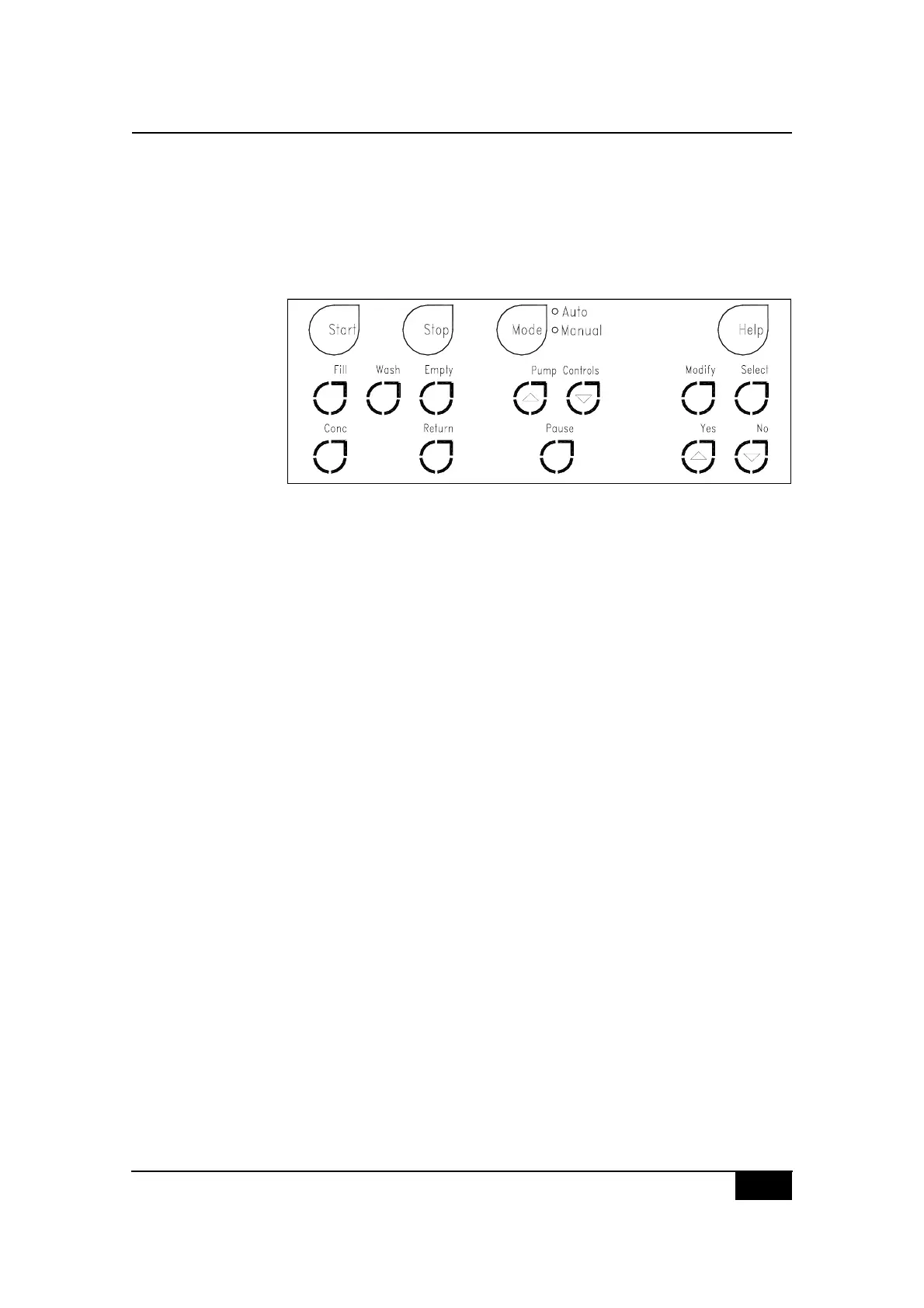
The CS5+ keypad is divided into two main sections:
! the Automatic control section of permanently visible keys.
! the Semi-automatic/Manual control section of backlit keys.
Figure 2-4, The Cell Saver 5+ keypad
The top four keys, Start, Stop, Mode and Help will be visible at all times
during any type of CS5+ procedure. They are referred to as the Automatic
control keys.
When the CS5+ device is operating in the automatic mode, other keys will
be backlit at the appropriate times during each cycle, to allow the operator
to advance through the cycle or modify preset parameters.
Located below the Automatic control key section are the Semi-automatic/
Manual control keys, consisting of the Modify control keys, the Process state
keys and the Pump control keys.
When the CS5+ device is operating in the manual mode, these keys will be
continuously backlit. They will be active at different points in the procedure
depending on the current process state, or during modification of the preset
parameters.



 To Next Page