Chapter 1 Page 27
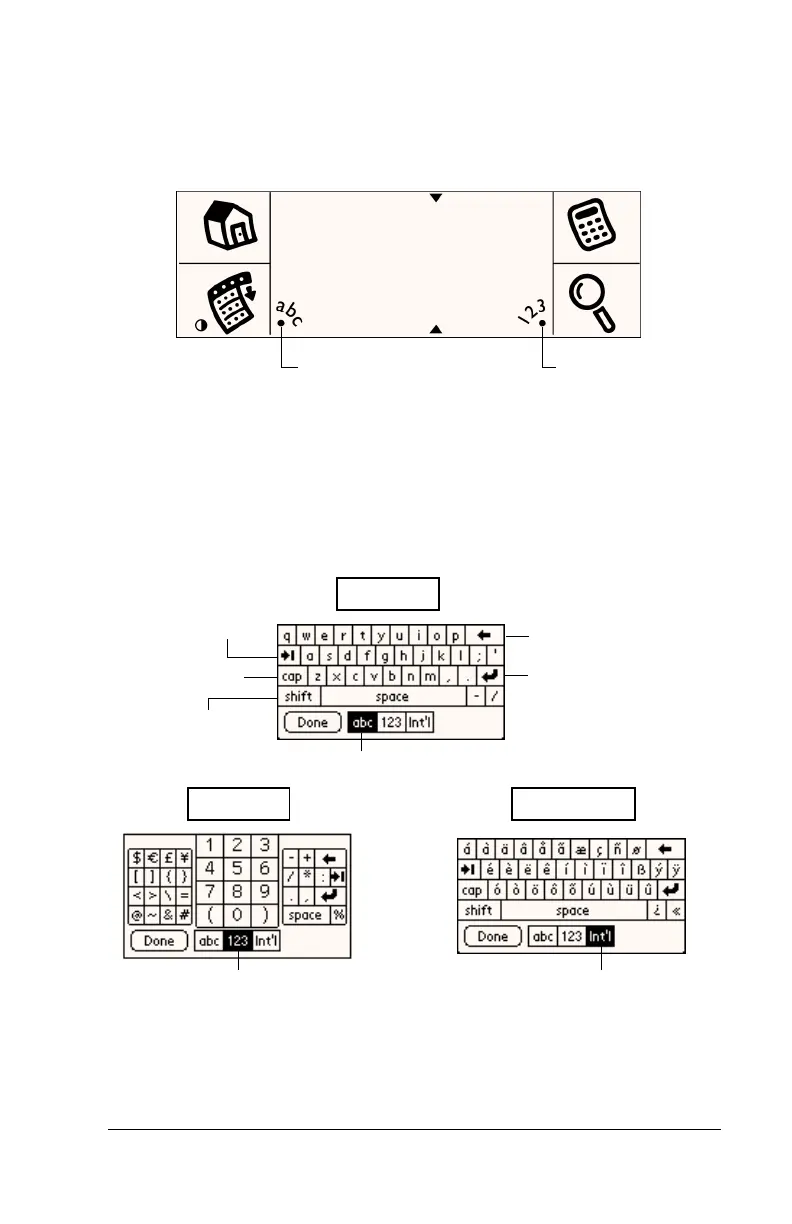
Onscreen keyboard
When you create or edit a record in an application such as Address,
you can open the onscreen alphabetic and numeric keyboards to enter
data.
After a keyboard is open, you can tap to open any of the other
keyboards, including the international keyboard. See “Using the
onscreen keyboard” in Chapter 2 for more information.
Note:
You cannot enter Graffiti characters while using the onscreen
keyboard.
Tap here for
alphabetic keyboard
Tap here for
numeric keyboard
Backspace
Carriage return
Tab
Caps lock
Caps shift
Tap here to display
alphabetic keyboard
Tap here to display
numeric keyboard
Tap here to display
international keyboard
Alpha
Numeric
International



 To Next Page