22
Disposal
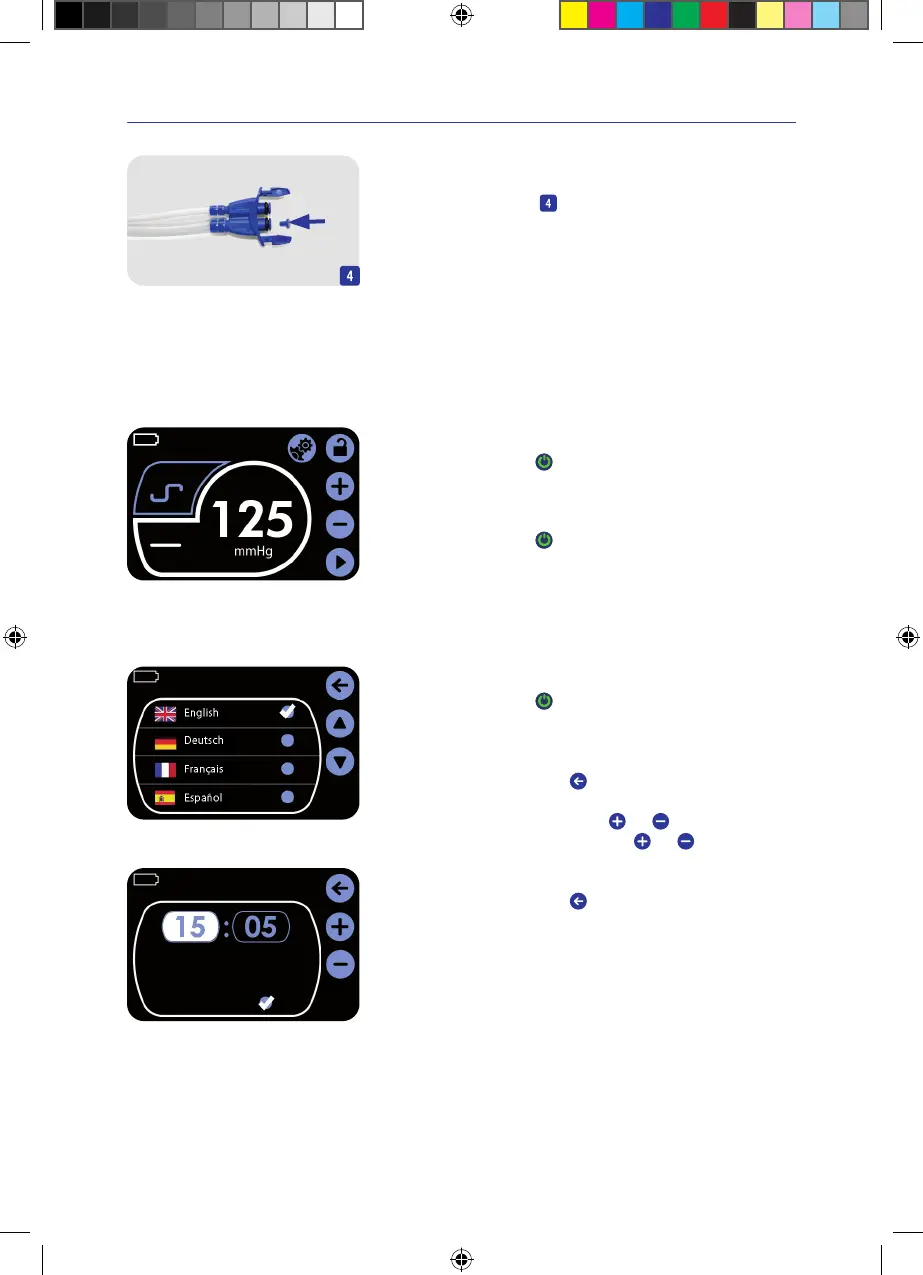
> Before disposal, break off the stopper from the connector and plug it
onto the exudate lumen
�
This ensures that no exudate can escape from the canister.
5. Basic functions
The activities in this chapter may be carried out only by a physician or a qualified person�
5.1 Switching the negative pressure unit on and off
Intermittent
Continuous
Main menu
Switching the negative pressure unit on
> Press the On/Off switch
for 2seconds�
The main menu is displayed.
Switching the negative pressure unit off
> Press the On/Off switch
for 2seconds�
The negative pressure unit switches itself off.
The key lock must be disabled.
5.2 Initial operation
Language selection menu
Switching the negative pressure unit on
> Press the On/Off switch
for 2seconds�
After the first start-up, the language selection menu is displayed.
> Tap on the required language�
A checkmark appears next to the selected language.
> Confirm the entry by pressing
�
The time setting menu appears.
> Enter the time of day by pressing the
and keys�
> Enter the day of the week by pressing the
and keys�
> Tap on the blue field behind „Daylight saving“ if the clock is to be
automatically changed for summer time�
> Confirm the entry by pressing
�
The main menu is displayed again.
Daylight saving
Wednesday
Setting the time
IFU_4095080_0302884_190824_EN.indd 22IFU_4095080_0302884_190824_EN.indd 22 19.08.24 12:3119.08.24 12:31


 To Next Page