24
6.1 Language
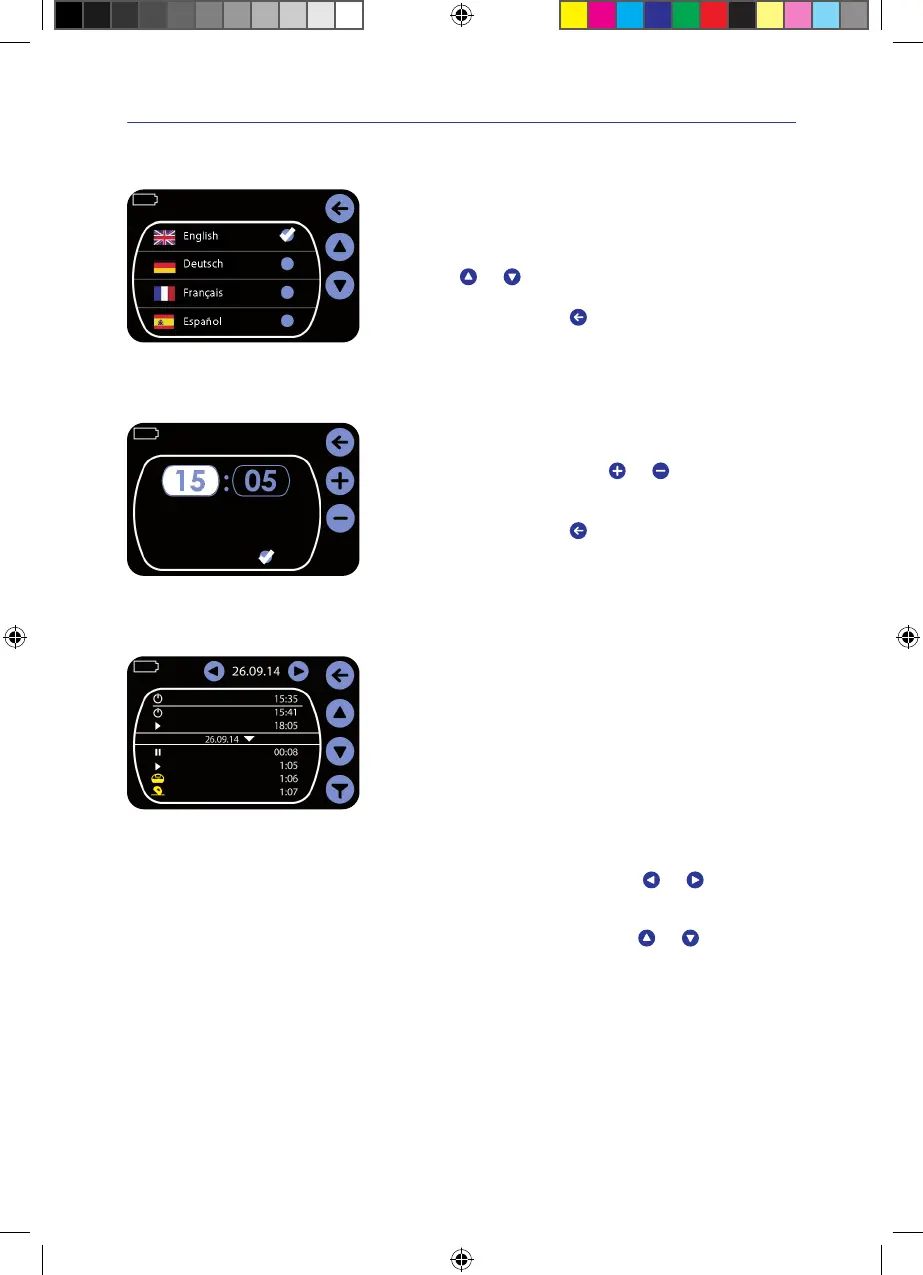
Language selection menu
> Tap on Language in the settings menu
Language selection menu appears.
> Tap on the required language�
The language is marked with a checkmark.
> Using the
and keys, scroll to the next page with
more languages�
> Confirm the entry by pressing
�
The main menu is displayed again.
6.2 Setting local time
Daylight saving
Wednesday
Setting local time
> Tap on Local Time in the settings menu
The time setting menu appears.
> Enter the time of day by pressing the
and keys�
> Tap on the blue field behind ”Daylight saving“ if the clock is to be
automatically changed for summer time�
> Confirm the entry by pressing
�
The main menu is displayed again.
6.3 Event history
O
On
Start
Pause
Start
Exudate canister full
Impact
Event history
Events (settings and error messages) are displayed in the event history�
The device has sufficient memory to store the event history over its entire
service life� The memory is not lost even after switching the device off or
in the event of a power loss�
Retrieving the event history
> Tap on Event History�
The event history is called up. Here, the most important events are recorded
together with the time of day.
Browsing through the days
> Browse through the daily records using the
and keys�
Scrolling through the event history
> Scroll through the event history using the
and keys�
IFU_4095080_0302884_190824_EN.indd 24IFU_4095080_0302884_190824_EN.indd 24 19.08.24 12:3119.08.24 12:31



 To Next Page