Wheel Alignment AXIS500
AXIS500 Manual Instructions
Front Wheel Alignment
5.7 Caster and Inclination
• After the camber measurement the
inclinometer stays on the measuring
column of the wheel alignment clamp.
• The unit is still switched on and displays
the last determined camber value.
• Turn the steering wheel until the front
wheels are in „straight ahead position“.
Both lasers have to point at the same
value on the magnetic scales attached to
the frame.
To measure the caster and the
steering angle inclination it is
necessary to block the vehicle's
wheels, so that the result is not
distorted by rolling when the
wheels are steered.
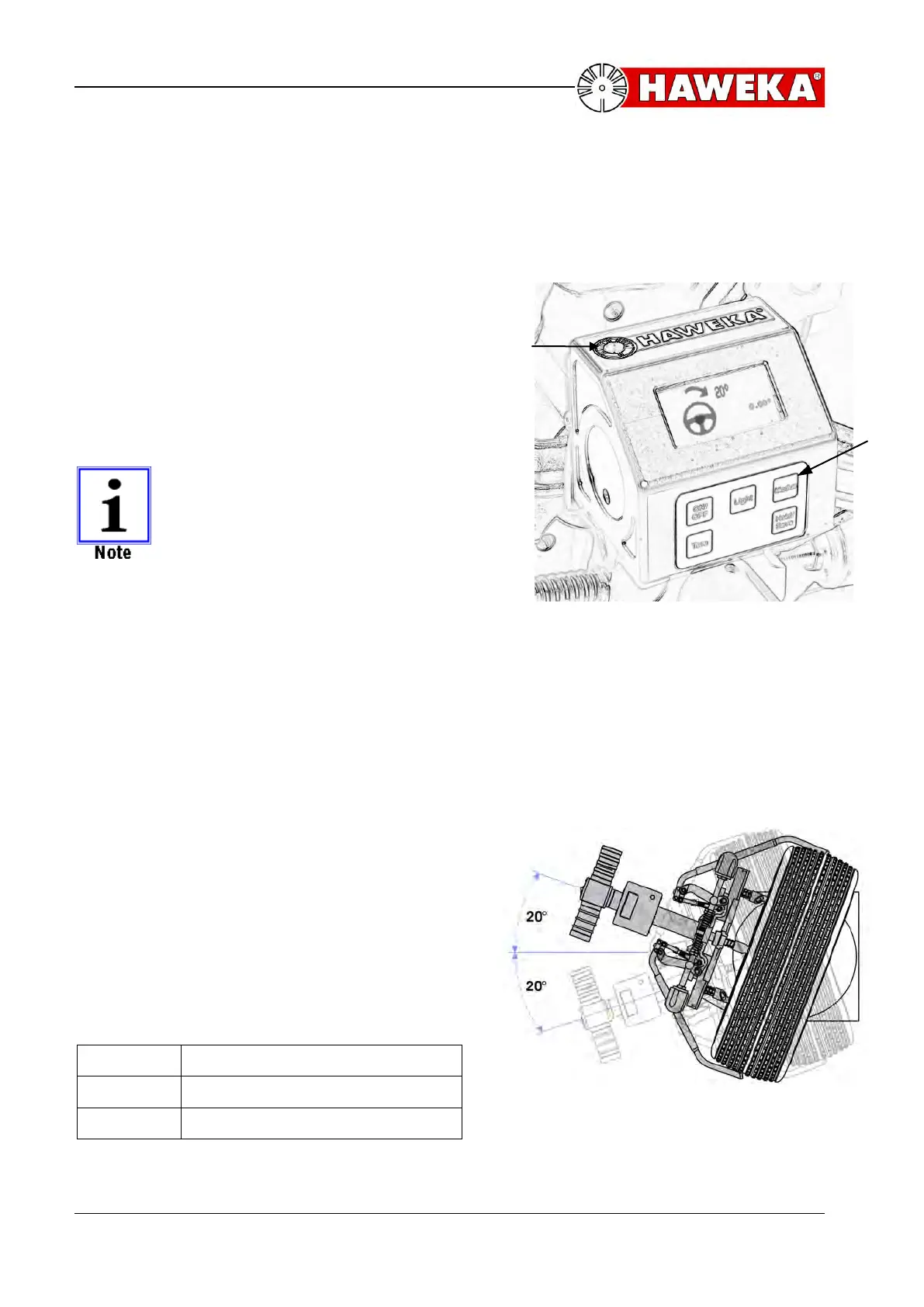
• Change the menu with the modus button
into Caster / KPI.. (Illustration 15)
• The LED in the upper part of the
housing starts to blink. When it stops, a
prompt appears in the display instructing
you to turn the steering wheel through 20
degrees. (Illustration 15)
• The wheel is turned with a uniform
movement until the LED flashes again
and thus confirms the steering has been
turned through 20 degrees.
• Shortly after that the LED shuts off and
the wheel is turned in the other direction
until the LED flashes again.
• The wheel is held in this position until
the LED is constantly lit and thus
finishes the procedure. (Illustration 16)
LED indicator light:
For measurement: Start / End
For position: reached / change
For measurement: Start / End



 To Next Page