7 Setting up the GEN3i
7.1
PC connections
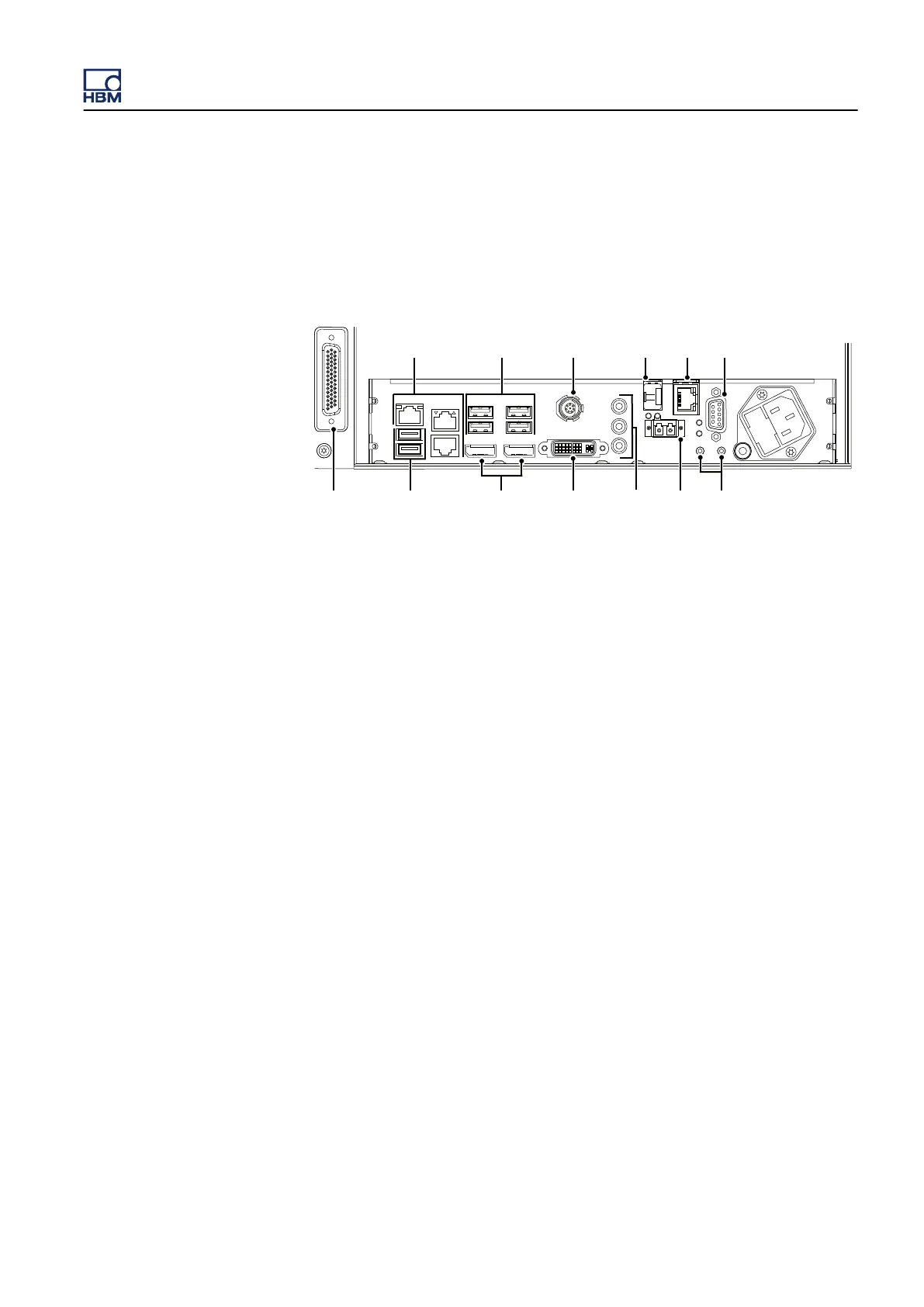
GEN3i has a PC motherboard inside. This PC motherboard has a lot of
connections that can be used to connect other devices to the GEN3i system.
Figure 7.1: PC connections
A
3 * RJ45 - 1 Gbit network ports
See "Communication and control" on page
166 for more details.
B 4 * USB 3.0 ports
See "USB 3.0 and USB 2.0 ports" on page 96 for more details.
C DC power output
See "DC power output" on page 108 for more details.
D PTP enabled network optical SFP slot (SFP module is optional)
See "Communication and control" on page 166 for more details.
E PTP enabled network RJ45
See "Communication and control" on page 166 for more details.
F I/O connector (trigger in/out, clock in, event out, start/stop)
See "I/O connector" on page 182 for more details.
G Probe calibration
See "Probe calibration" on page 106 for more details.
H Master/Slave synchronization (optical)
See "Master/Slave Synchronization" on page 169 for more details.
I Sound, Microphone, Speakers
See "Sound, microphone, speakers" on page 97 for more details.
J
DVI-I Graphics port
See "DVI-I Graphics and display ports" on page
96 for more details.
K 2 * Display ports
See "DVI-I Graphics and display ports" on page 96 for more details.
L 2 * USB 2.0 ports
See "USB 3.0 and USB 2.0 ports" on page 96 for more details.
M Digital Event/Timer/Counter
See "Digital Event/Timer/Counter" on page 110 for more details.
GEN3i
I3763-3.1 en HBM: public 95



 To Next Page