J BE3200 USB to Optical RS232 convertor
J.1
Re-programming of the USB-RS232 (opt. 650nm) converter to work with
BE3200
1
Download the “FT-Prog“ from:
www.ftdichip.com/Support/Utilities.htm“
This is required to re-program the internal EEPROM in the converter to
support inverted TX/RX lines (required to work with BE3200).
2
Unzip the downloaded ZIP-Archive and run the “FT_Prog“ program.
Connect the converter to a free USB connector on your PC.
3
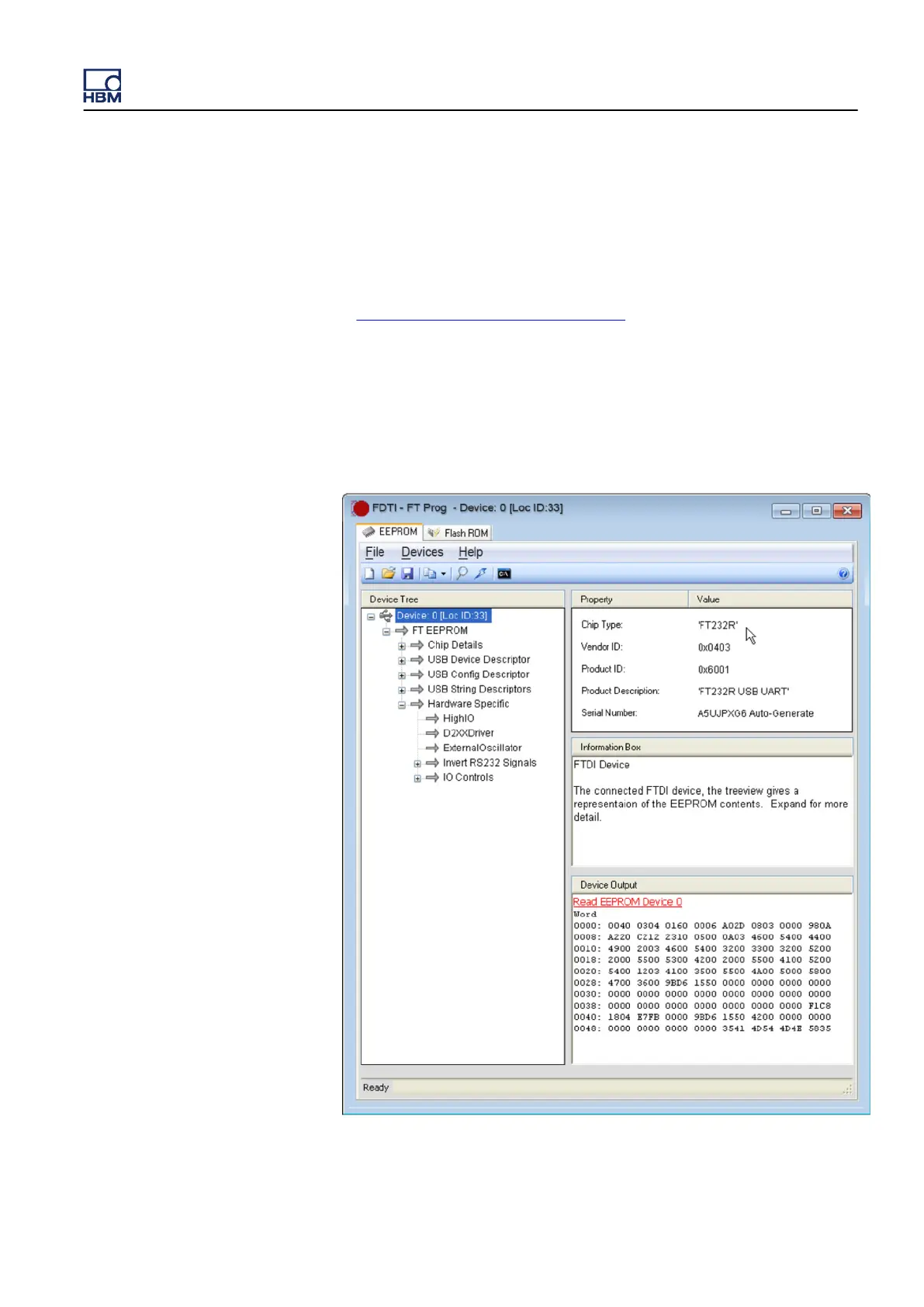
Press F5
or go to the menu Devices ► Scan and Pharse. As soon as the
USB converter is found, the display should look like this:
Figure J.1: FTDI ˗ FT Prog (Part1)
GEN3i
I3763-3.1 en HBM: public 985



 To Next Page