E-6
Configuring the Spider8 with the setup programÝ Setup program
Spider8
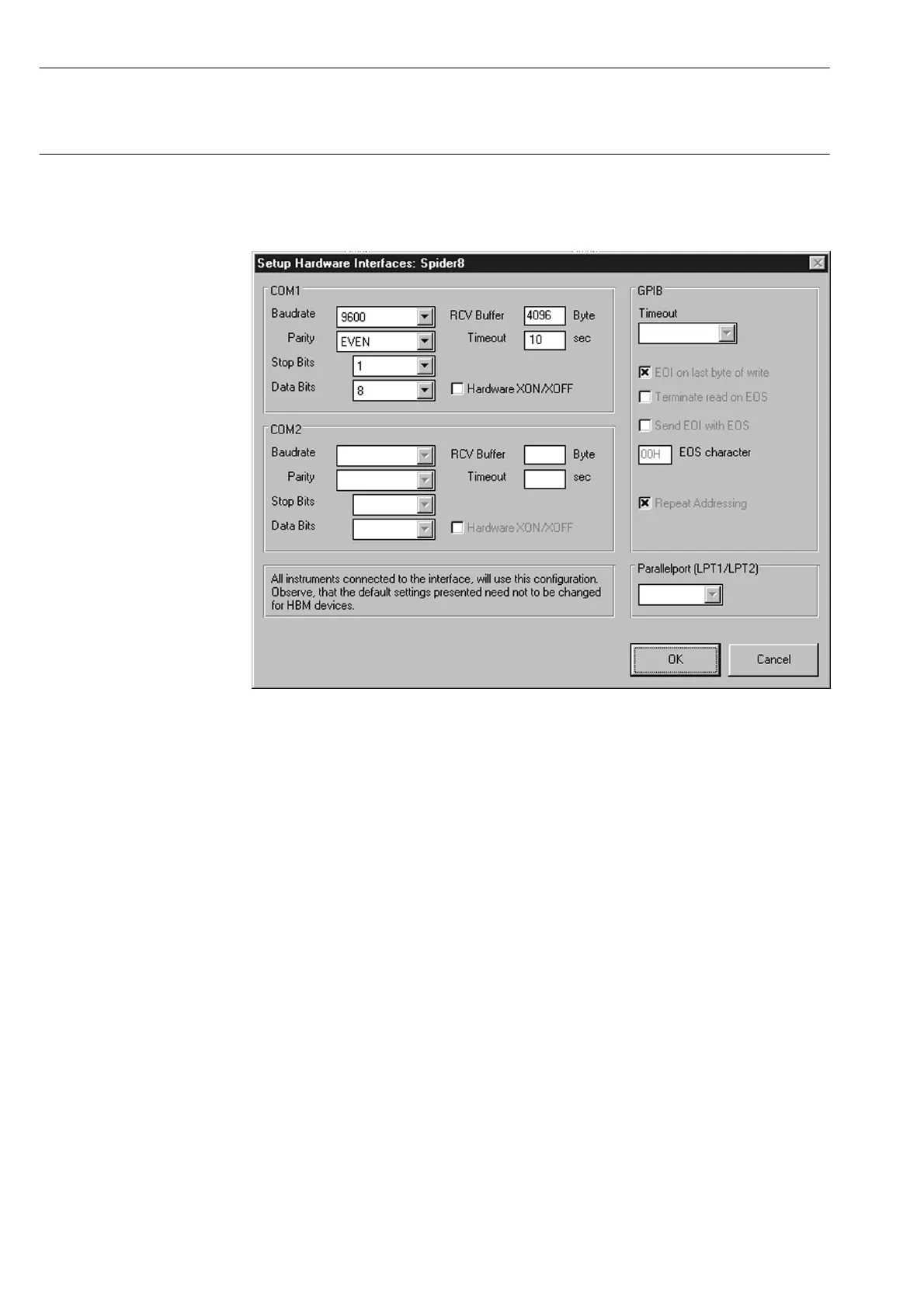
Setting up the interface:
COM1: Serial interface
COM2: Serial interface
GPIB: IEC interface (not provided for Spider8)
LPT1: Parallel port
LPT2: Parallel port
Once you have chosen your settings and confirmed them with OK,
(the correct interface settings for the Spider8 have already been
made and do not usually need to be changed), you will again see
the illustration shown on Page E-5.



 To Next Page