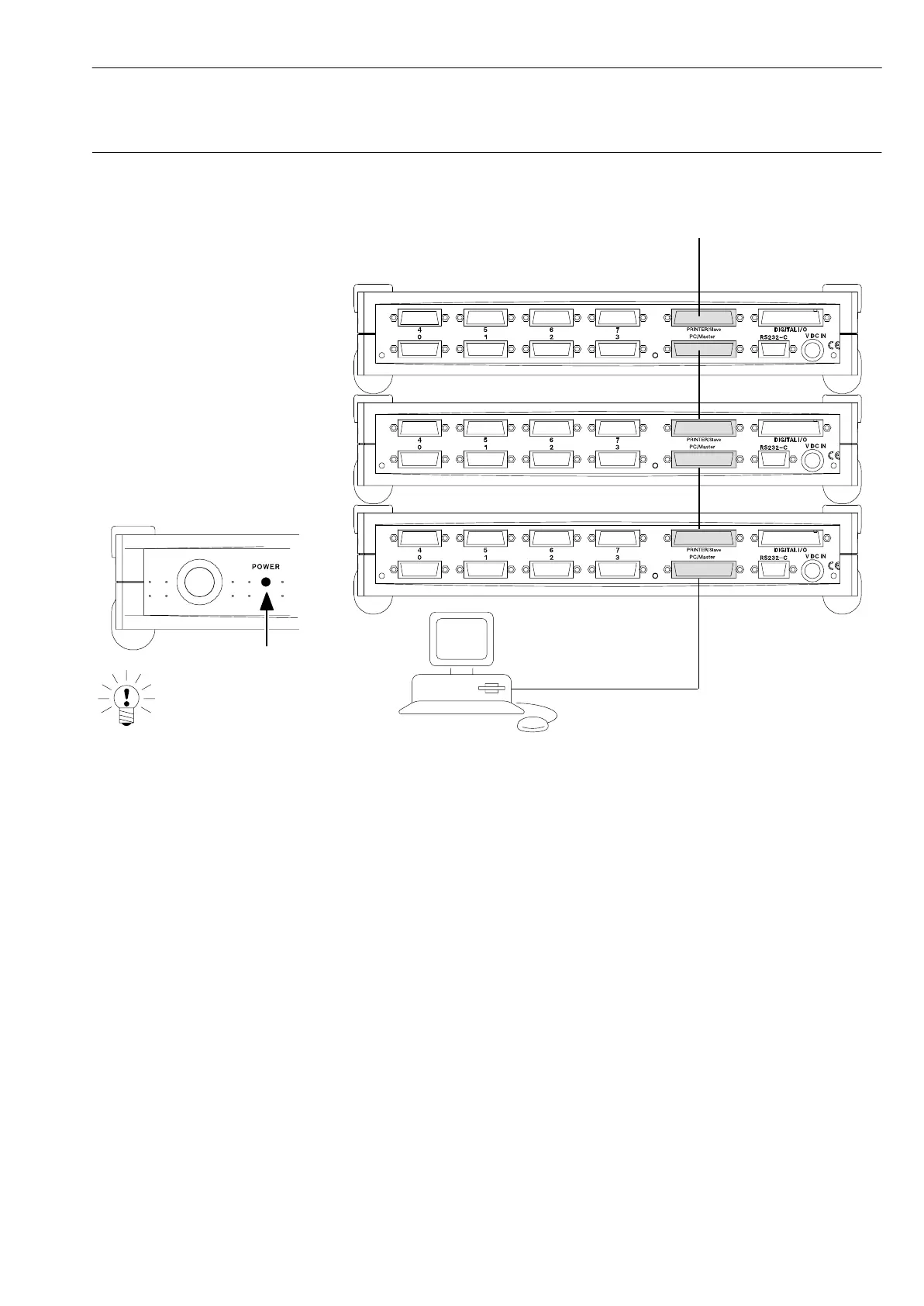
With the first Spider8, switching
on lights up the power indicator.
With every subsequent Spider8
the power indicator flashes until
communication is established with
the computer.
NOTE:
D-29
Connecting Ý Connecting a PC
Spider8
4.2 Connecting several Spider8 devices
Printer port:
IEEE1284 cable only
Printer port (parallel,
LPT1)
13
13
13
1. Connect an IEEE1284 cable to the PC
2. Connect the cable to the PC/Master socket on the first Spider8
3. Connect the PRINTER/Slave socket on the first Spider8 to the
PC/Master socket on the next Spider8 (IEEE1284 cable)
The IEEE1284 cable is included in the list of components supplied.



 To Next Page