58 IT 1002 Order No BA 93-66-1206 Issue 03.11.08
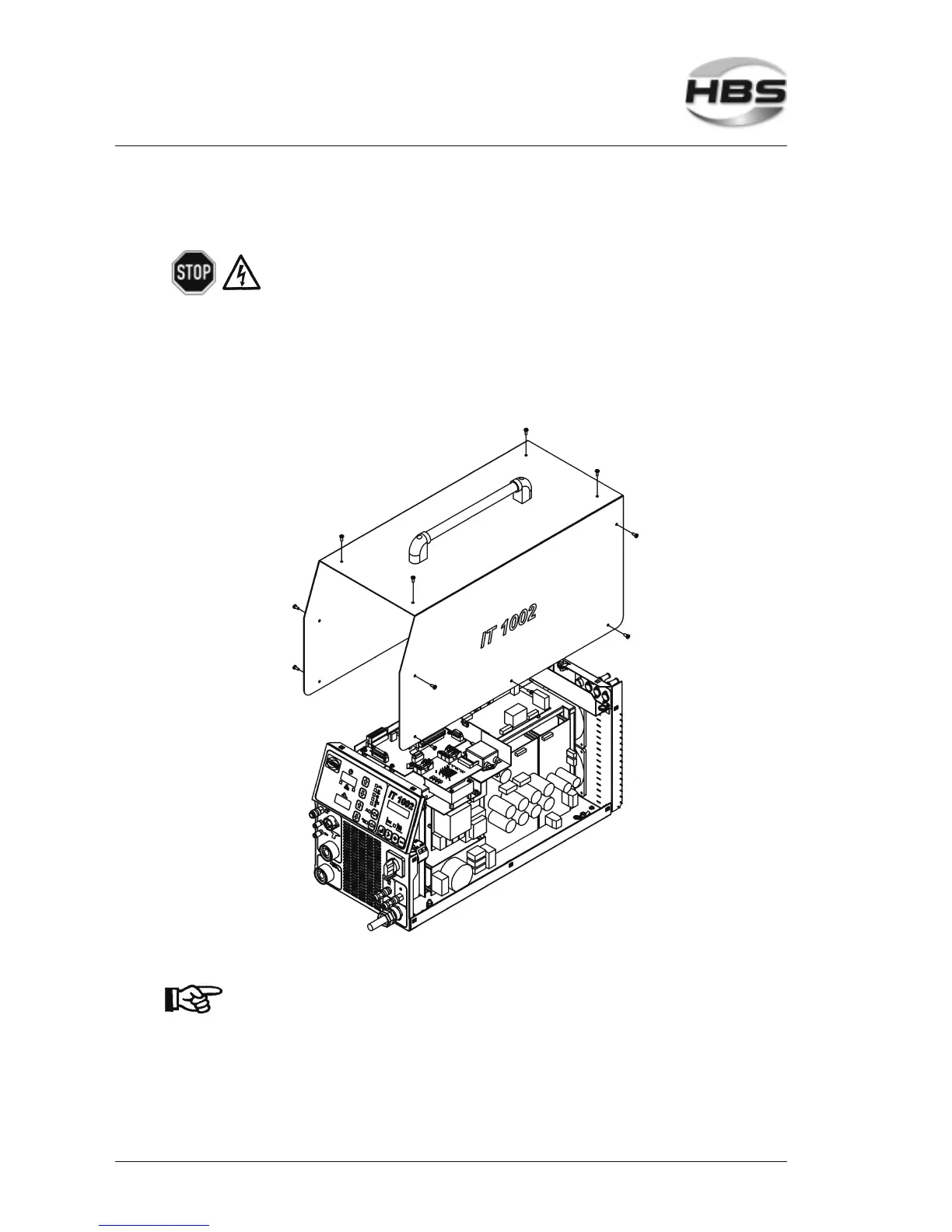
7.4 Open the Power Unit
Open the power unit only if you are sufficiently qualified in
repairing electrical equipment.
Remove the 14 screws of the casing (5 at each side and 4 on top of casing
cover).
Carefully remove the cover and disconnect the ground cable on the inside of the
cover.
Now pull off the cover.
Re-assemble the power unit in reverse sequence.
Make sure that no cables are jammed or sheared during
assembly.
7 Care and Maintenance
7.4 Open the Power Unit



 To Next Page