14
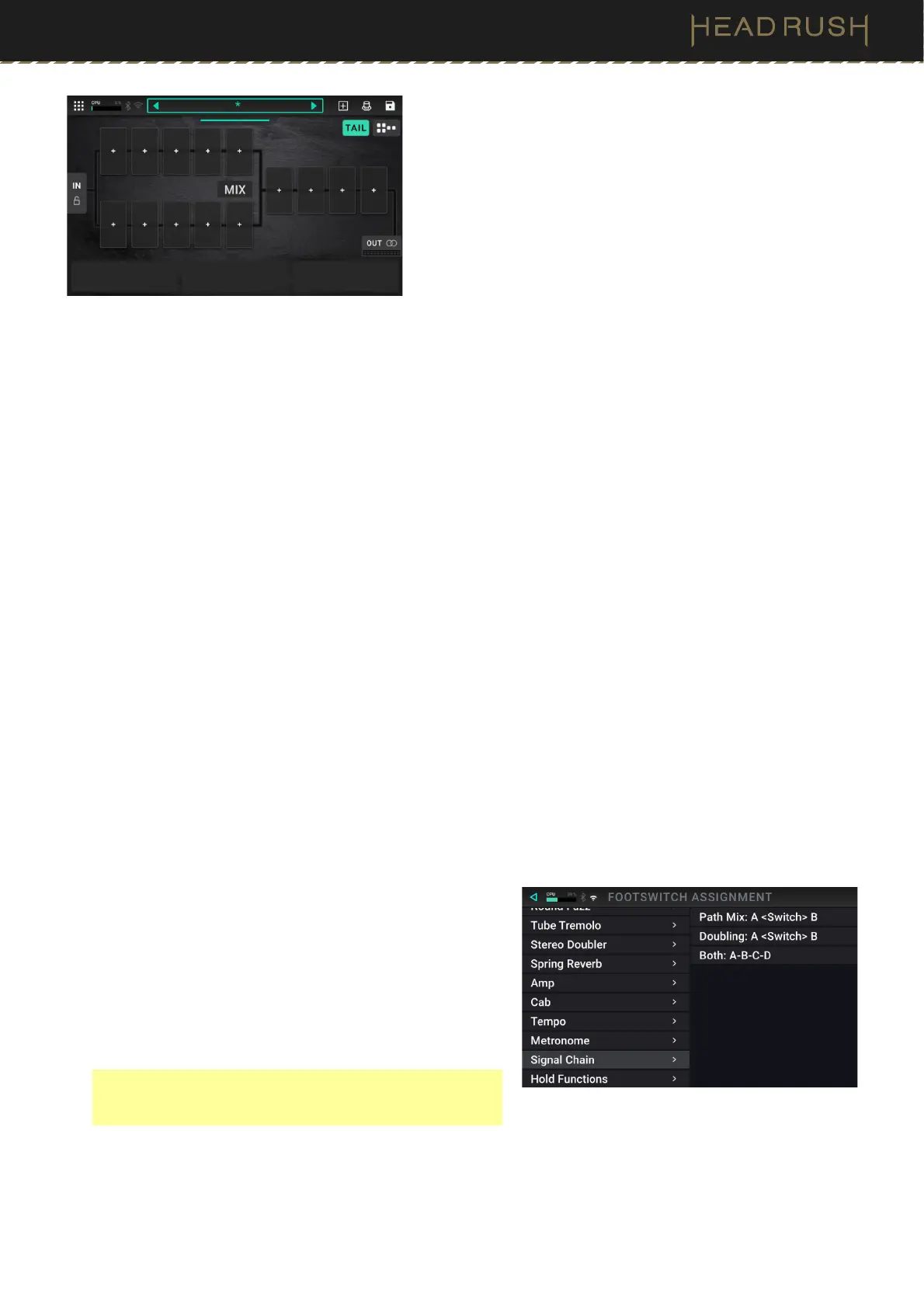
Immediate Split
This signal path splits immediately from the Input in a ten-slot
split mix section, and then rejoins with four slots before the
Output.
See (4.4.2) Adjusting Settings > Parameters > Mix to learn
how to mix the split paths together.
Optimizing Your Signal Path
After adding blocks to a rig, you can use the touchscreen to arrange your selected blocks in any sequence, but you
may find that some configurations will sound better than others.
Here are some common block placement suggestions for creating great rigs with Flex Prime:
• Dynamics (e.g., compressors), filters (e.g., wah, pitch shifters), and volume pedals are generally placed
at the beginning of the signal chain. Alternatively, you can place volume pedals at the end of the signal
chain to provide a slight variance in functionality.
• Gain-based effects (e.g., overdrive/distortion, fuzz) usually come next.
• Equalization (EQ) is often used to shape the tonal characteristics of overdrive/distortion and fuzz effects,
so put an EQ after them. Alternatively, place it before them to shape the guitar’s general tone—cutting
unwanted frequencies—before the gain pedals.
• Modulation effects like flangers, phasers, and chorus are typically placed next.
• Time-based effects like delays and reverbs are generally placed in between the amp and cab blocks (to
simulate an amp’s built in FX loop), or near the end of the signal chain.
• Amp blocks, cab blocks, IRs, and amp clones are often placed near end of the signal chain, although you
can place it wherever you want, depending on your needs.
Switching Between Paths
When using split path signal chains, you can use a footswitch or expression pedal to toggle or blend between each
path.
To toggle between split paths using a footswitch, use
the (4.6) Hardware Assign page to assign a footswitch to
this function in your rig. In the Hardware Assign page,
select the Signal Chain category of the Footswitch
Assignment Menu, and choose Path Mix: A <Switch> B.
Each press of the assigned footswitch will alternate
between the full top row split path in the rig being active
and the bottom row being muted, and vice versa. This
option can only be applied to split path rigs.
Note: You can also set this assignment as part of a Scene
by adjusting the Patch Switch parameter located at the
bottom of the Scene Assign page.
To blend between signal paths using the expression pedal, use the (4.6) Hardware Assign page to assign
the built-in or external expression pedal to the Mix > A <Crossfade> B assignment.



 To Next Page