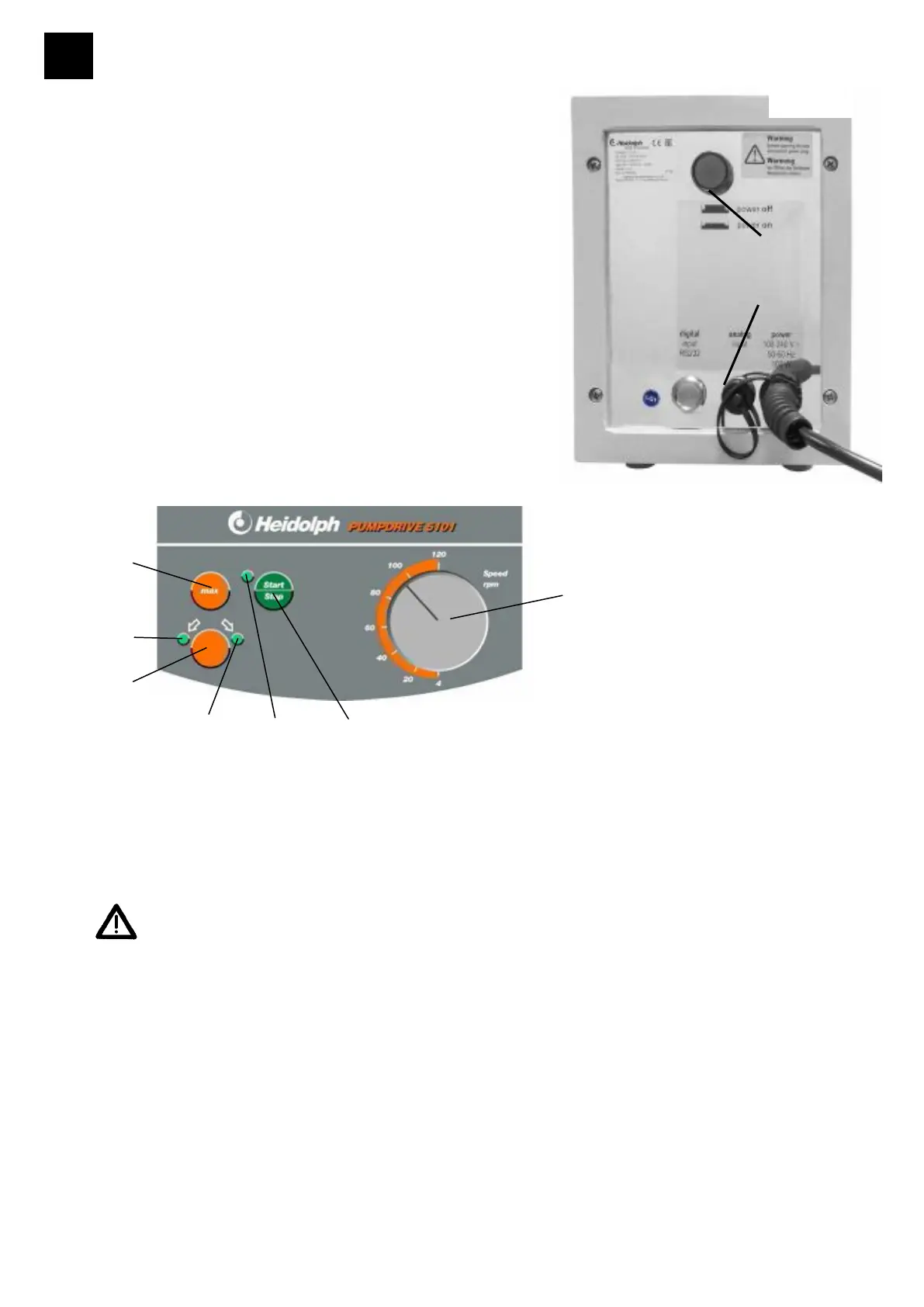
- Item's master switch (29) is located on the rear
panel. LED (40) for sense of rotation in ON.
- Set speed with speed selector (30) on the control
panel.
- Feed rate is proportional with pump speed. Go
by rpm scale on the item. For more information
a
chapters 16 and 17.
bout exact speed refer to reference tables in
- Select sense of rotation with switch (31); (go by arrow marks). Sense of rotation may be
changed on standstill only.
A signal sound occurs if you press this button during operation.
Caution! Hit Stop key (32) before changing sense of rotation, select new sense of
rotation and restart.
- Sense of rotation selected is confirmed by LEDs (40).
- Start pump with „Start Stop" key (32). Pump status is confirmed by an LED (44).
- To stop pump rotation, hit "Start Stop" key (32) once more.
- When hitting "max" key (33), pump will run at max. speed as long as this key is held
depressed; this feature eases filling or draining tubing without any change to basic settings.
Set speed number may vary from actual number slightly.
-



 To Next Page