V-Switch quad II - Installation and Operation Manual
ON SCREEN DISPLAY
27
PiP (Picture in Picture Function)
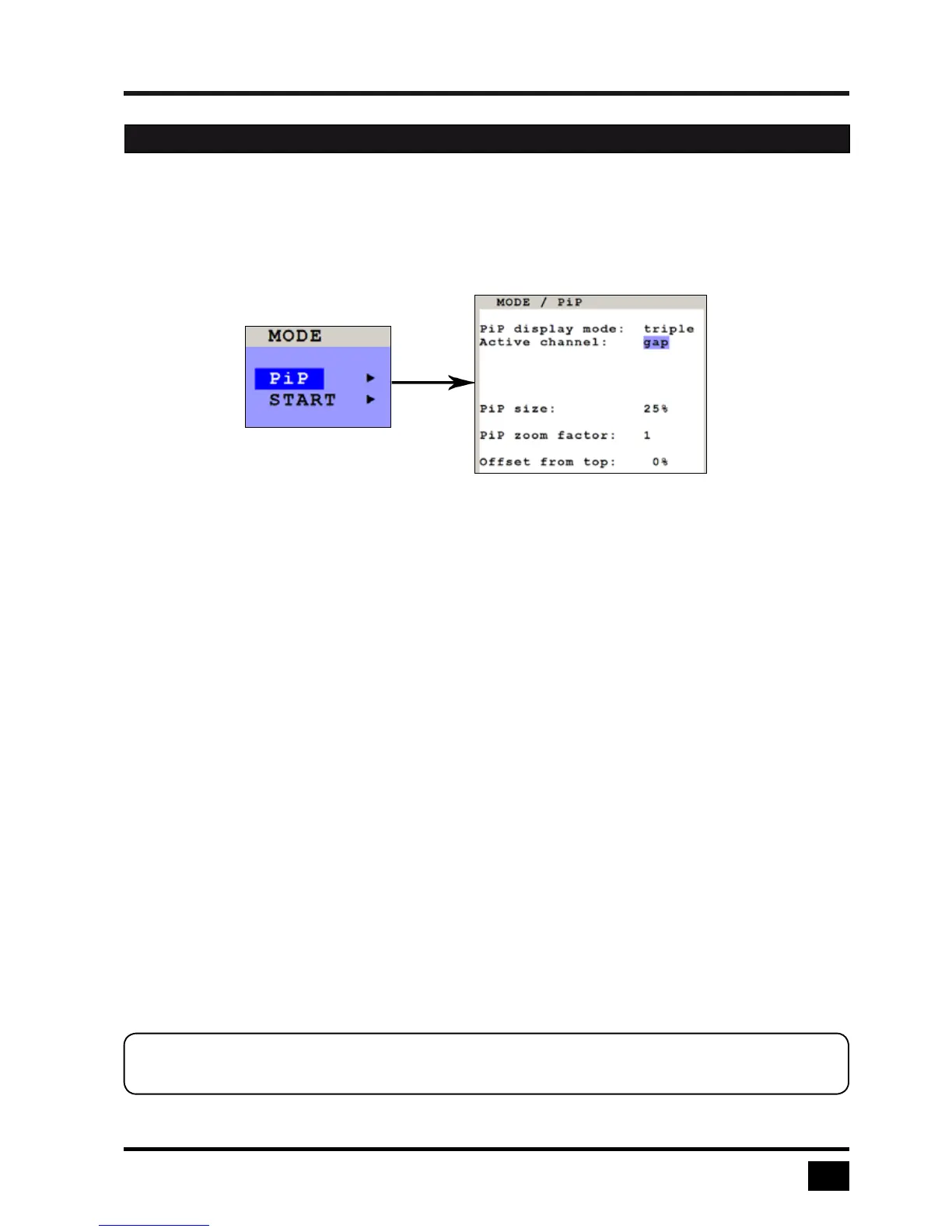
Use arrow keys to navigate in the MODE menu to the entry PIP and press ENTER/SELECT to open the PIP
window.
In the PIP window you can configure PiP size, position, and display mode.
PiP size
Adjust the size of PiP images to your requirements. 12 (single mode) or 9 (triple mode) different sizes are
available:
Single: 3 % - 5 % - 7 % - 10 % - 15 % - 20 % - 25 % - 28 % - 33 % - 38 % - 44 % - 50 %
Triple: 3 % - 5 % - 7 % - 10 % - 15 % - 20 % - 25 % - 28 % - 33 %
50 % equals the size of one quad screen (one quarter of a full size screen).
PIP zoom factor
Use this option to zoom the center of the PiP images by a factor of 2.
Offset from top
Use this option to change the position of PiP images. PiP images can be moved vertically to any position on the
screen’s right hand margin.
OSD - MODE - PIP
Note:
All settings also possible via Hotmouse Menu, see page 54.


 To Next Page