24
9.1
Internal measurement External measurement
Each symbol allows you to select the type of measurements you want to carry out. The
classification through LEDs and relays as well as the output for 40 good classes will then
be fitted accordingly (this function is not available in the TT90-UPC mode).
9.2 Choosing analogue display mode
Barograph (standard) Pointer
The way the analogue display mode can be selected is the following: switch OFF the instru-
ment, set the switch 2 to desired position and switch ON back (since the barograph mode
is permanently enabled, this function is not available in the TT90 mode ).
9.3 Calibration mode
In order to select the calibration mode, switch off the instrument first, and then proceed as
instructed below.
– TT80 : set switch 3 to ON.
– TT90 : execute 2 calibration processes separately, i.e. one for the TT80 mode (±1000
µm) and the other for the TT90 mode (±100 µm). Set both switches 2 and 3 to their
respective positions. Finally, press each key «A» and «B» simultaneously whilst turning
on the instrument.
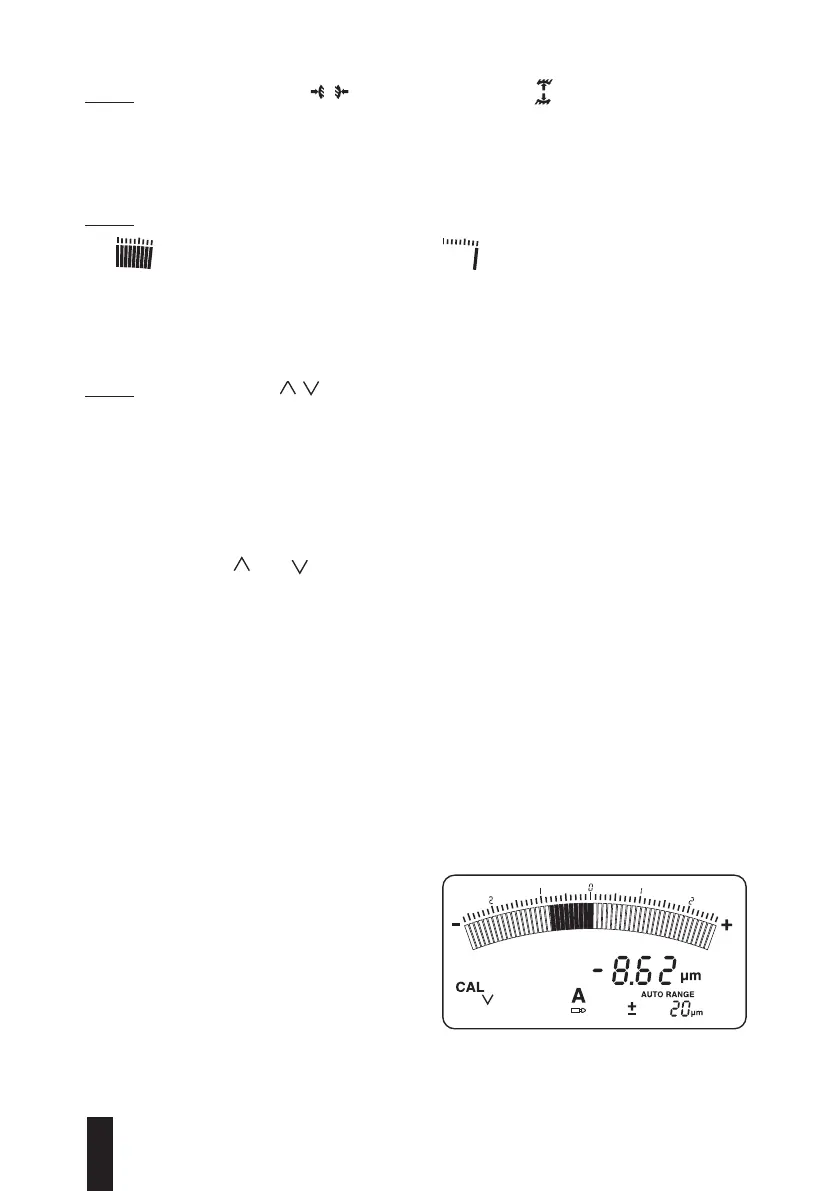
– Both symbols and indicate that calibration mode is enabled, one symbol for each
single calibration process. If the instrument is not calibrated, display shows«CAL».
2-point calibration
Conditions
– Instrument has been turned ON at least 10 minutes before the measurement outset
(temperature stabilisation).
– Distance between both measuring points matches ≥100 µm.
– Analogue display is set to AUTO RANGE.
– Calibration means are available, i.e. dummy probes, gauge blocks and other masters.
– A single measuring channel can be calibrated (A or B). Pressing HOLD allows you to
pass over the calibration of selected channel.
In the example below, dummy probes with nominal values to 1000 µm and -1000 µm have
been used (in the TT90 mode, use dummy probes to 100 µm and -100 µm).
Turn OFF the instrument
– TT80 : set switch 3 to the calibration
position.
– TT90 : press « A » and « B » simultane-
ously.
– Switch On the instrument and wait until
the LEDs are off before releasing « A »
and « B ».


 To Next Page