14
2.6 Searching
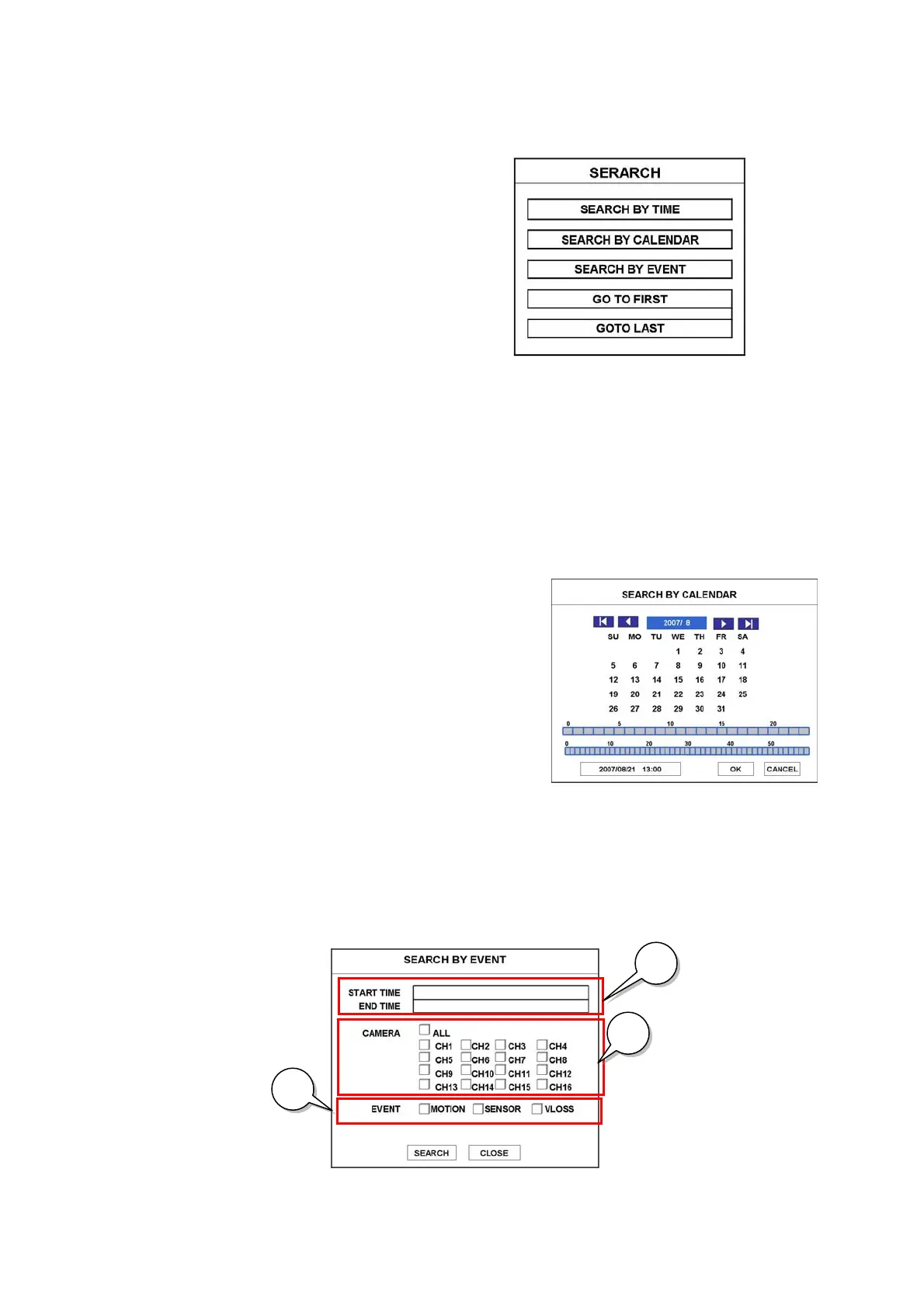
Press SEARCH button.
The SEARCH menu will pop-up.
z SEARCH BY TIME
(1) Enter desired date and time to search for.
(2) Then, Press ENTER button.
z SEARCH BY CALENDAR
(1) If you select SEARCH BY CALENDAR, the calendar will appear.
(2) Select desired date by pressing ◀▶▲▼ buttons and press ENTER button.
(3) Select desired Hour/Min by pressing ◀▶▲▼ buttons and press ENTER button.
(4) Select OK and press ENTER button.
z SEARCH BY EVENT
(1) If you select SEARCH BY EVENT, the following window will appear.
(2) Enter desired start time and end time to find EVENT.
(3) Select desired channel to search for.
(4) Select desired event type to search for.
(5) Select SEARCH button and press ENTER button.
(2)
(3)
(4)



 To Next Page