38
4.2 DVR LIST
You can make DVR list to connect and all camera of the DVR will be displayed in the
connection.
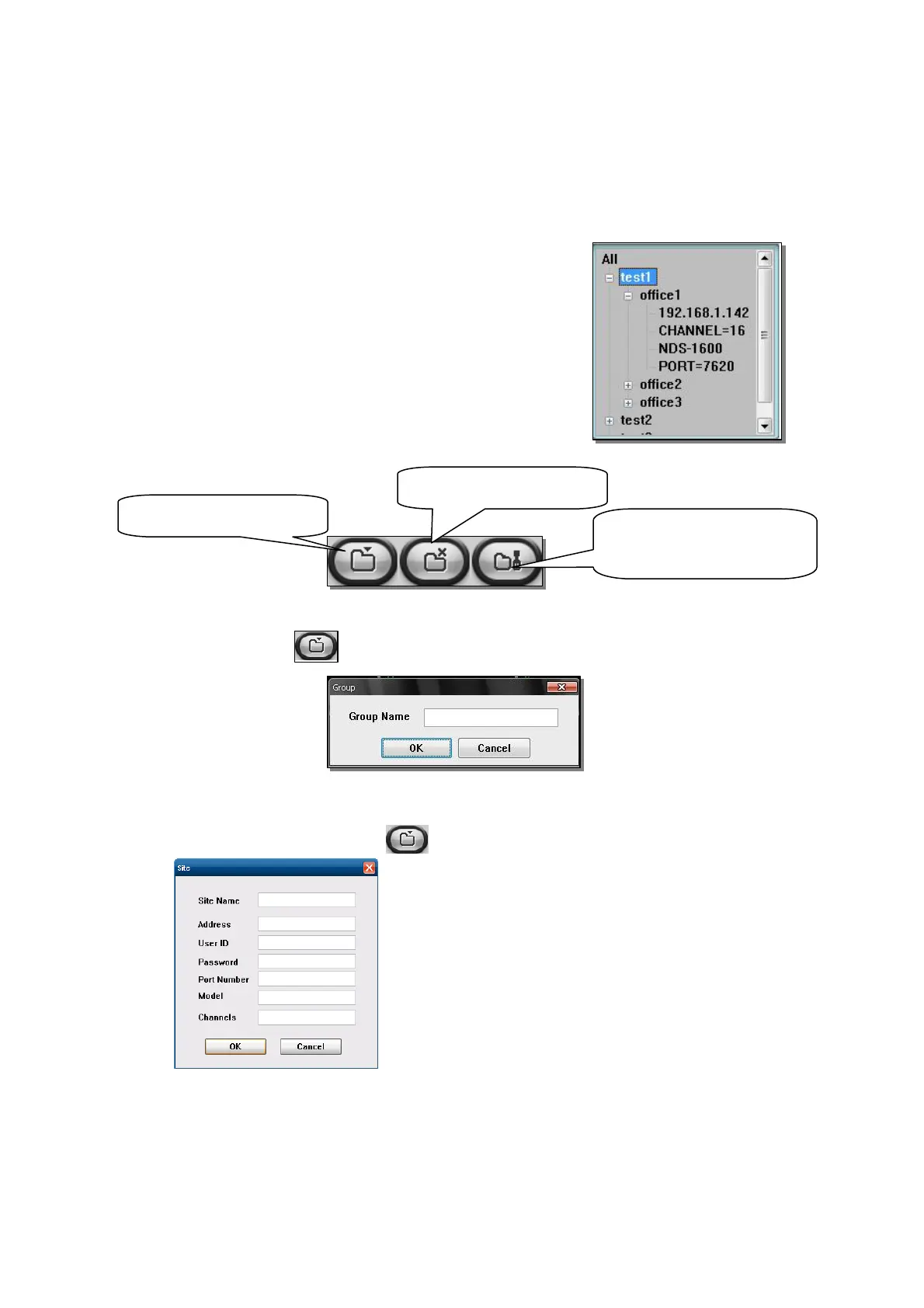
4.2.1 Group display window
This window shows all kinds of registered information
z Group name,
z DVR site name,
z IP address / channel / Model name / Network port
4.2.2 Make Group or DVR site
(1) Making Group :
Select All and click button. Then, input desire Group name and click OK button.
(2) Making DVR site
Select desire group and click button and Input information to connect DVR.
Site name : Input desire DVR site name
Address : Input IP address of DVR
User ID : Input network ID
Password : Input Network password
Port Number : Select network port rate of DVR
Model : Select DVR model
Channels : Select DVR channels
Create Group / DVR site
Delete Group / DVR site
Modify information of Group
or DVR site



 To Next Page