40
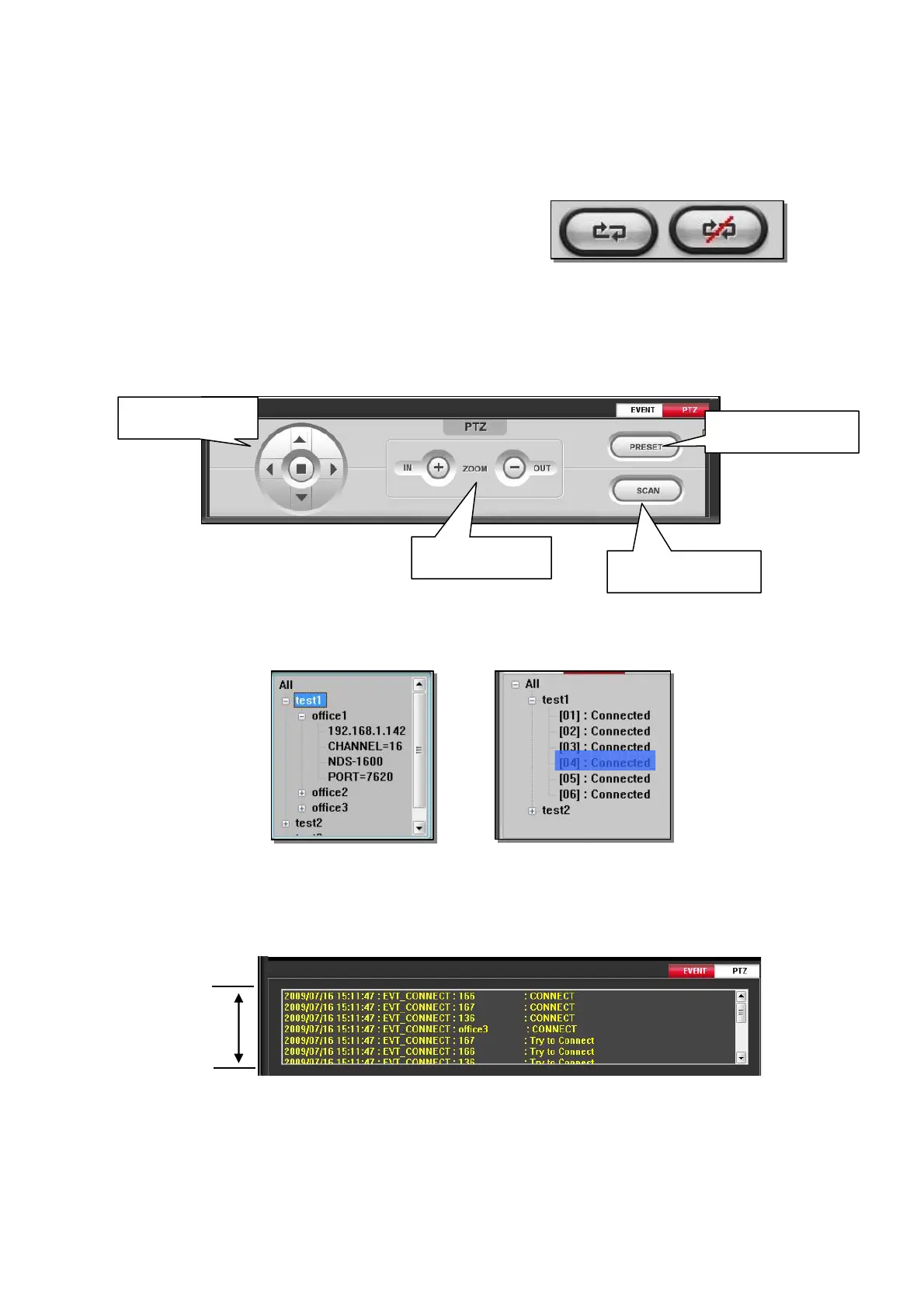
4.4 Connection / Disconnection
Select a GROUP or a DVR that you want to connect or
disconnect and click Connection or Disconnection button
4.5 PTZ control
If you click PTZ button, window will change to PTZ control mode. Then, you can control PTZ
camera in one channel mode.
At DVR LIST : You can control PTZ after selecting the DVR of the PTZ camera.
At PRELIST : You can control PTZ after selecting the Camera.
DVRLIST PRELIST
4.6 Event status
If you click event button, connection status will be shown.
Control Pan/Tilt
Zoom IN / OUT
Control Preset point
Control Scan point
Latest
Old



 To Next Page