28
● RECORDING MODE
- SCHEDULE
System record according to Schedule mode
- CONTINUE
Always recording while system is running. (Recording never stops unless HDD is full
or error!!)
- EVENT
Regardless of schedule mode, Event is recorded if Motion or Sensor is set
● WATER-MARK – Recording with water-mark.(To detect image corruption)
3.4 EVENT
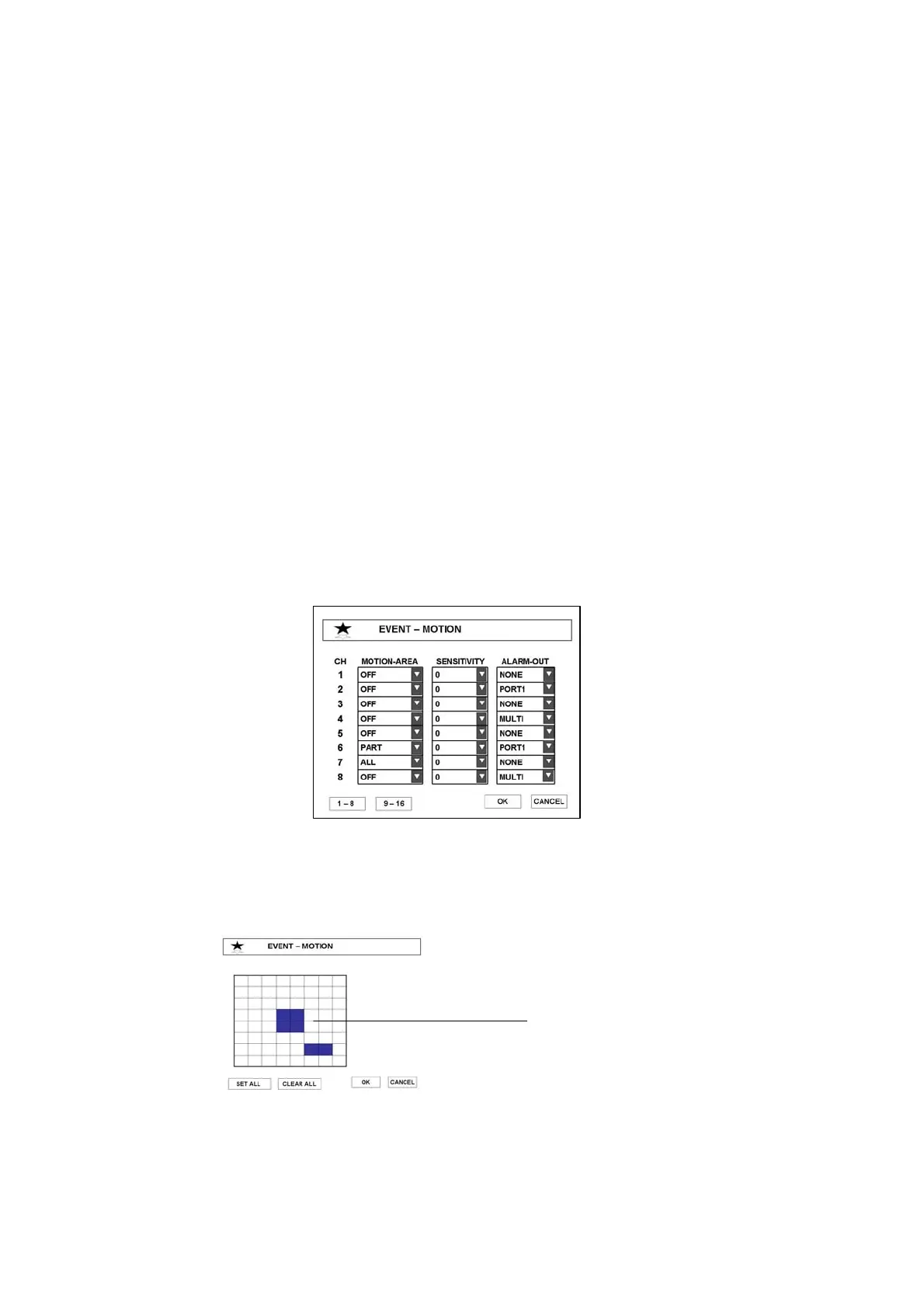
3.4.1 MOTION
● MOTION-AREA – Set the area to detect motion.
▶ SET ALL – Select the whole area.
▶ PART – Select a block. Selection is done by toggle system.
▶ CLEAR ALL – Cancel the whole area.
Selected area
Note : Event recording occurs according to recording schedule, so you should set recording
schedule to record a event or set recording mode to EVENT



 To Next Page