6
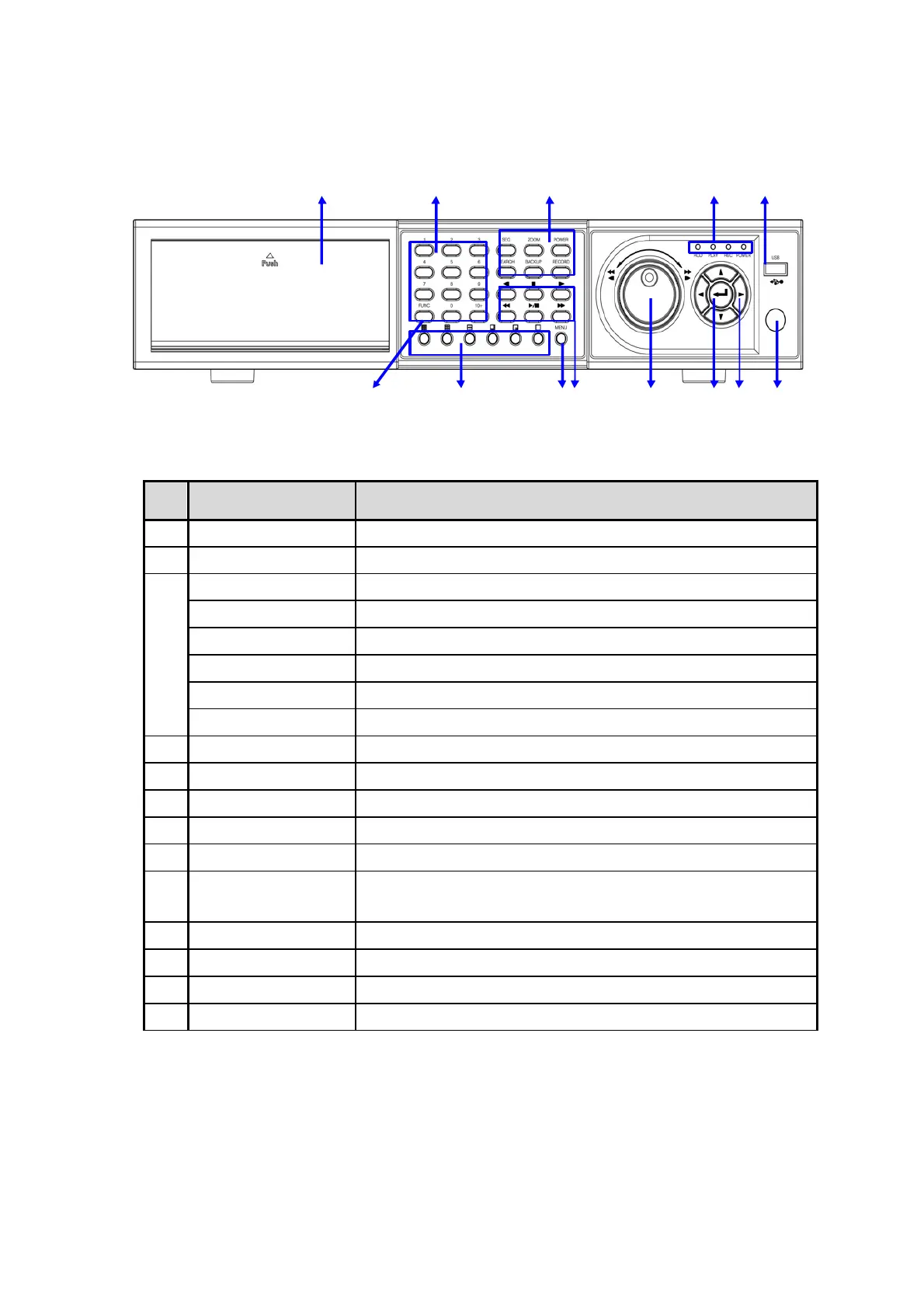
1.2 Front Panel
6 7 8 9 10 11 12 13
1 2 3 4 5
Button
Function
1
DVD Burner Backup the recorded image by internal DVD burner
2
Numeric Button Select the desired channel or input password
SEQ Sequence display
ZOOM Zoom In/Out
POWER Power ON / OFF the DVR system
SEARCH Go to search mode
BACKUP Go to backup mode
3
RECORD Recording by manual
4
LED Indicator Indicates system status. Power, Record and Hard disk status
5
USB USB memory slot
6
FUNC Run system other function
7
Display Button Select screen display mode
8
Menu Button Open system menu
9
Playback Button
Fast Rewind & One-frame backward, Play/Pause by toggle, Fas
Forward & One-frame forward
10
Jog/Shuttle Knob Image playback in various speed of frame
11
Enter Button Select value or setting
12
Direction Button Move to the desired menu position
13
IR Sensor Window Sensor Input for IR remote controller



 To Next Page