25
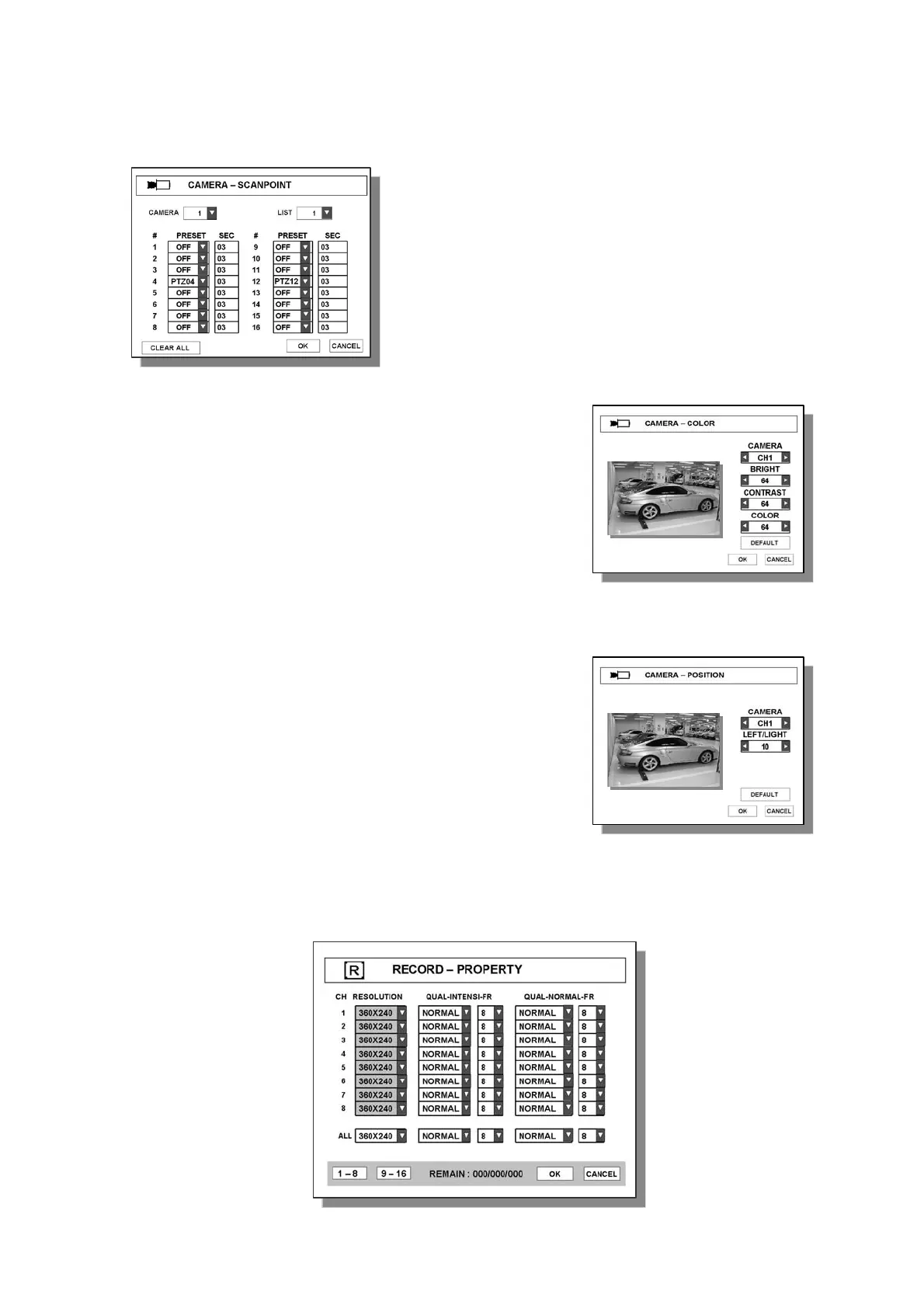
3.2.5 CAMERA-COLOR
● CAMERA – Select camera to change color.
● BRIGHT– Adjust bright of camera.
● CONTRAST – Adjust contrast of camera.
● CONTRAST – Adjust contrast of camera.
● COLOR/SATURATION – Adjust saturation of camera.
● COLOR/HUE – Adjust hue of camera.
● DEFAULT – Set all values to factory default.
3.2.6 CAMERA –POSITION
● CAMERA – Select camera to adjust position.
● LEFT/RIGHT– Move camera position to LEFT or
RIGHT in screen.
● DEFAULT – Set all values to factory default.
3.3 RECORD
3.3.1 PROPERTY
E.g. In this case, Camera 1 will move to saved position
as follows,
PTZ04 Æ 3sec Æ PTZ12 Æ 3sec Æ PTZ04 Æ 3sec Æ
PTZ12 Æ 3sec Æ PTZ04 Æ……..



 To Next Page