24
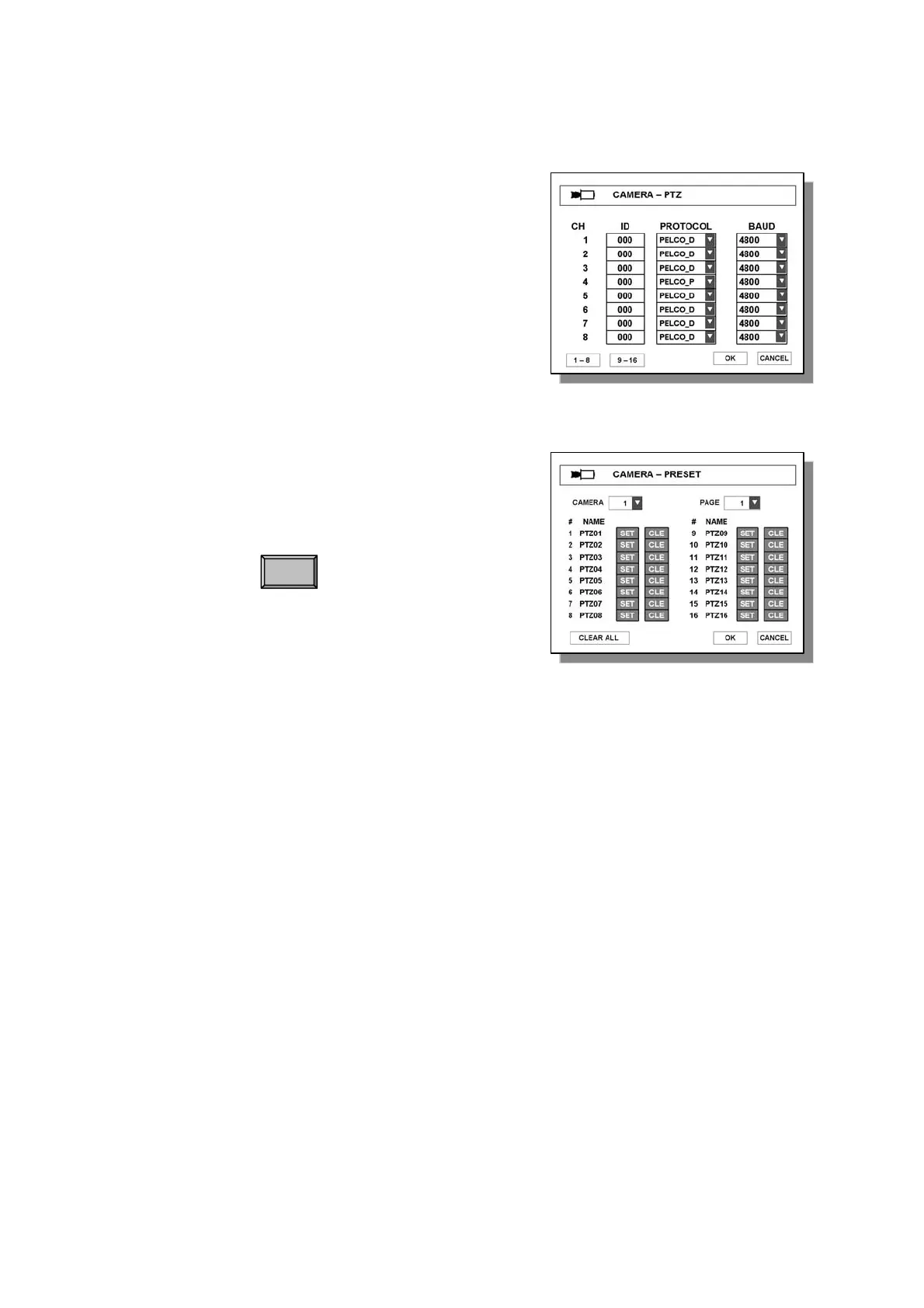
3.2.2 CAMERA – PTZ
● ID – Enter ID of PTZ camera.
● PROTOCOL – Select a protocol type of camera.
● BAUD – Select a baud rate of camera.
3.2.3 CAMERA – PRESET
● CAMERA – Select specific camera to save preset position.
● PAGE – Go to next page.
● CLEAR ALL – Cancel all saved presets.
(1) Select camera.
(2) Select button.
(3) PTZ control screen of the camera will appear.
(4) Move pan, tilt, zoom in/out to desired point.
(5) Press ENTER button to save or press
MENU button to cancel.
3.2.4 CAMERA – SCAN POINT
● CAMERA – Select a specific camera to set SCAN points.
● LIST – Create another SCAN list
● PRESET – Select desired preset position.
● CLEAR ALL – Cancel all saved scan points.
SET
Note
- System records a certain position of PTZ device.
- Before using this function, please make sure that camera supports preset.
- Total 64 preset points can be saved to each channel.
Note
- In SCAN point menu, you can setup PTZ tour route(SCAN-LIST) using saved PRESET position.
- You can create 4 scan lists for each camera. You should setup PTZ protocol and PRESET
Positions before setting Scan-List.
- You can create Max. 4 SCAN lists.



 To Next Page