15
z GO TO FIRST
Play starts from oldest restored data.
z GO TO LAST
Play starts from latest restored data.
2.7 Playback
z Play starts with PLAY button.
If you press PLAY button in LIVE mode, DVR will start playing from the point
stopped recently.
If it is first play after DVR booting, DVR will start playing from the beginning.
z Playback mode changing
If you want to see a specific screen with full screen mode, press full-screen button
or numeric button of remote controller.
To display QUAD/9CH/16CH mode screen, press QUAD/9CH/16CH button.
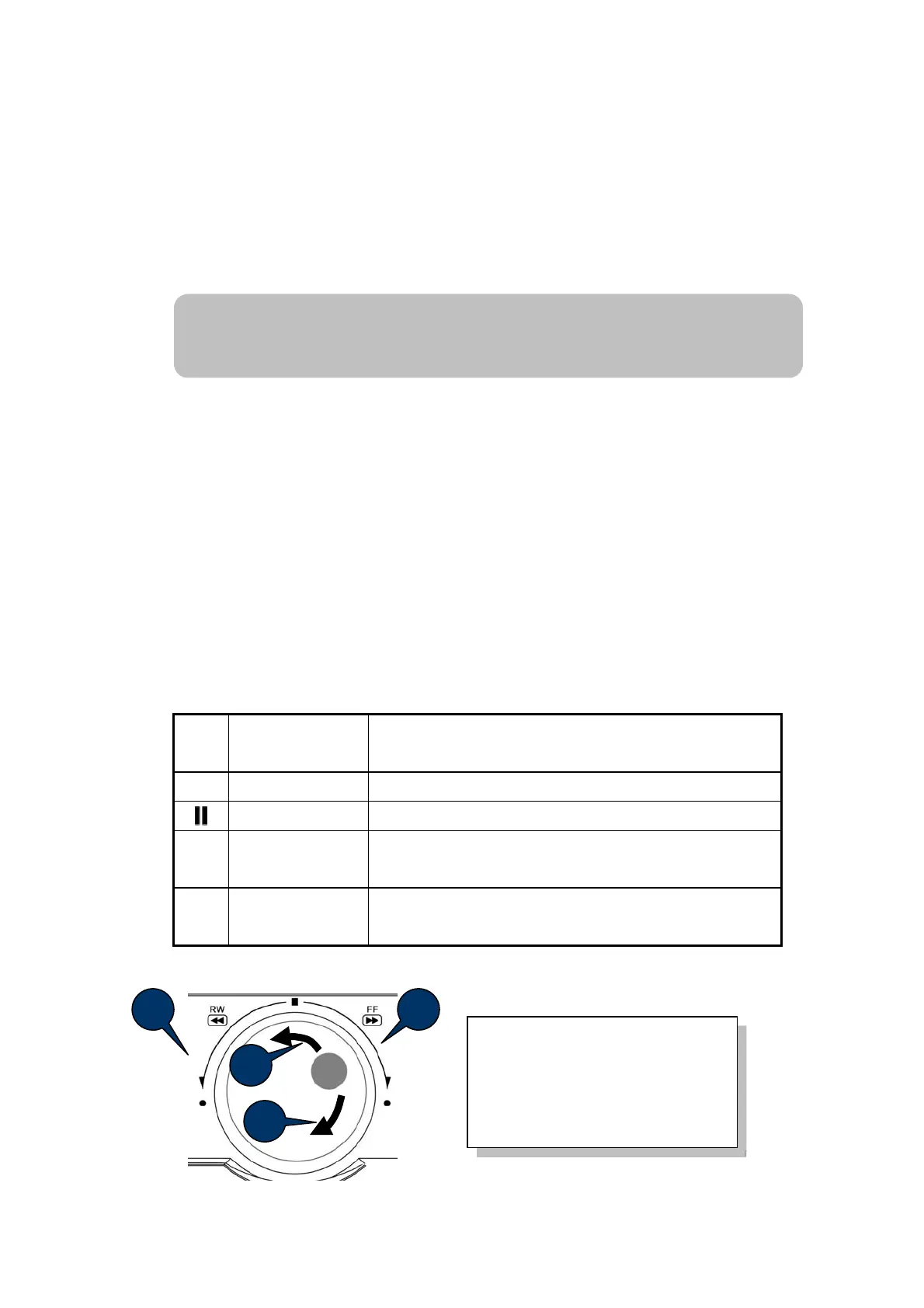
You can control playback speed with ◀◀ / ▶▶ button. Whenever pressing the
button, the speed of playback increases or decreases.
◀◀
Rewind
- Reduce Fast Forward speed While Fast Forward play.
- Show screen(s) frame by
frame reversely in Pause mode
▶
Play
Play the video
Pause
Pause the video
▶▶
Fast Forward
- Reduce Fast Reward speed while Fast Reward
- Fast forward play by one frame during Pause mode
■
Stop
Stop the playback and go to Live mode
Menu button also stop playing.
1 2
4
3
1. Fast Rewind
2. Fast Forward
3. Rewind by 1 frame mode
4. Forward by 1 frame mode
If DVR is recording now, play will continue.
If DVR is not recording, play will pause at last recorded position.
Note



 To Next Page