16
2.8 Backup
z Backup to USB, CD/DVD writer devices
PS. DVR just supports CD-R/CD-RW/DVD-R/DVD-RW format only.
User can backup the data to USB flash memory or External USB CD/DVD writer.
(1) For USB backup, connect USB device to USB port of DVR system.
(2) Press FUNCTION button and Select BACKUP. Or press Backup button of
remote controller.
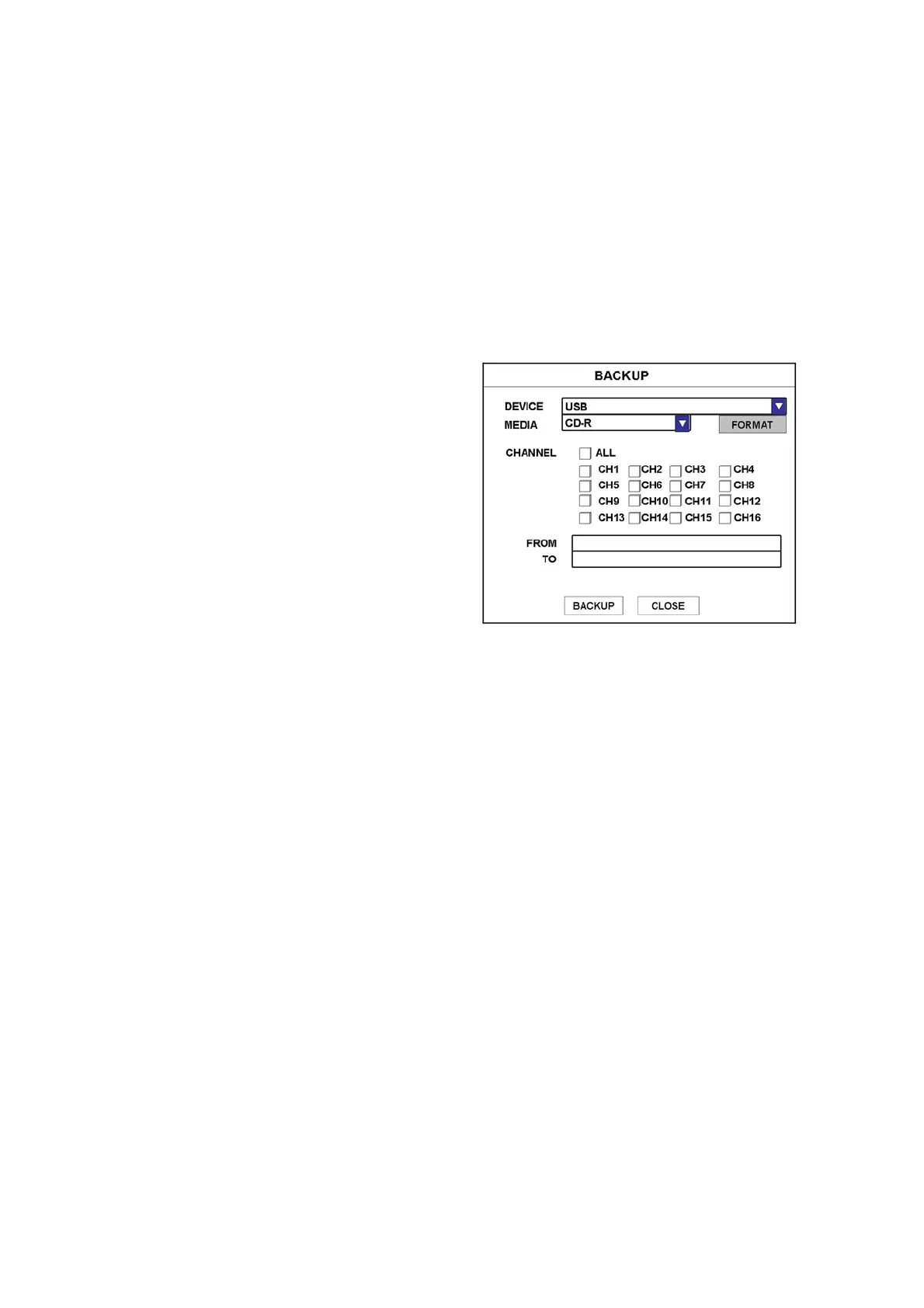
(3) Input backup options.
● DEVICE – Select device to backup
● MEDIA TYPE– Select media type (for CD-ROM device)
● FORMAT – Format media (for CD-RW or DVD-RW media)
● CHANNEL – Select desired channel
● TO AVI – Can backup by AVI file
● FROM – Enter starting date time to backup
● TO – Enter ending date time to backup
(4) Then, select BACKUP and press Enter button.
Please refer to “4.11 Local Playback player” for more information about playing
recorded data in your PC.
TO AVI
Note
- One channel only can be selected and can backup by USB memory



 To Next Page