22
3.1 DISPLAY
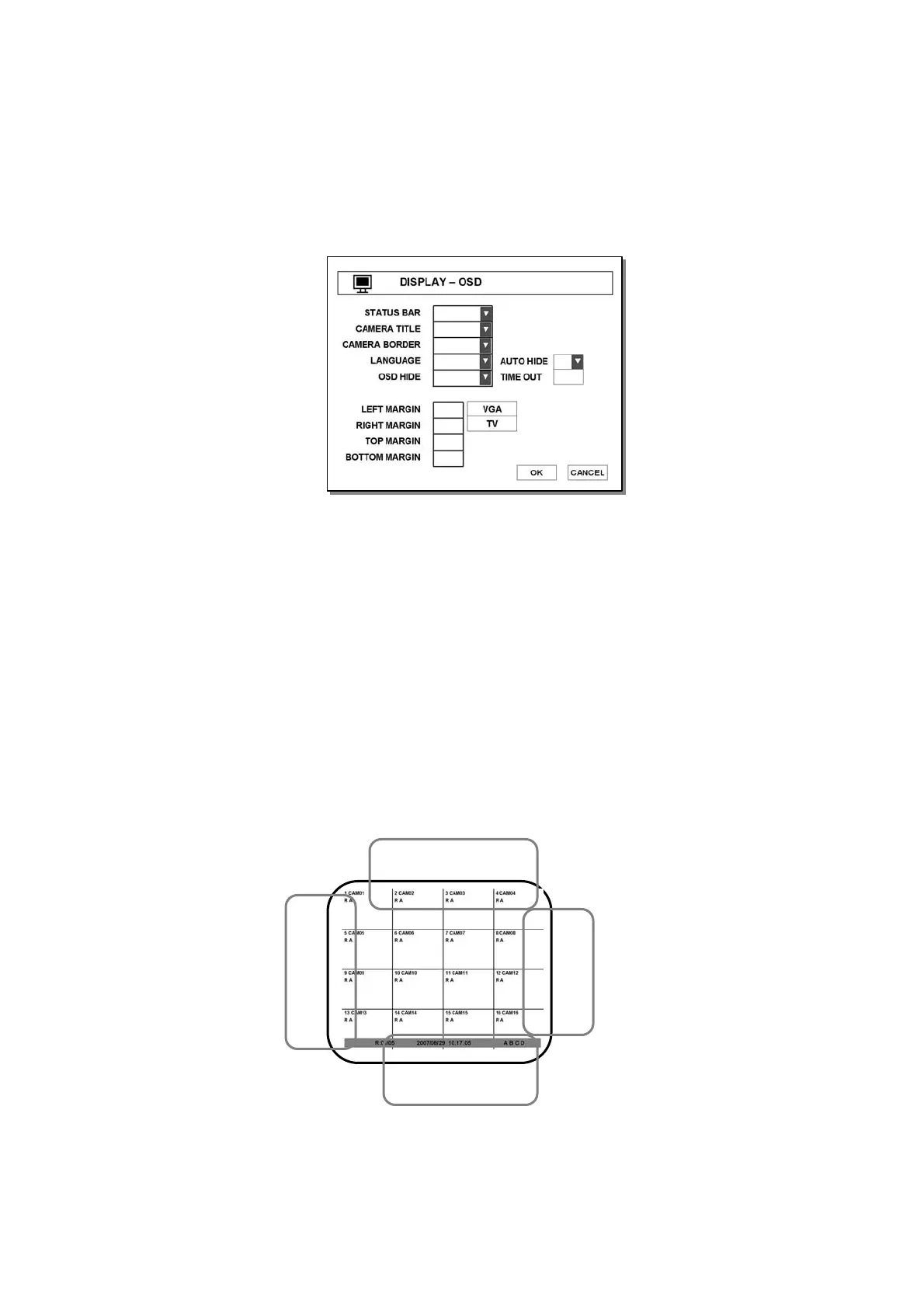
3.1.1 DISPLAY – OSD
● CAMERA NAME - Show camera name on screen.
● CAMERA NUMBER – Show each number of cameras on the screen.
● CAMERA BOARDER – Show outline of channel.
● LANGUAGE – Select OSD language.
● OSD HIDE – Hide all OSD or status bar only.
● AUTO HIDE – Hide status bar automatically during not using dvr.
● LEFT MARGIN – Move the OSD position of leftmost
(E.g. Name of CH-1/CH-5/CH-9/CH-13, Network/USB/Backup Icon of status-bar)
● RIGHT MARGIN – Move the OSD position of rightmost (E.g. Playback status ICON)
● TOP MARGIN – Move the OSD position to top (E.g. Name of CH-1/CH-2/CH-3/CH-4)
● BOTTOM MARGIN – Move the OSD position of bottom (E.g. Status-bar)
● VGA/TV – Adjust OSD margin automatically according to CRT monitor or LCD monitor
left-margin
bottom-margin
top-margin
right-margin



 To Next Page