43
4.11 Local backup player
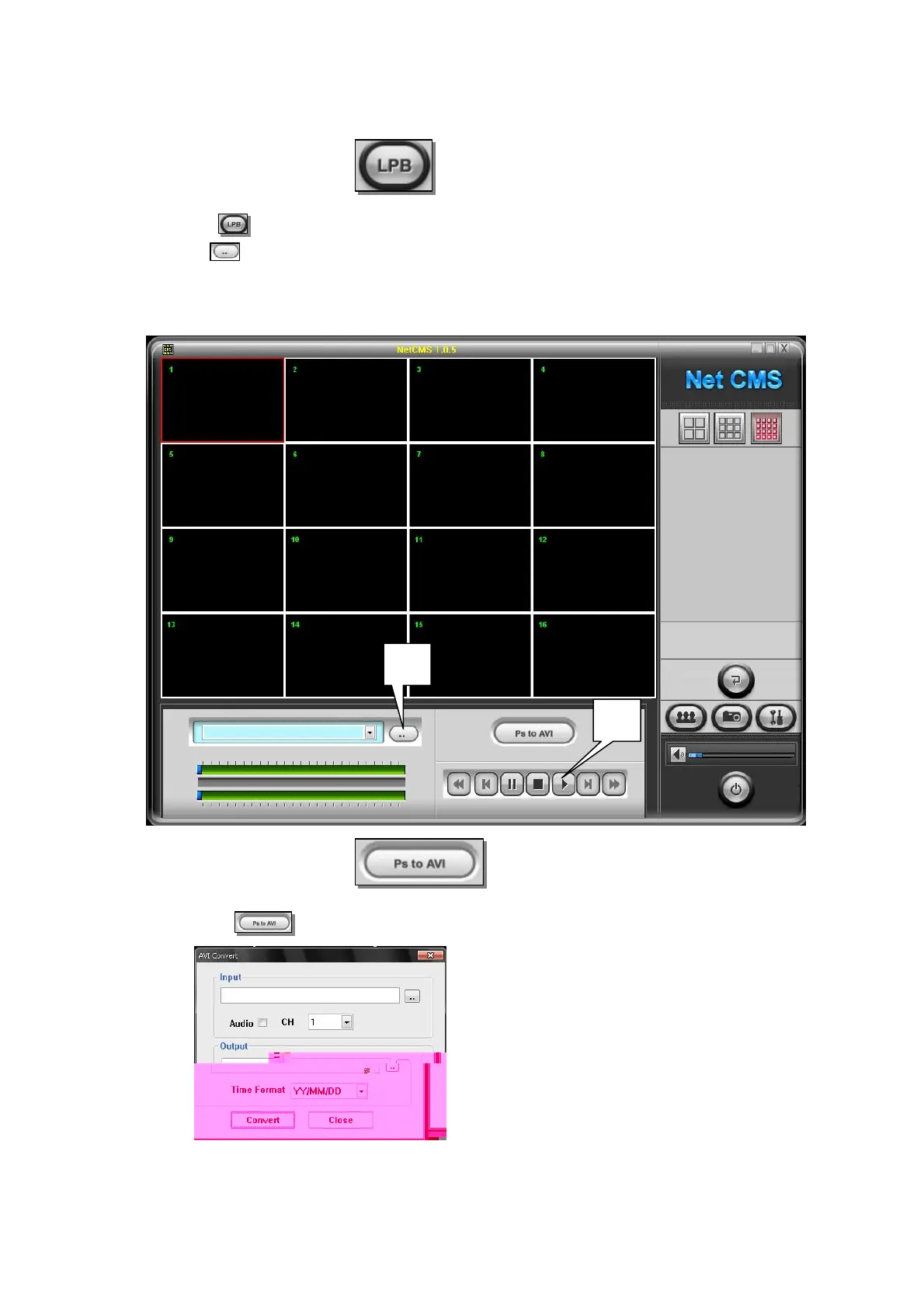
(1) Click button to change to backup player mode
(2) Click button to select backup file
* You can select plural files at same time
(3) Click to play
※ Change backup file to AVI file - One channel can be converted to AVI file
(1) Click button
(2)
(2)
(3)
Input : Select backup file to convert to AVI
If you want to convert with Audio, check in Audio box
CH : Select channel to convert
Output : Appoint directory and file name
Time Format : Select desire time stamp
Convert : Start AVI convert



 To Next Page