21
3. SYSTEM SETUP
Before Use
● Accessing the Setup Menu
(1) Pressing MENU button and select SETUP.
(2) A password box will appear. Enter Admin password.
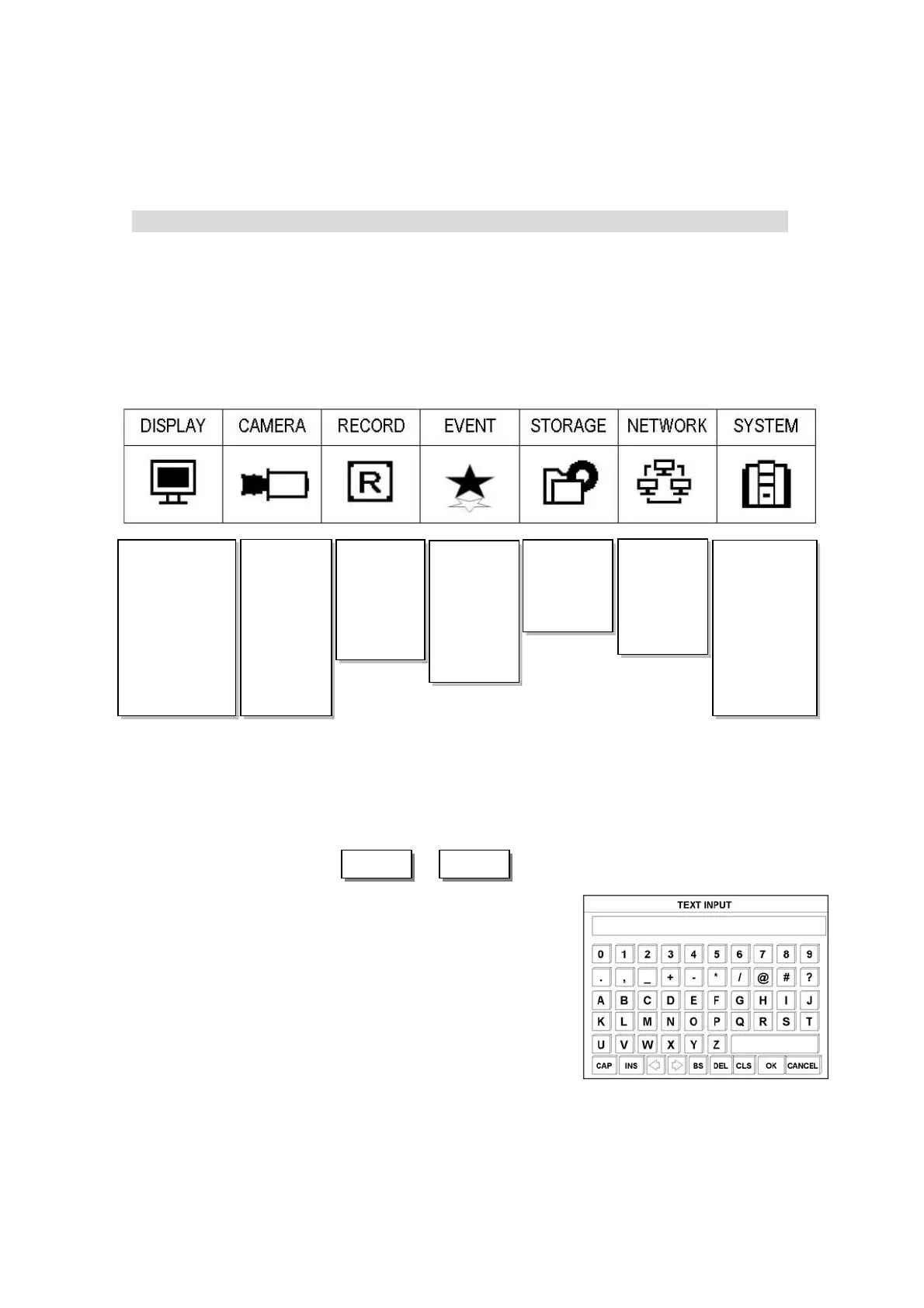
● Available Menus
● Save setting or Cancel
- To save the setting : Move the pointer to OK button, and press ENTER button.
- To cancel the setting : Move the pointer to CANCEL button, and press ENTER button.
● Usage of TEXT INPUT box
(1) Move the pointer to desired letter with direction button.
(2) Press ENTER button to select desired letter.
(3) Then, selected letter will be shown at text window.
DISPLAY
OSD
LIVE-SEQ(FULL)
LIVE-SEQ(QUAD)
SPOT-SEQ(FULL)
SPOT-SEQ(QUAD)
MISC
CAMER
GENERAL
PTZ
PRESET
SCANPOINT
COLOR
POSITION
RECORD
PROPERTY
SCHEDULE
MISC
EVENT
MOTION
SENSOR
E-MAIL
VLOSS
MISC
STORAGE
HDD FORMAT
AUTO-BAKCUP
SYSTEM
CONFIG
TIME
SOFTWARE
MISC
USER
SHUTDOWN
NETWORK
SETUP
DDNS
CLIENT
ACCESSLIST
Note : Use the Number buttons to enter the appropriate password. Default password is “0000”.
OK CANCEL



 To Next Page