23
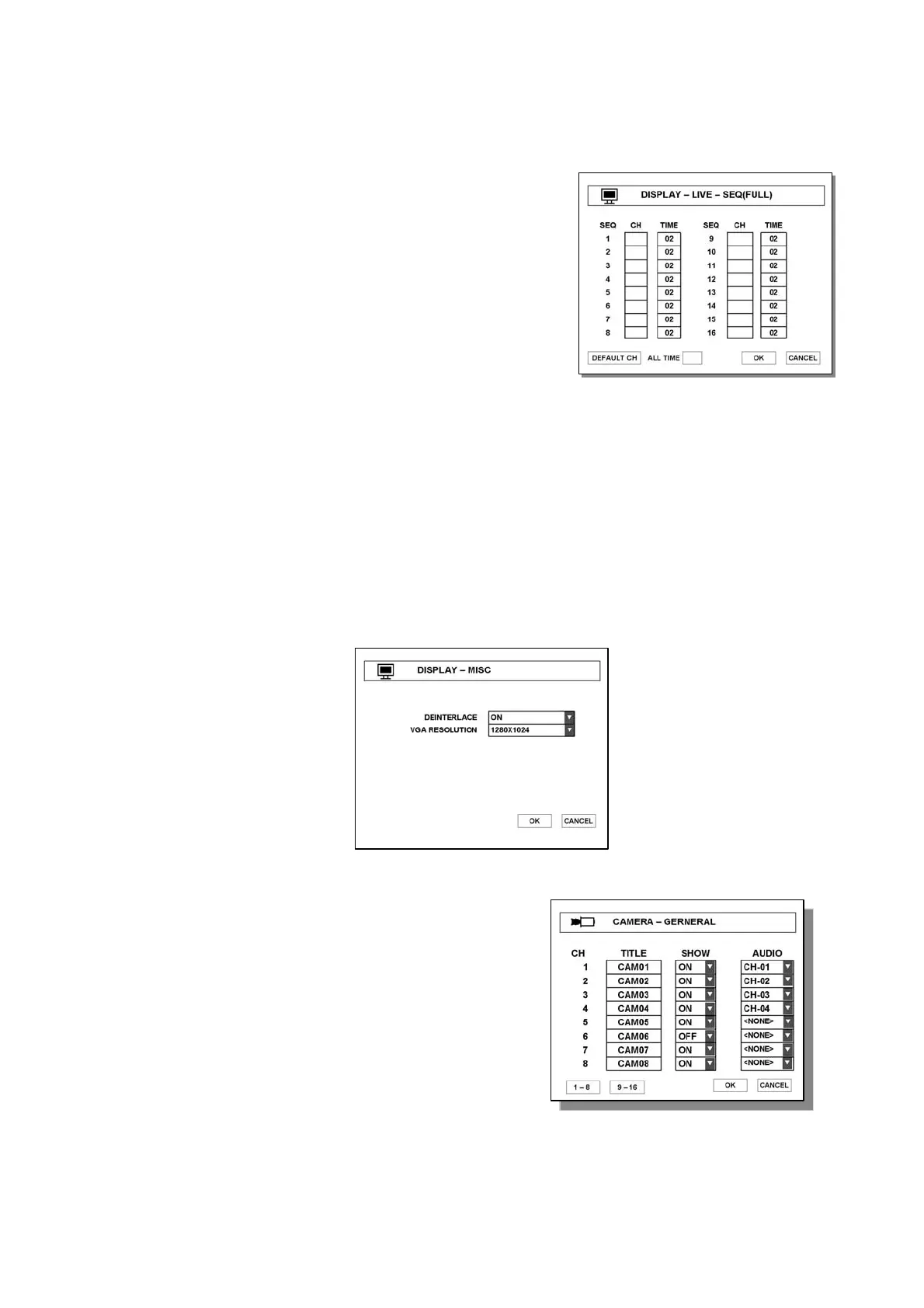
3.1.2 DISPLAY-LIVE(/SPOT)-SEQ(FULL/QUAD)
- Set switching time to display a full screen in sequence.
- CH : Input desire channel no.
- TIME : Input direst switching time
- DEFALT CH : Change to factory default value
- ALL TIME : same time is input to all channel.
- SPOT OUT : Select desire port of SPOT OUT
3.1.3 DISPLAY-MISC
● DEINTERLACE
- Playback option
- ON : Prevent frames from being stirred up while playing 720X480 or 720X576 size
images on low frame rate.
● VGA RESOLUTION
Select appropriate VGA resolution according your VGA monitor.
(There are three kinds of VGA resolutions; 800*600, 1024*768, 1280*1024)
3.2 CAMERA
3.2.1 CAMERA – GENERAL
● TITLE – Enter each camera name.
● SHOW – Show camera on screen.
● AUDIO – Select connected audio channel.
Note : can enter max. 99sec for switching time



 To Next Page