30
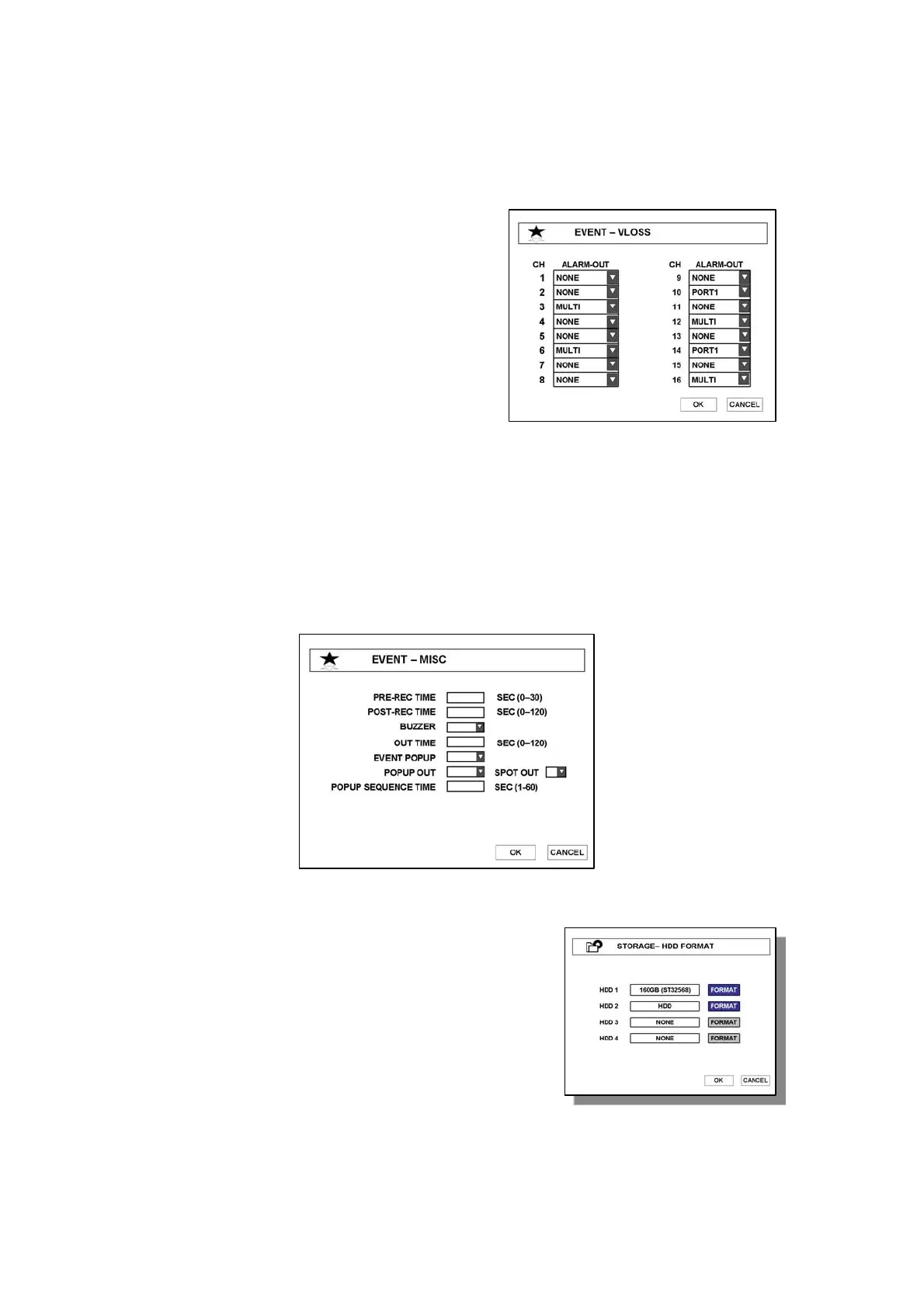
3.4.4 VLOSS
When video loss happens, system sounds connected alarm. You can select desire alarm port
per each channel.
3.4.5 MISC
● PRE-REC TIME – Enter recording time (0~30sec) before event occurs.
● POST-REC TIME – Enter recording time (0~120sec) after event occurs
● BUZZER – system alarm will be sounded when event occurs.
● OUT TIME – Enter the duration time of alarm out when event occurs.
● EVENT POPUP – When event happens, the channel will popup
● POPUP OUT - Select monitor to display event channel
● POPUP SEQUENCE TIME – Switching time to display popup channels
3.5 STORAGE
3.5.1 HDD FORMAT
After HDD is installed, first of all, format HDD.
(1) Select HDD to format and press ENTER button.
(2) After formatting, system will reboot.



 To Next Page