3-18 Fixture Operation x.Spot™ User Manual
Display Invert
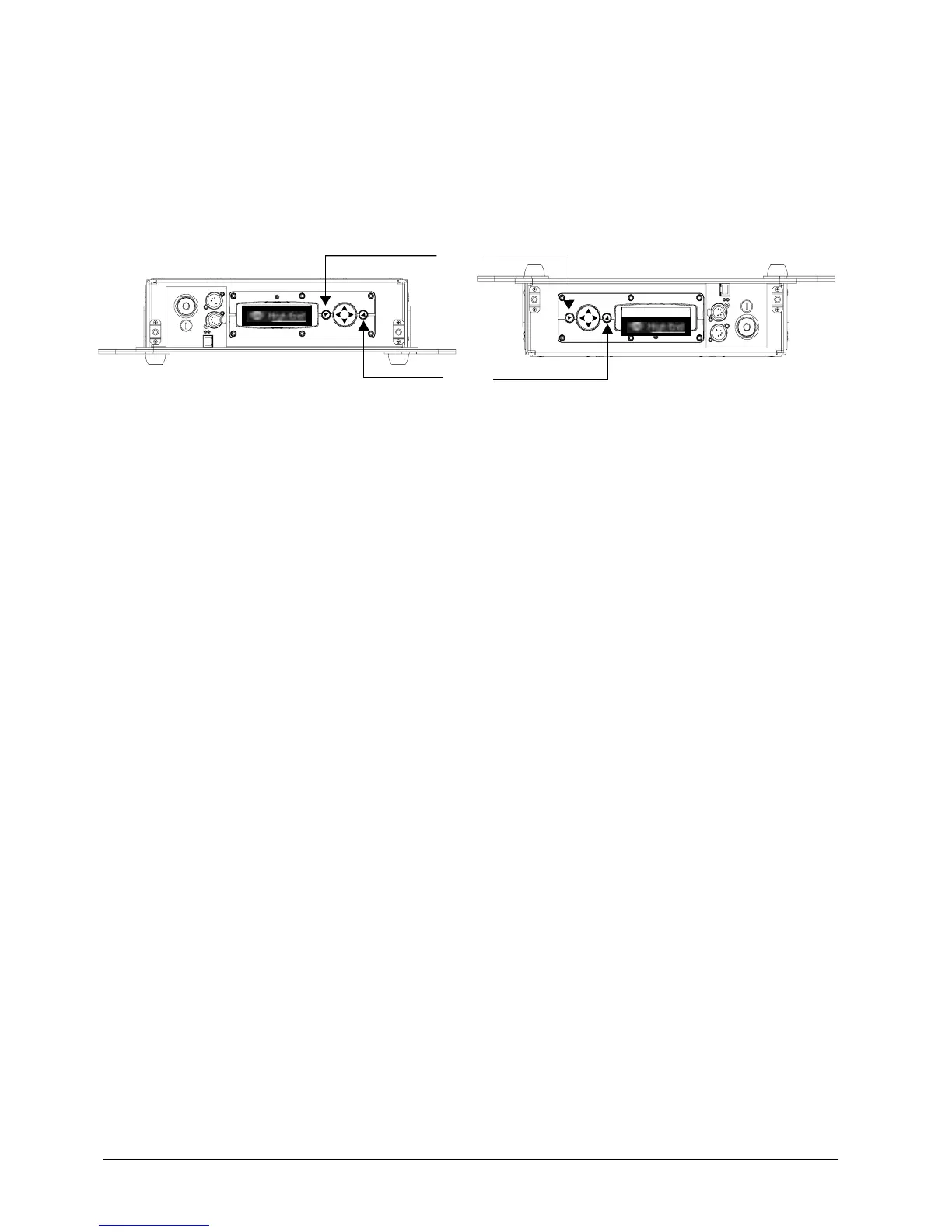
This menu item selects automatic or manual control of the display invert feature. The
x.Spot fixture is set to automatically invert the orientation of the display’s
alphanumeric characters and navigation control functions when the fixture rotated
more than 45% off of the horizontal axis, see Figure 3-5.
Figure 3-5 Automatic Display Invert feature.
To control the DISPLAY INVERT feature:
1. Press the Menu button to unlock the menu system or to move back up the system
to the top level menus.
2. Using the left and right arrows on the Navigation button, scroll through the top
level to SET PARAMETERS MENU and press the Enter button to select.
3. Using the left and right arrows on the Navigation button, scroll to the DISPLAY
INVERT MENU.
4. Using the up and down arrows on the Navigation button, choose ENABLE to invert
the fixture’s alphanumeric characters, DISABLE option to prevent inverting or
AUTO to return the fixture’s alphanumeric characters to normal orientation. Press
the Enter button to accept the desired option.
Display Level
Use this menu option to turn the display on or off.
To change display level:
1. Press the Menu button to unlock the menu system or to move back up the system
to the top level menus.
2. Using the left and right arrows on the Navigation button, scroll through the top
level to SET PARAMETERS MENU and press the Enter button to select.
3. Using the left and right arrows on the Navigation button, scroll to the DISPLAY
LEVEL.
4. Using the up and down arrows on the Navigation button, choose ON to turn the
display on or OFF to dim the display and press the Enter button to store the
option.
Menu
Enter



 To Next Page