x.Spot™ User Manual The x.Spot Menu System 4-11
4
Static Color Position
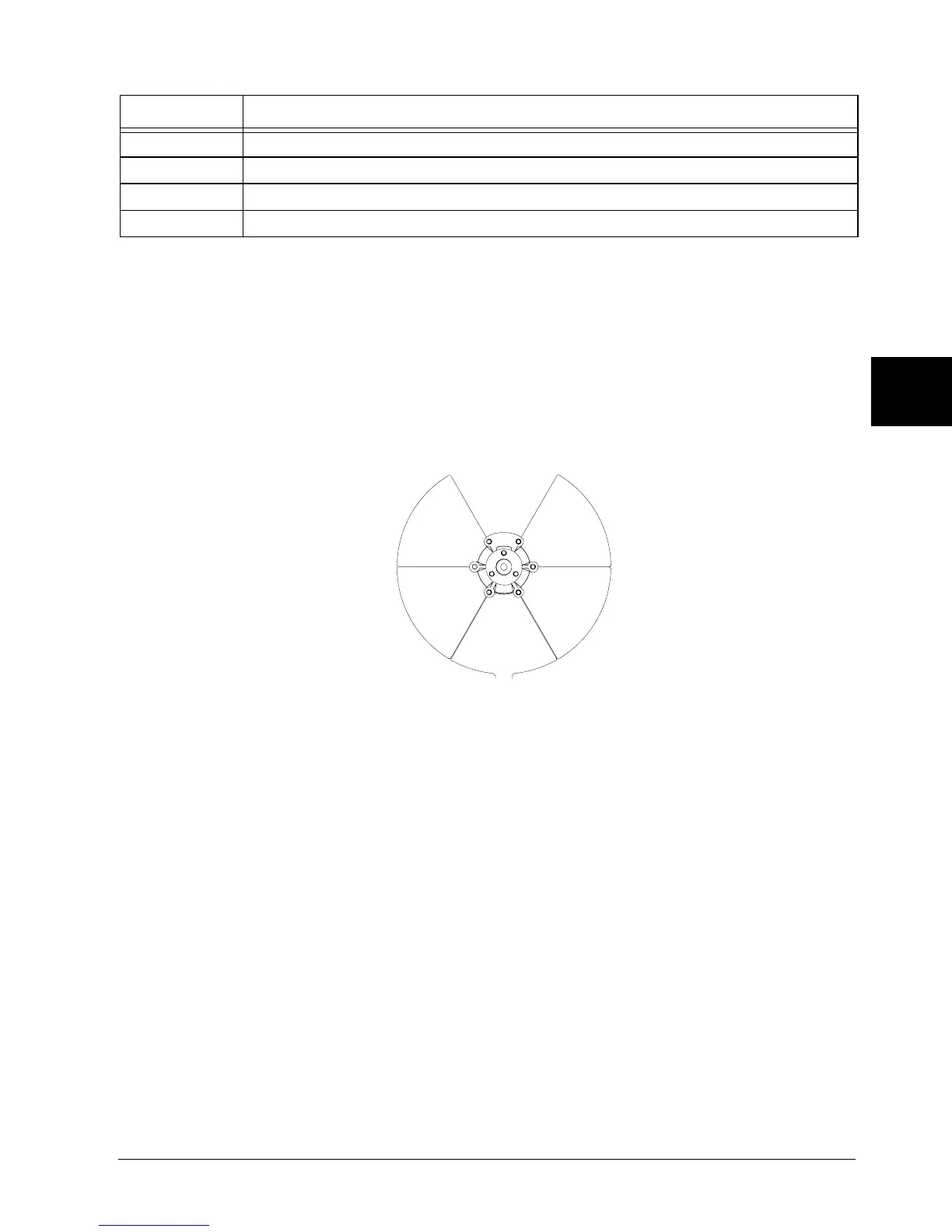
DMX Channel 16 controls Static Color wheel position. Use this parameter to position
the beam at the center of a color wedge or halfway between two adjacent colors.
Figure 4-4 shows the available positions.
Figure 4-4 Static Color Wheel positions
Color Mix Function
This parameter determines how the cyan, magenta, and yellow color wheels move.
The Color Function values can be enabled in either full speed (controller crossfading
the wheel positions), or MSpeed (MSpeed control of the wheel motor). For more
information on MSpeed, see “MSpeed (Motor Speed)” on page 4-8.
Table 4-6 describes the Color Mix Function settings.
Slow Scan Slowly oscillates the wheel at a factory-determined range and speed
Fast Scan Rapidly oscillates the wheel at a factory-determined range and speed
Random Selects random whole color positions at variable speeds.
Blink-indexed Closes then reopens the shutter between indexed color changes.
Table 4-5 Static Color Function Descriptions
Color Function Description
Position 2|3
Position 1|2
Position 3|4
Position 4|5
Position 5|6
Position 6|1
Position 1
Open
(White)
Position 2 Red
Position 3 Yellow
Position 4 Green
Position 5 Orange
Position 6 Blue



 To Next Page