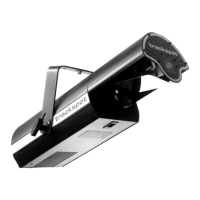
Trackspot User Manual
Selecting the Voltage
1-3
1
Selecting the Voltage
Trackspot is factory set to 240 volts. If your power source is not 240
volts, you must change the fixture’s input voltage. Trackspot will
automatically adjust to the appropriate frequency rating for any
voltage setting you select.
Warning: Be sure to match the fixture’s selectable
voltage to your power source prior to
operating this equipment.
You will need:
• wide tip, flat head screwdriver
To select the voltage:
1. Unplug the fixture.
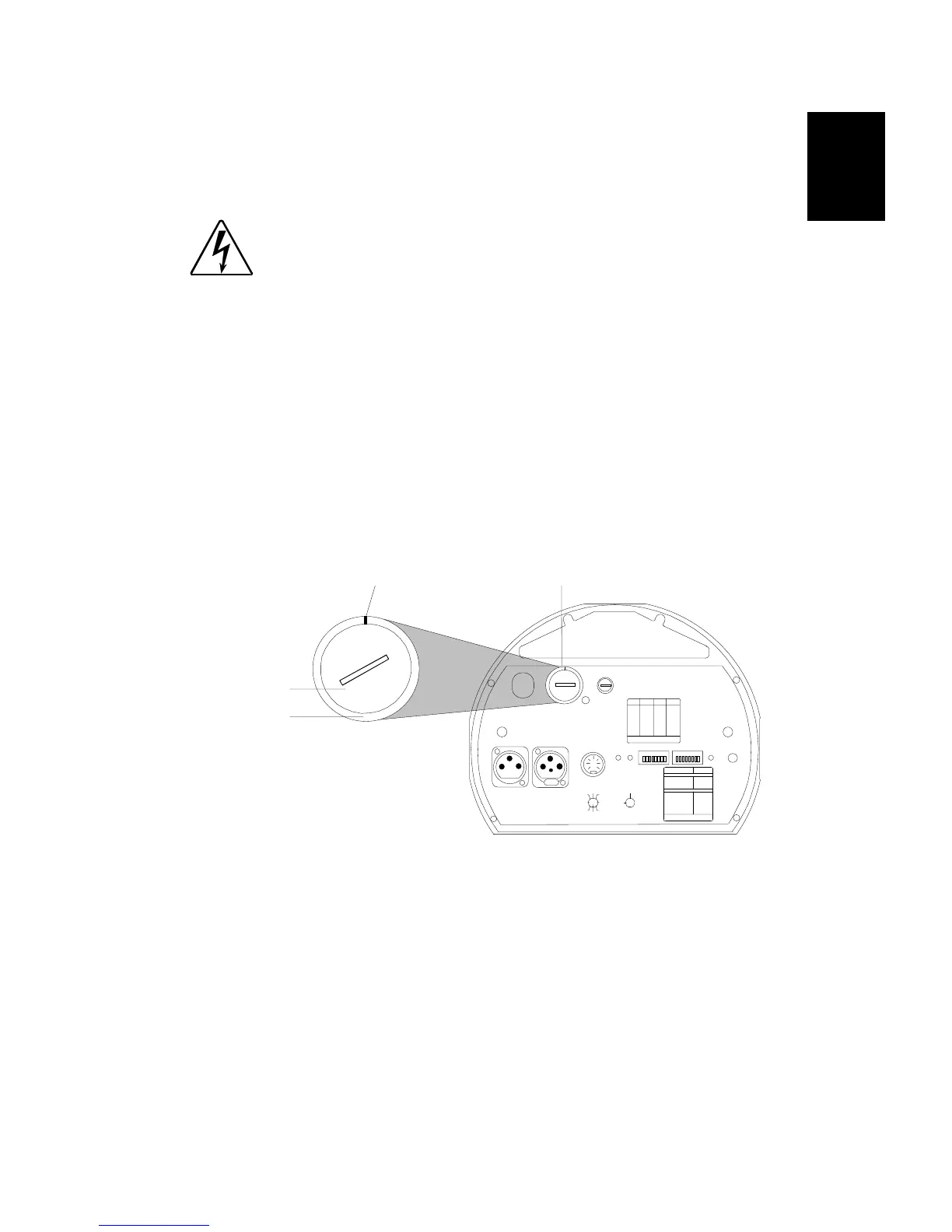
2. Insert a flat head screwdriver into the slot on the voltage select
switch located on the rear panel of the fixture (see Figure 1-3).
3. Push the switch face in and turn until the line on the outer ring is
pointed at the voltage that is equal to the power source you are
using (see Figure 1-3).
If the desired voltage is not listed on the voltage select switch,
choose the next higher voltage. For example, if you have a 230 volt
power source, you must use the 240 volt setting.
4. After setting the correct voltage, make sure that the switch face is
flush with the outer ring (see Figure 1-3).
Powering Up the Fixture
Unlike other High End Systems lighting equipment, Trackspot does not
have a power switch. Powering up the fixture is as easy as plugging it
into a power source. However, it is very important that you unplug the
fixture before performing certain procedures as shown in this manual.
Figure 1-3. Trackspot rear panel
240 volts selected
voltage select switch
FI X T UR E MO DE SW I TC H ES 1 -2
NO RMAL RUN
SEL F T E ST
SET- UP
NO N E
1
2
1,2
LIGHTWAVE CONTROL
DMX 1-256
DMX 257-512
AN AL OG
AU DI O (S LAV E)
AU DI O (M AST ER )
PAN I NVE RT
TILT I NVERT
NO N E
5
4
4,5
3
6
7
AU DIO
MIC
PERSONALIT Y
AD DRESS
ENABLEFAN
AN AL O G I N
DA TA OU T
DA TA IN
2209 WEST BRAKER LANE , AUSTIN, TEXAS U.S.A.
LIGHTWAVE RESEARCH
CONTRO L MODE SWITC HES 3-8
8
PERSONALITY SWITCHES
ON
PLEASE CONSULT USER MANUAL
FOR FURTHER IN FORMATIO N
LA MP SA VE
PLEASE CONSULT USER MANUAL
FOR FURTHER IN FORMATIO N
ON
SWI T C HES
ON
SWI T C HESAD DR ESS AD DR ESS
1,2,3,524
2,3,523
1,3,522
3,521
1,2,520
2,519
1,518
517
1,2,3,416
2,3,415
1,3,414
3,413
1,2,412
2,411
1,410
409
1,2,308
2,307
1,306
305
1,204
203
102
none01
FUSE
VO LT A GE S EL E CT
WARNING: C HANGE VOLTAGE SELECT ONLY WITH POWER REMOVE D.
CAUTION: HOT REMOVE POWER BEFORE RELA MPING
WARNING: NOT FOR RESIDENTIAL U SE. TO REDUCE THE RISK OF
FIRE O R EL ECTRIC S HOCK , DO NOT EXPO SE T O RAIN OR MOIS TURE,
NO USE R S ERV IC E A B L E P A RT S IN SI D E . RE FE R S ER V IC ING TO
QUAL IFI ED SER VICE PER SONN EL. F OR SA FE OP ERATI ON CONS ULT
US ER MA NUA L.
(UNREG.)
OUT
INPU T
SPE CIAL AN ALOG
CO NSU L T US ER S MA NU AL
FOR FUTHER INFORM ATIO N
24 VDC
SH UTT ER
MSPEE D
TILT
GOBO DI M
PAN
CO L O R
8
2
4
1
67
3
5
GND
5
3
76
1
4
2
8
AN AL OG
0-10V
GND
trackspot
®
120
240
140
220
100
200
120
240
140
220
100
200
switch face
outer ring


 To Next Page