Trackspot User Manual
vii
Table of Contents
Introduction
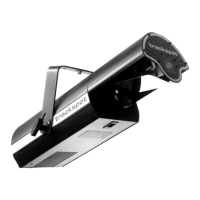
Trackspot
®
Features ......................................................................Intro-1
Caution and Warning Symbols .....................................................Intro-2
Cautions ..................................................................................Intro-2
Warnings .................................................................................Intro-2
Getting Help ...................................................................................Intro-3
Specifications .................................................................................Intro-4
Model Information ..................................................................Intro-4
Physical Specifications ...........................................................Intro-4
Electrical Specifications .........................................................Intro-4
Environmental Specifications ................................................Intro-5
Cable and Connector Specifications .....................................Intro-5
DMX data cables .............................................................Intro-5
DMX data connectors .....................................................Intro-5
DMX data terminators ....................................................Intro-5
Safety Specifications ..............................................................Intro-5
Optional Accessories .....................................................................Intro-6
Chapter 1 Setup and Assembly
Unpacking Trackspot
®
........................................................................ 1-1
Saving the Shipping Materials ..................................................... 1-1
Inspecting the Contents ............................................................... 1-1
Installing the Yoke ............................................................................... 1-1
Selecting the Voltage ........................................................................... 1-3
Powering Up the Fixture ..................................................................... 1-3
Understanding LED Indicators ........................................................... 1-4
Fan LED ........................................................................................ 1-4
Enable LED ................................................................................... 1-4
Audio LED ..................................................................................... 1-4
Chapter 2 Configuring Your Trackspot
®
Choosing a Control Mode ................................................................... 2-1
DMX 512 Protocol ........................................................................ 2-1
LWR Protocol ................................................................................ 2-2
Standard Analog ........................................................................... 2-2
Stand Alone Operation (Master/Slave) ....................................... 2-2
Enabling the Control Mode ................................................................. 2-3
Personality Switches .................................................................... 2-3
Address Switches .......................................................................... 2-6
Installing Remote Enable/Disable ...................................................... 2-6
SPST Switch .................................................................................. 2-7
External Voltage Source .............................................................. 2-7
Mounting the Fixture .......................................................................... 2-8


 To Next Page