26
Hills – ComNav User Manual V1.3 www.das.com.au
Menu 4 - Output Control
Your security system can be configured to control up to 16 outputs. These outputs can be used for
a variety of applications, such as external lighting control, electric shutter control or even garage
door control. As additional equipment is required to enable these features, please contact your
service provider for further details.
System must be disarmed for this menu to be presented.
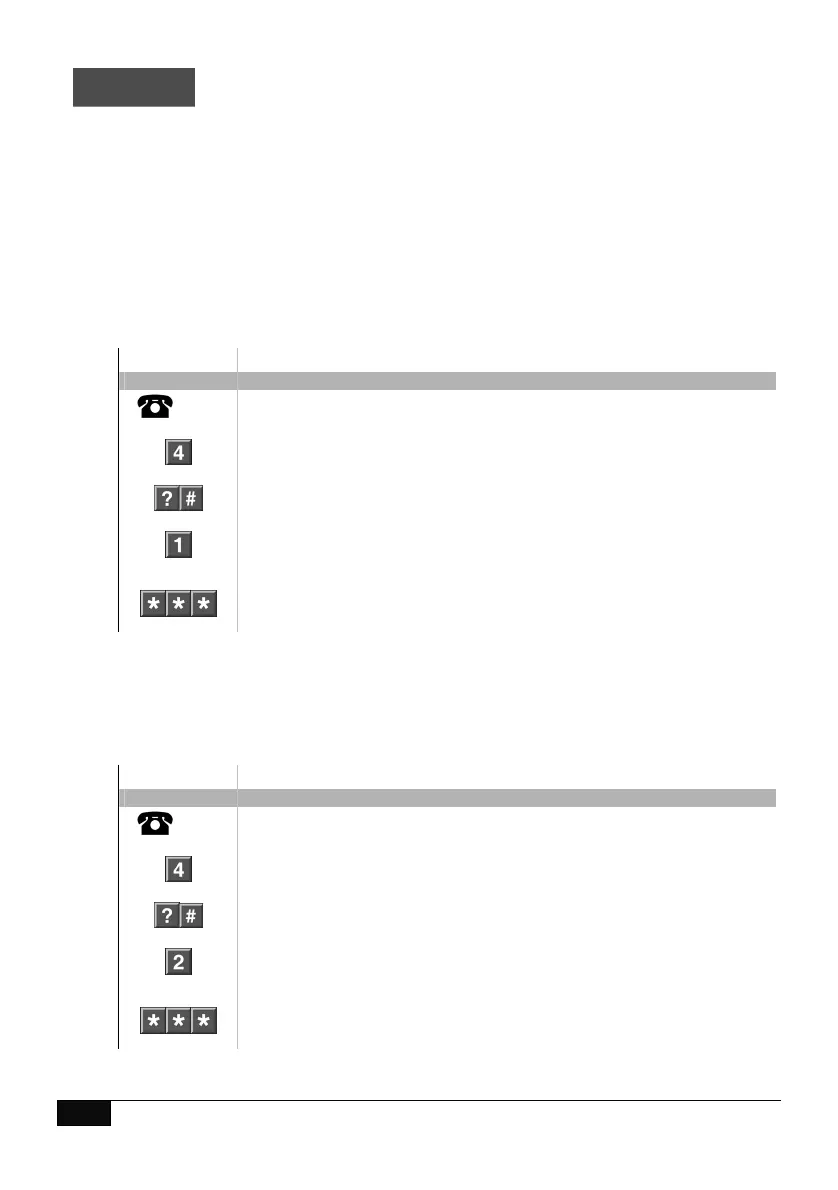
How to: Control connected outputs
Step Example Turn output On
1.
[PIN]
Call the ComNav via an offsite touch-tone phone to begin the session.
2.
Press [4] for output control
3.
Select an output number to control (from 1~16), followed by #
4.
Press [1] to turn output On
5.
1
st
star, moves back to output control menu
2
nd
star, moves back to main menu.
3
rd
star, disconnects session
How to: Control connected outputs
Step Example Turn output Off
1.
[PIN]
Call the ComNav via an offsite touch-tone phone to begin the session.
2.
Press [4] for output control
3.
Select an output number to control (from 1~16), followed by #
4.
Press [2] to turn output Off
5.
1
st
star, moves back to output control menu
2
nd
star, moves back to main menu.
3
rd
star, disconnects session



 To Next Page