4. Adjust Sensivity as your desire. The higher the value is, the more easily the video tampering
can be triggered.
5. Set the arming schedule. Refer to Congure Arming Schedule for details.
6. Set the linkage
acons. Refer to Congure Alarm Linkage Acon for details.
7. Click Apply.
Video Loss
Detect video loss of a camera and take alarm response acons.
Steps
1. Go to
Conguraon → Event → Normal Event → Video Loss .
2. Set Camera.
3. Turn on Enable.
4. Set the arming schedule. Refer to
Congure Arming Schedule for details.
5. Set the linkage acons. Refer to Congure Alarm Linkage Acon for details.
6. Click Apply.
Alarm Input
Set linkage acons for an external sensor alarm.
Steps
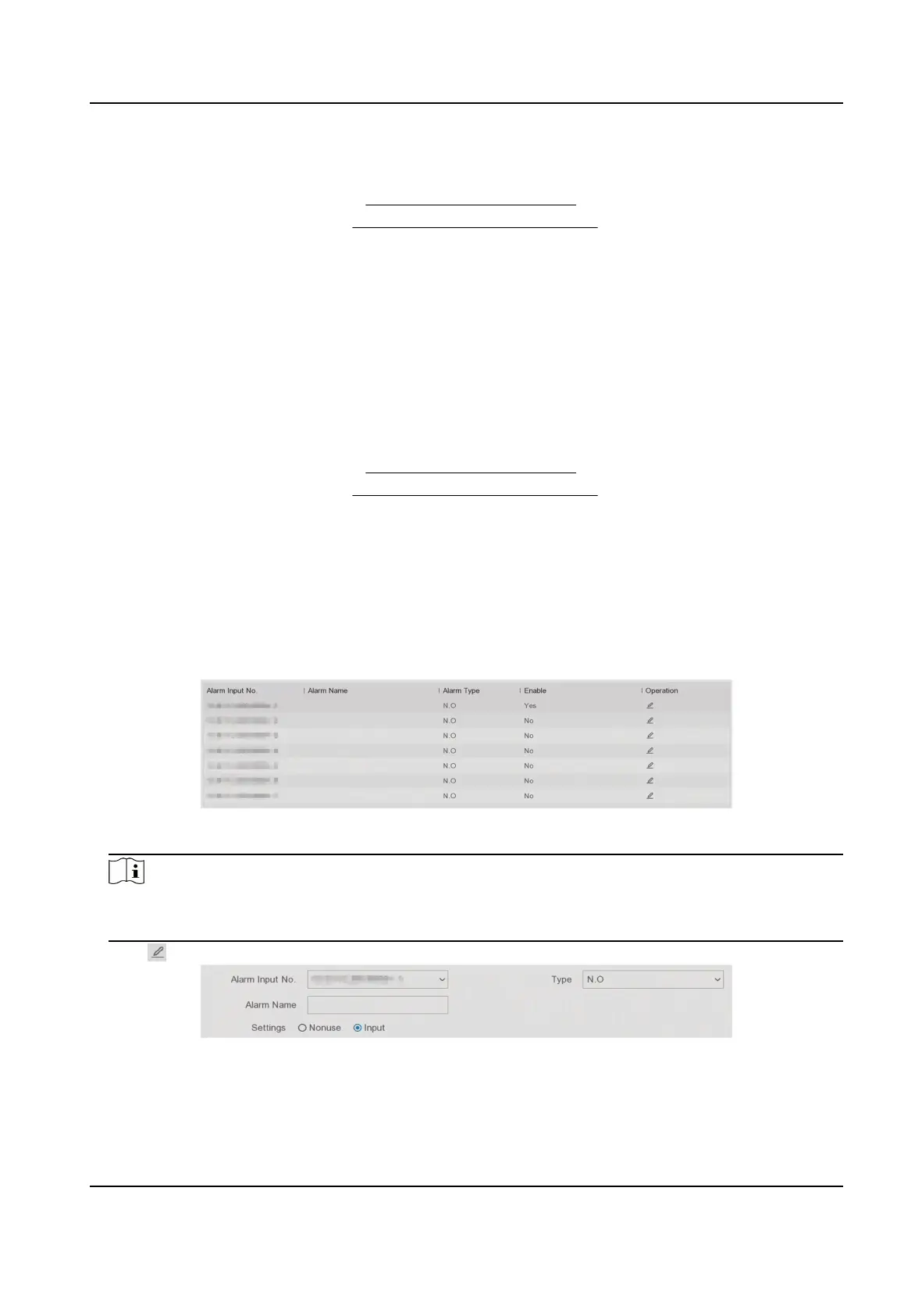
1. Go to Conguraon → Event → Normal Event → Alarm Input .
Figure 6-16 Alarm Input
Note
Local alarm input: Local alarm input is triggered by the external device that connected to the
video recorder's terminal block.
2. Click of a desired alarm input.
Figure 6-17 Edit Alarm Input
3. Customize Alarm Name.
4. Set alarm type as N.O (normally open) or N.C (normally closed).
Digital Video Recorder User Manual
51



 To Next Page