67
Recording Movie
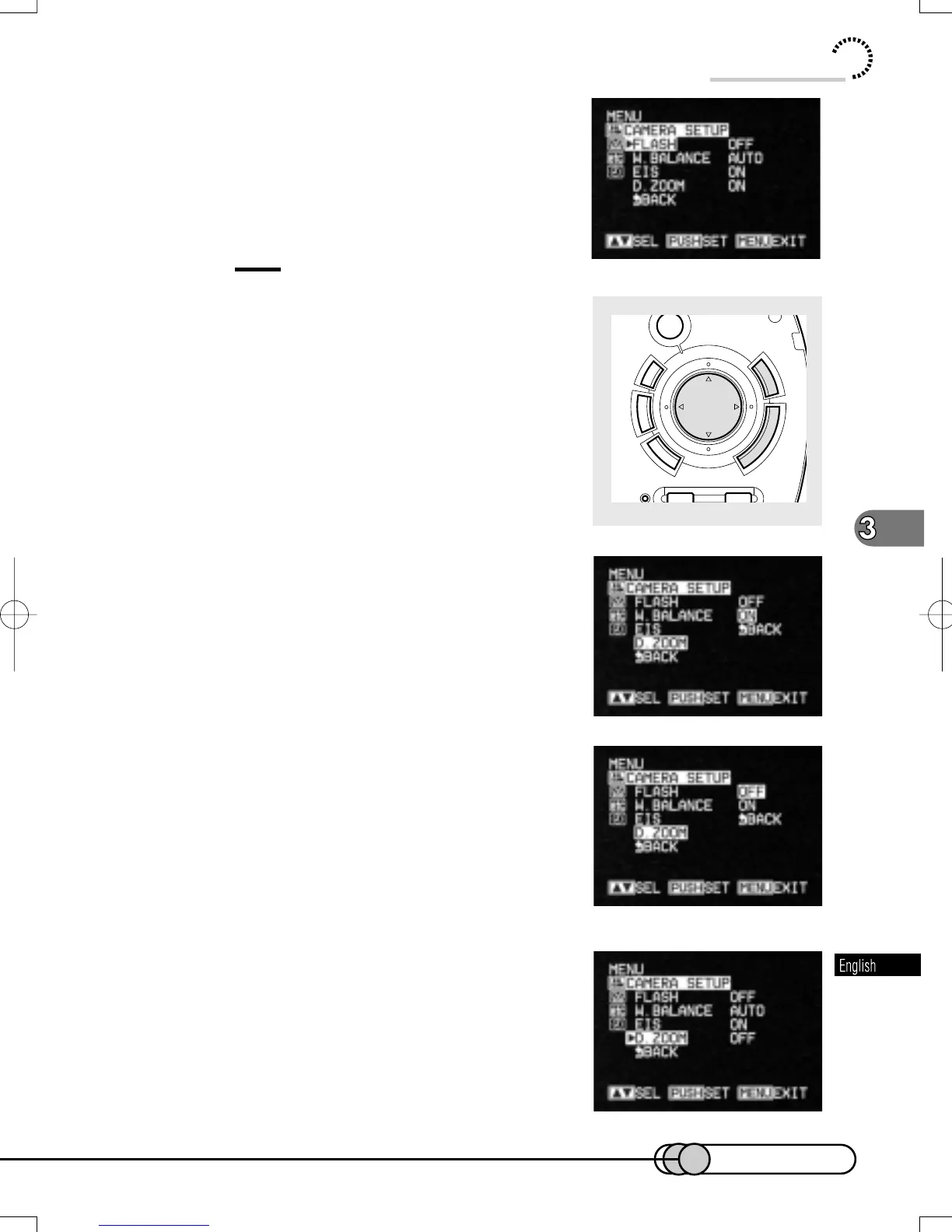
The menu screen for setting camera functions will
appear.
Tip:
•
When the LCD monitor is open, you can use
the cursor, MENU and ENTER buttons in
place of the Select dial to operate the menu.
3. Turn the Select dial to move the high-
light to "D. ZOOM", and then press the
Select dial.
Option will be next to D. ZOOM: "ON" is being
highlighted.
4. Turn the Select dial to highlight "OFF",
and then press the Select dial.
The menu screen for setting camera functions will
be restored, and "D. ZOOM OFF" has been speci-
fied.
IFT
ENTER
MENU
DISC
GATION
ELETE
CANCEL
RESET
DISPLAY LCDBRIGHT
E-P54-88 01.1.29, 2:49 PMPage 67 AdobePageMaker6.5J/PPC















 To Next Page