87
Recording Stills
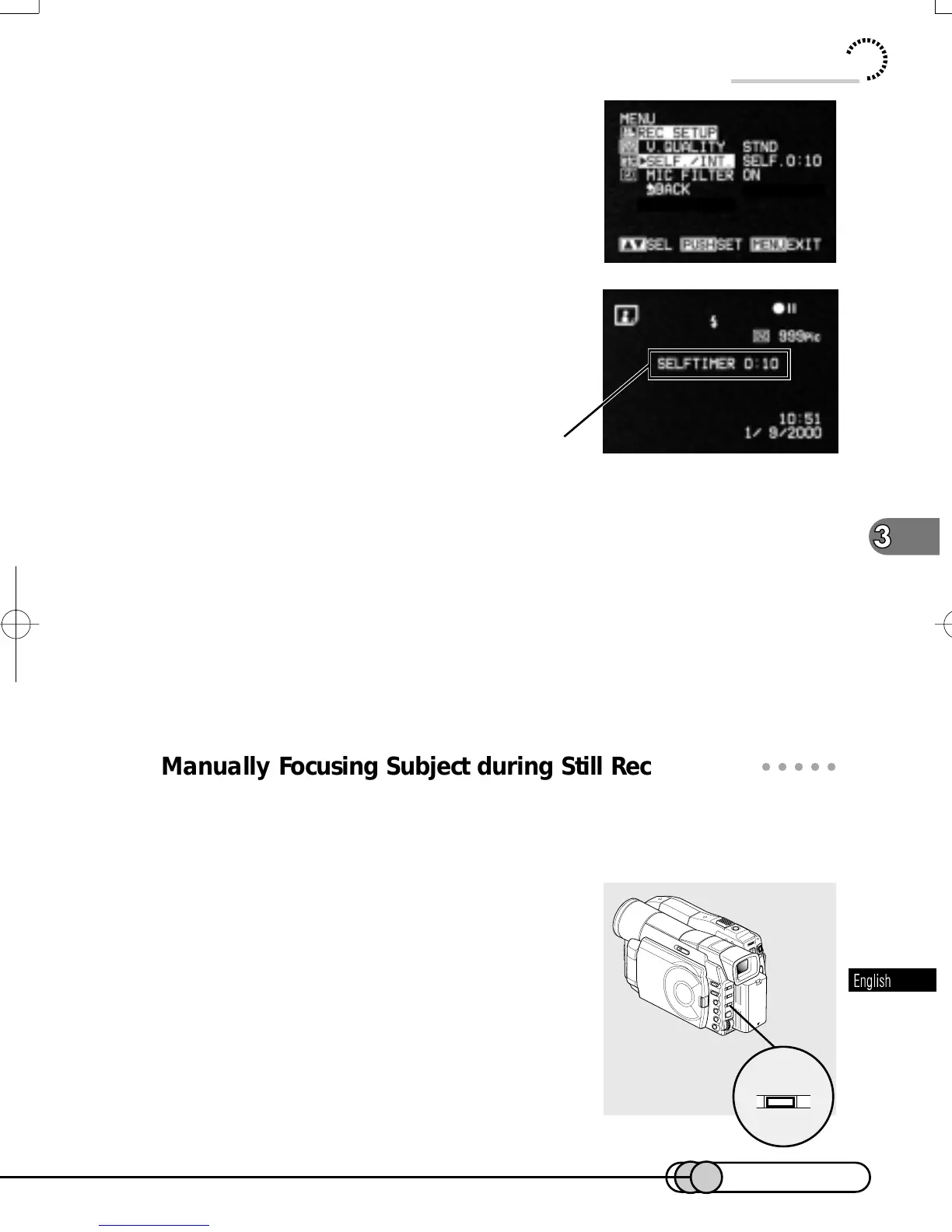
The menu screen for setting record mode will
be restored, and “SELF. 0:10” has been speci-
fied for “SELF. /INT. ”.
4. Press the MENU button to switch off the
menu screen.
You can also check that self-timer has been set
by reviewing the on-screen information.
5. Press the PHOTO button (shutter).
The tally indicator at the front of DVD camera/recorder will blink.
Approximately 10 seconds later, the shutter will open.
The self-timer mode is available while the DVD camera/recorder is turned on. To
release it, choose “OFF” on the menu screen or turn the DVD camera/recorder off.
To suspend self-timer, press the PHOTO button again before the shutter opens, or
press the STOP button.
○○○○○○○○○○○○○○○○○○○○○○○○○○○○○○○○○○○○○○○○○○
Manually Focusing Subject during Still Recording
The DVD camera/recorder automatically focuses on the subject viewed at the cen-
ter of screen. You can also adjust the focus manually for special effects. The proce-
dure for manual focus in still recording is slightly different from that in movie record-
ing.
1. Press the FOCUS button in the record-
ing pause status.
FOCUS
Self-timer recording
E-P54-88 01.1.29, 3:13 PMPage 87 AdobePageMaker6.5J/PPC















 To Next Page