1 - 17
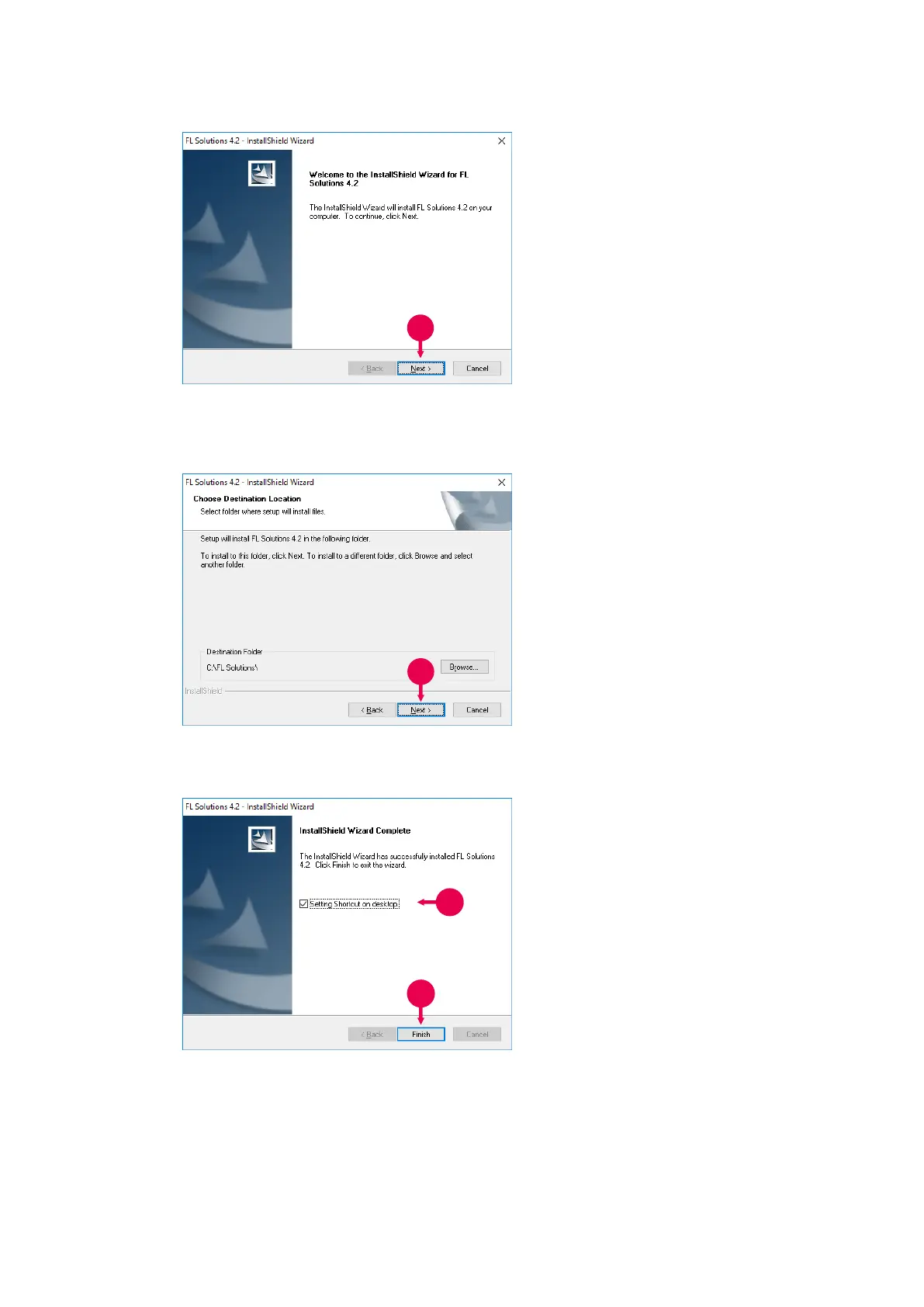
Fig. 1-15
4. Click Next.
A window as shown in Fig.
1-16 will appear.
Fig. 1-16
5. Select the installation
destination and click Next.
6. Installation starts.
Upon completion of
installation, a window as
shown in Fig. 1-17 appears.
Fig. 1-17
7. For placing the shortcut of this
program on the desktop, put
the check mark in this check
box. If you do not want to
place it, remove the check
mark.
8. Click Finish. Take out the
CD from the CD-ROM drive.



 To Next Page