1 - 16
1.6.2 Setup of FL Solutions Program (for Windows 10)
For installing this program, implement the following procedure.
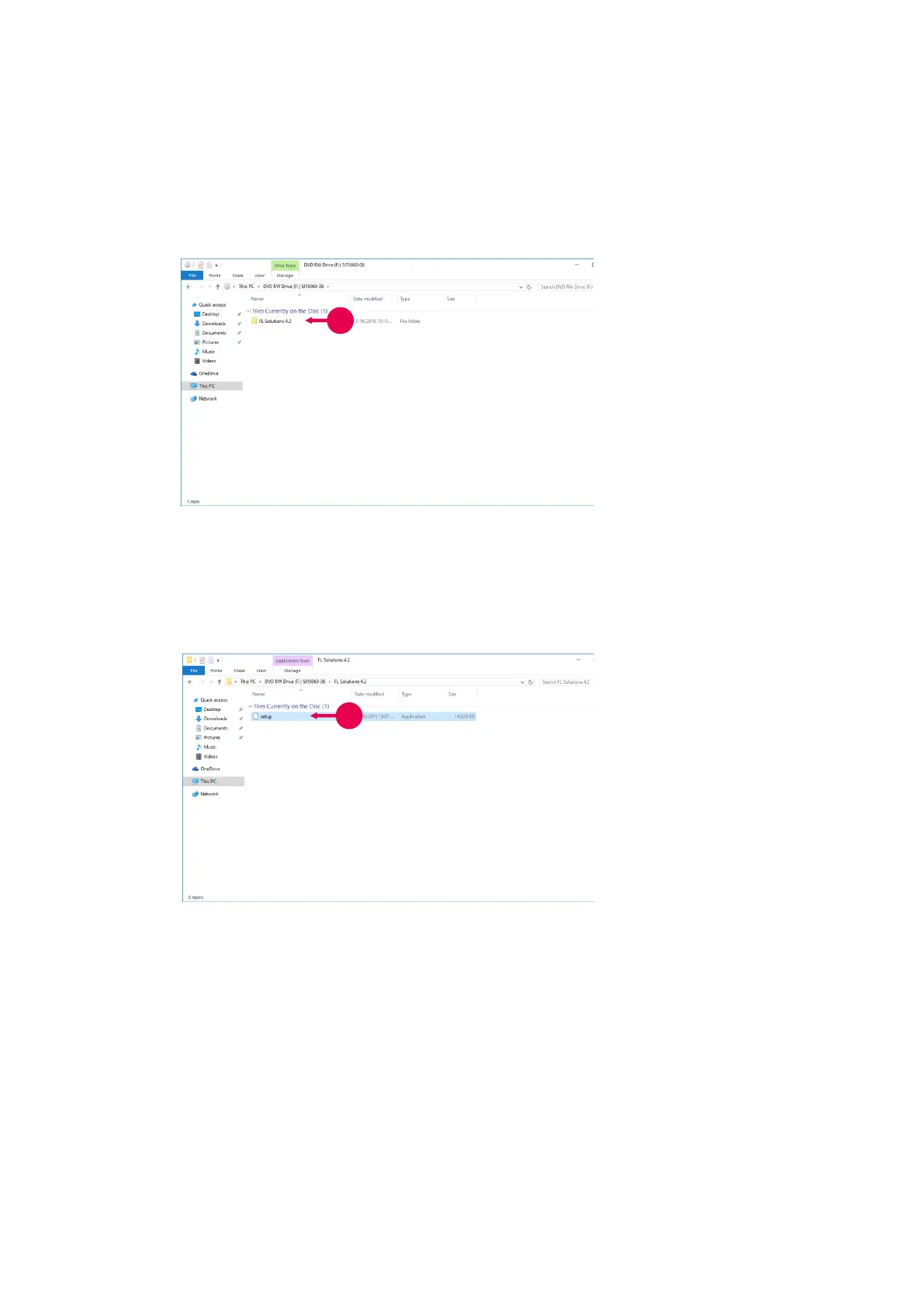
Fig. 1-13
1. Set the accompanying CD in
the CD-ROM drive.
A window as shown in Fig.
1-13 will appear. If not,
click [Start]-[Computer] and
select the CD-ROM drive.
2. Double-click the folder of FL
Solutions 4.2.
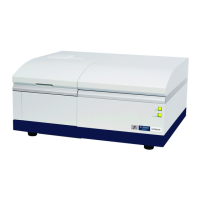
A window as shown in Fig.
1-14 will appear.
Fig. 1-14
3. Click setup.
When the message “An
unidentified program wants
access to your computer”
appears, click “Allow (A)”.
A window as shown in Fig.
1-15 will appear.



 To Next Page