1 - 22
1.7 Startup of FL Solutions Program
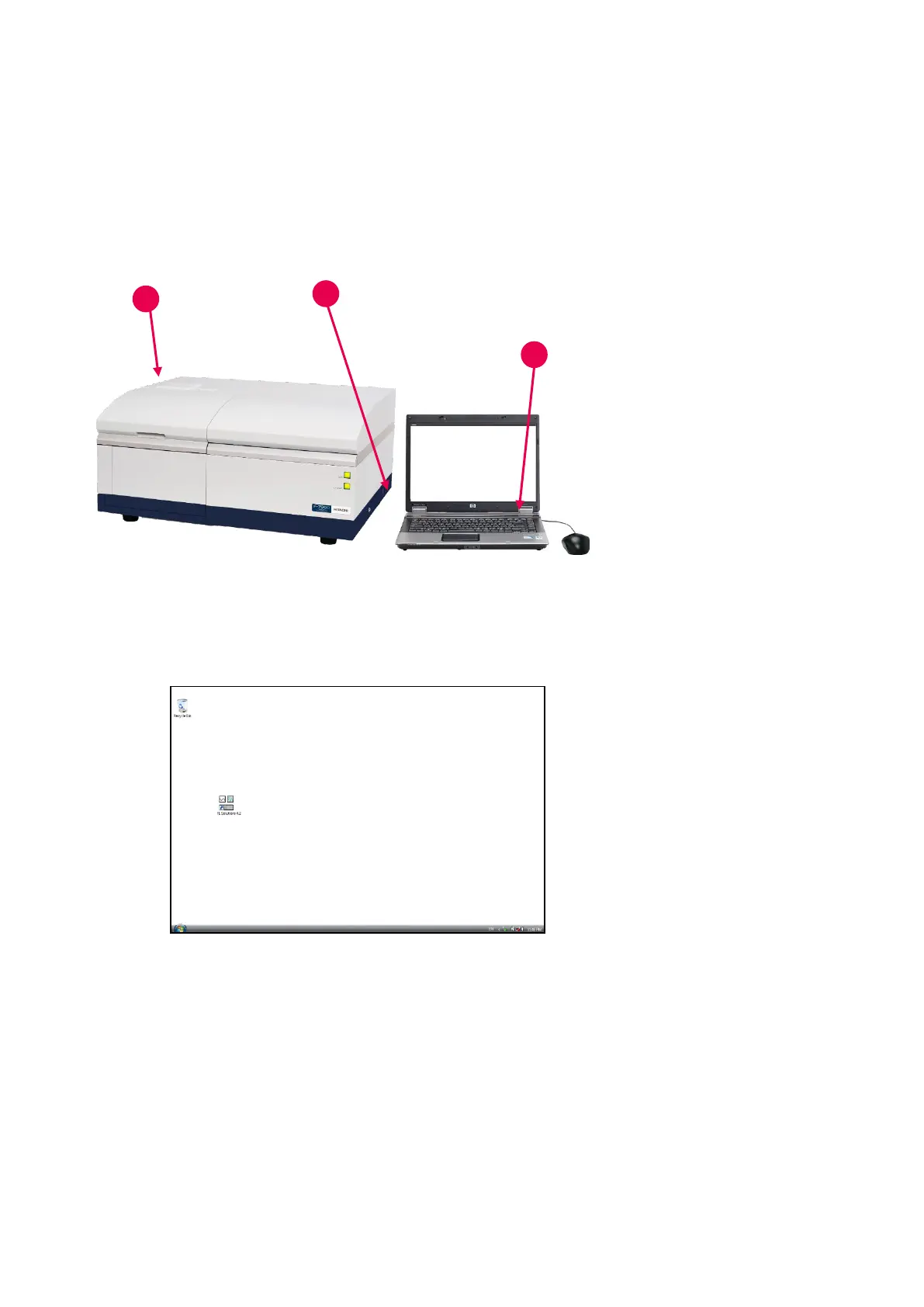
To start up the FL Solutions program, carry out the following procedure.
Fig. 1-27
1. Make sure the standard-
equipped communication
cable (USB cable, sold
separately) is connected
between the fluorescence
spectrophotometer and the
personal computer (PC).
2. Turn on the PC power supply
and wait until Windows 7 starts.
3. After completion of PC start,
turn on power supply to the
spectrophotometer main unit.
Fig. 1-28
4. After the RUN lamp at the front
of the spectrophotometer main
unit lights up and 10 seconds
passes, start the FL Solutions
program. There are two
starting methods. Use a
desired method.
(1) Usually, this program is
started by double-clicking
the “FL Solutions 4.2” icon
on the desktop.



 To Next Page