1 - 21
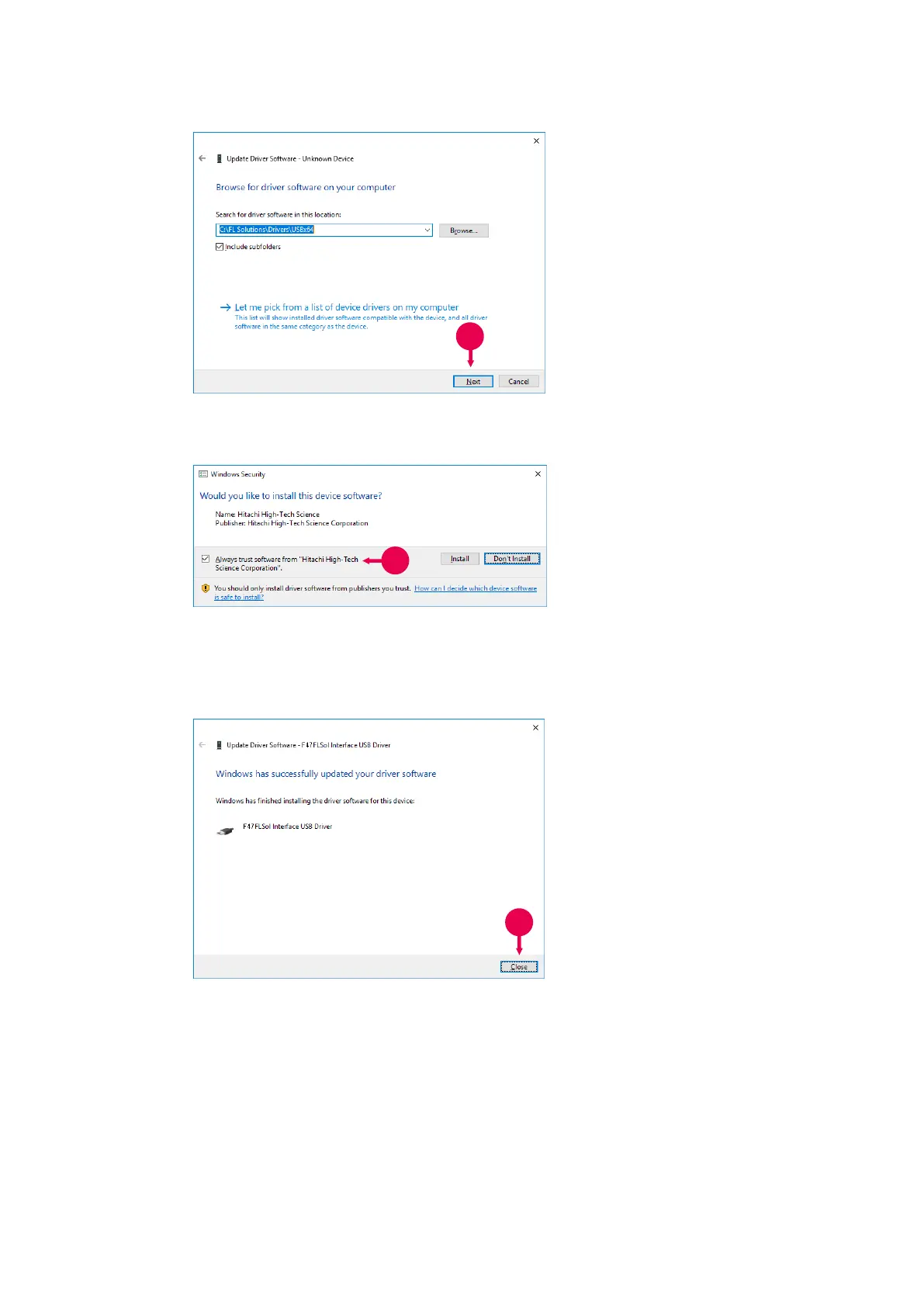
Fig. 1-24
11. Check that “C: \FL
Solutions\Drivers\USB 64” is
displayed for “Search for driver
software in this Location:” and
click Next.
Fig. 1-25
12. The Windows security
message appears. Check
“Always trust software from
“Hitachi High-Tech Science
Corporation”” and click “Install”.
The installation of the driver
software begins.
Fig. 1-26
13. After completion of installation,
“Windows has successfully
updated your driver software”
appears. Click Close.



 To Next Page