A–2
Hitachi Simple Modular Storage 100 User’s Guide
•
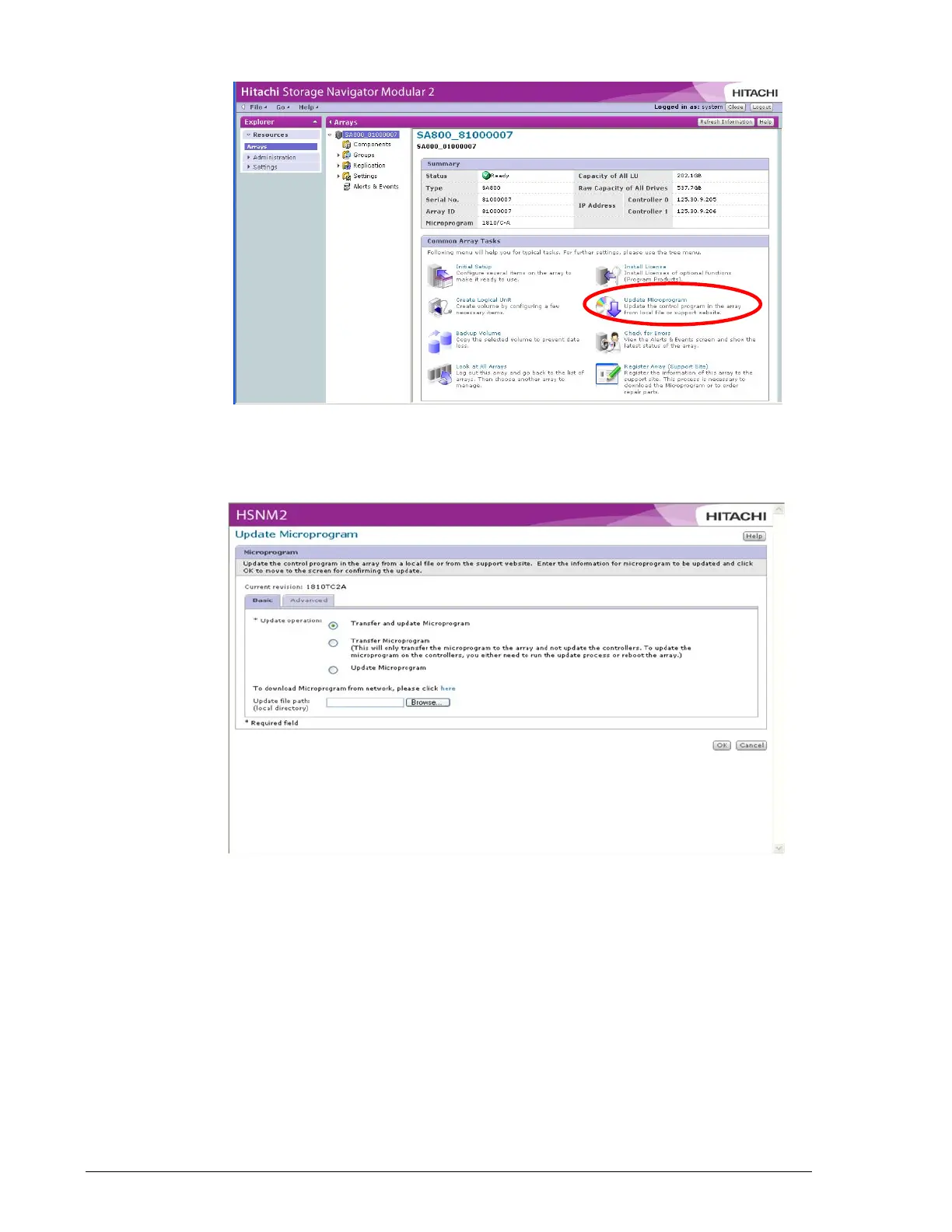
5. Under Common Array Tasks, click Update Microprogram. The
following window appears.
•
6. Next to Update operation, click Update microprogram.
7. Next to Update file path, click the Browse button, navigate to the
location where the firmware file resides, click the file, and click the Open
button. The path and filename appear in the Browse field.
8. Click OK. The following confirmation window appears.



 To Next Page