2.4 Control panel settings
2-98
2.4.5 User account
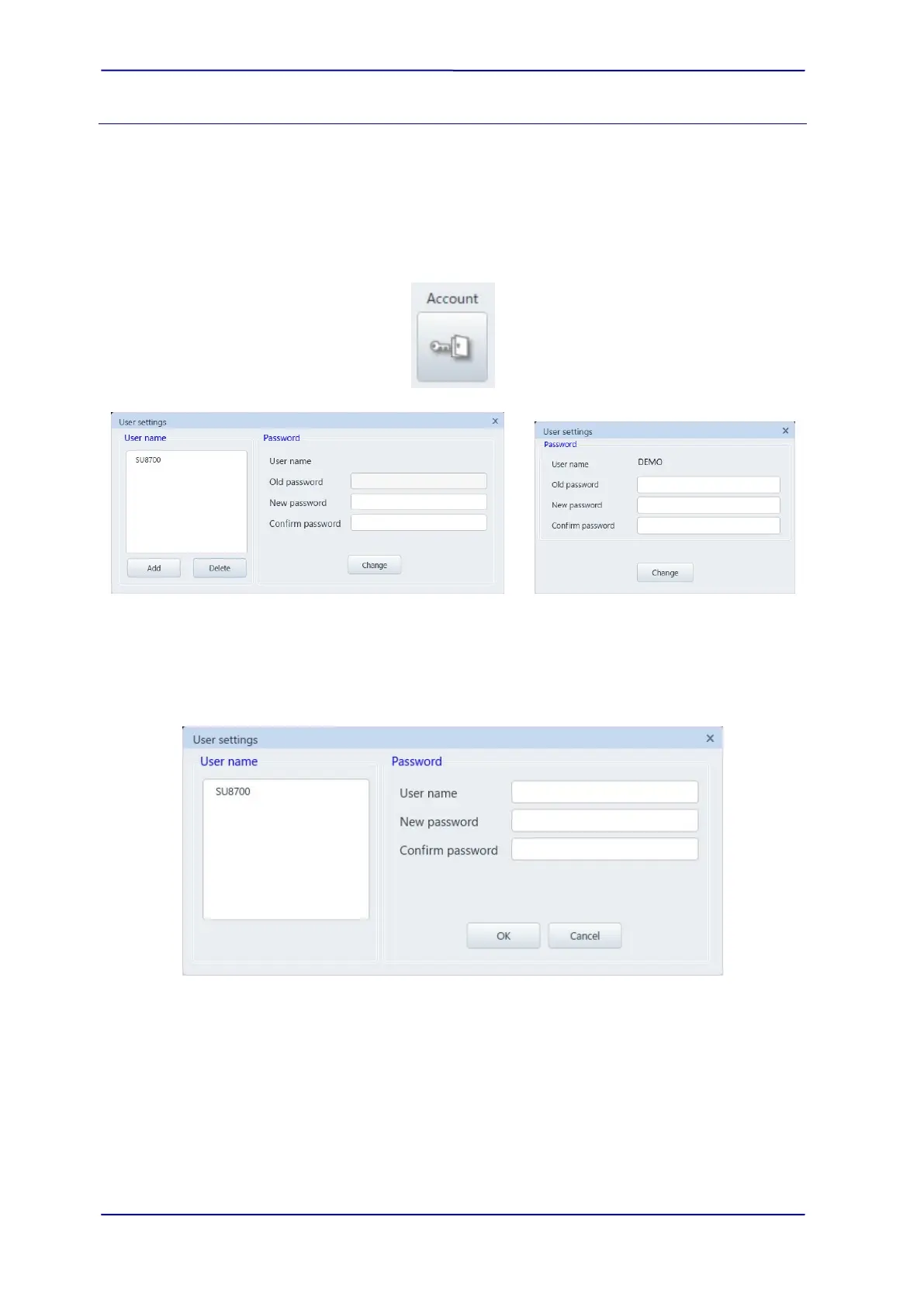
Display the [User settings] dialog. The dialog is displayed by the [Menu]>[Settings]>[User
account]. Registering, editing, and setting of password for the new login name can be set in
this dialog when logging in the system with system administrator username (“SU8700” when
installing).
When log-in with the general username, the password can be changed.
System administrator user “SU8700” General user
(1) [Add] button
Register a new username or change the password.
(2) [Delete] button
Select a username and delete the user account by clicking this button.
(3) [Change] button
When log-in with the system administrator username, it can change the password of
selected username. When log-in with the general username, it can change the password
which is logging in.



 To Next Page