EasyManua.ls Logo

Hitachi VM-C52E - Checking the Battery Pack

Hitachi VM-C52E
29 pages
Print Icon
To Next Page IconTo Next Page
To Previous Page IconTo Previous Page
Loading...
POWER
SOURCES
(Cont'd)
@
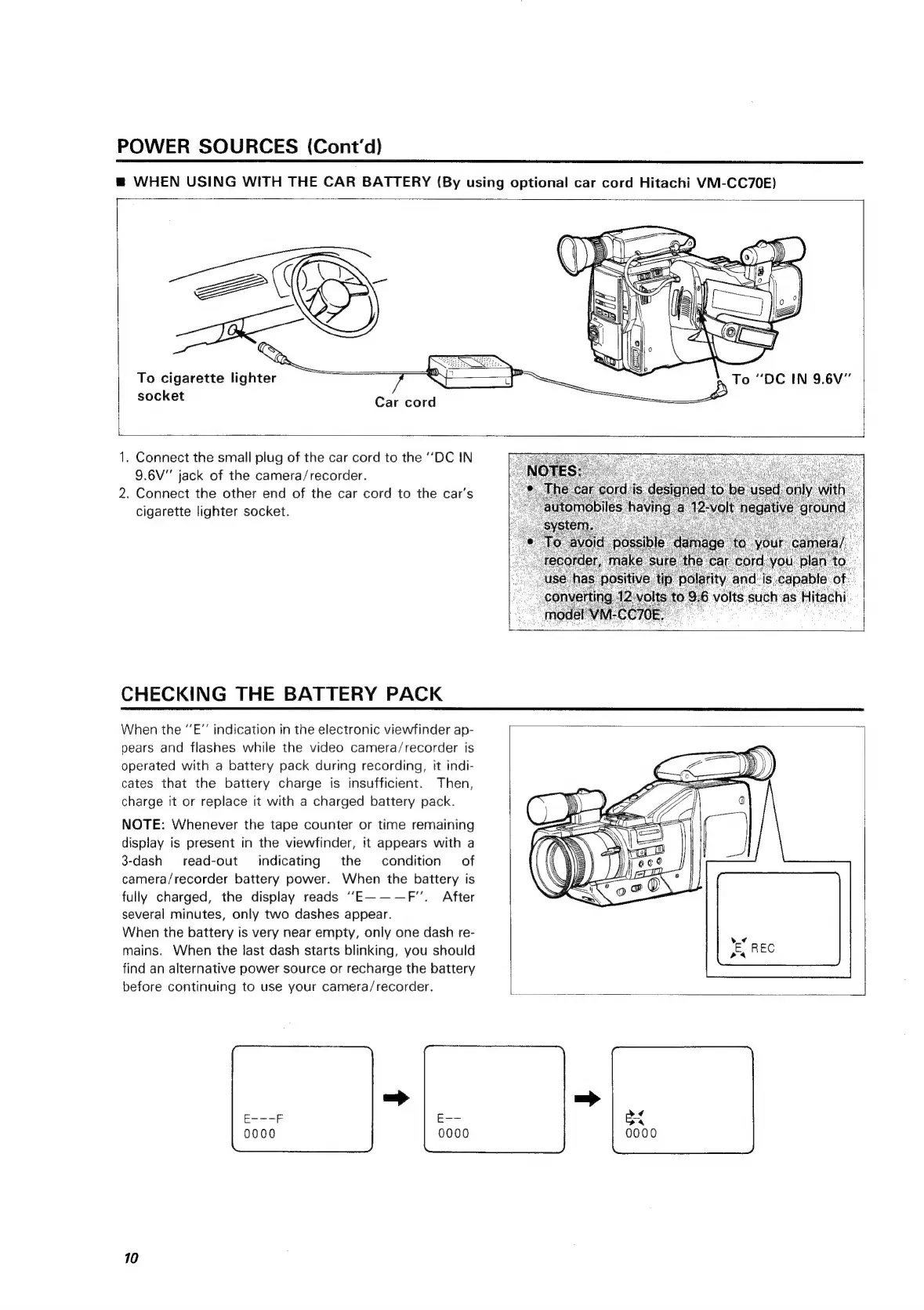
WHEN
USING
WITH
THE
CAR
BATTERY
(By
using
optional
car
cord
Hitachi
VM-CC70E)
To
cigarette
lighter
socket
Car
cord
1.
Connect
the
small
plug
of
the
car
cord
to
the
‘‘DC
IN
9.6V"
jack
of
the
camera/recorder.
2.
Connect
the
other
end
of
the
car
cord
to
the
car’s
cigarette
lighter
socket.
CHECKING
THE
BATTERY
PACK
When
the
‘’E”’
indication
in
the
electronic
viewfinder
ap-
pears
and
flashes
while
the
video
camera/recorder
is
operated
with
a
battery
pack
during
recording,
it
indi-
cates
that
the
battery
charge
is
insufficient.
Then,
charge
it
or
replace
it
with
a
charged
battery
pack.
NOTE:
Whenever
the
tape
counter
or
time
remaining
display
is
present
in
the
viewfinder,
it
appears
with
a
3-dash_
read-out
indicating
the
condition
of
camera/recorder
battery
power.
When
the
battery
is
fully
charged,
the
display
reads
“‘E———F’’.
After
several
minutes,
only
two
dashes
appear.
When
the
battery
is
very
near
empty,
only
one
dash
re-
mains.
When
the
last
dash
starts
blinking,
you
should
find
an
alternative
power
source
or
recharge
the
battery
before
continuing
to
use
your
camera/recorder.
10
¢
0000

Related product manuals