EasyManua.ls Logo

Hitachi VM-C52E - Using the Instant Review Feature; Using the Auto Iris Feature; Eyepiece Adjustment

Hitachi VM-C52E
29 pages
Print Icon
To Next Page IconTo Next Page
To Previous Page IconTo Previous Page
Loading...
USING
THE
INSTANT
REVIEW
FEATURE
1.
In
record/pause
(stand
by)
mode,
press
REVIEW
button,
and
the
recorded
scene
of
the
last
few
seconds
is
played
back
in
the
reverse
direction
and
then
played
back
in
the
forward
direction.
2.
When
the
tape
reaches
the
end
of
the
scene
you
have
just
recorded,
the
camera/recorder
returns
to
the
record/pause
(stand
by)
mode.
Recording
starts
again
when
the
record
start/stop
button
is
pressed
again.
NOTE:
Sound
is
muted
in
the
instant
review
mode.
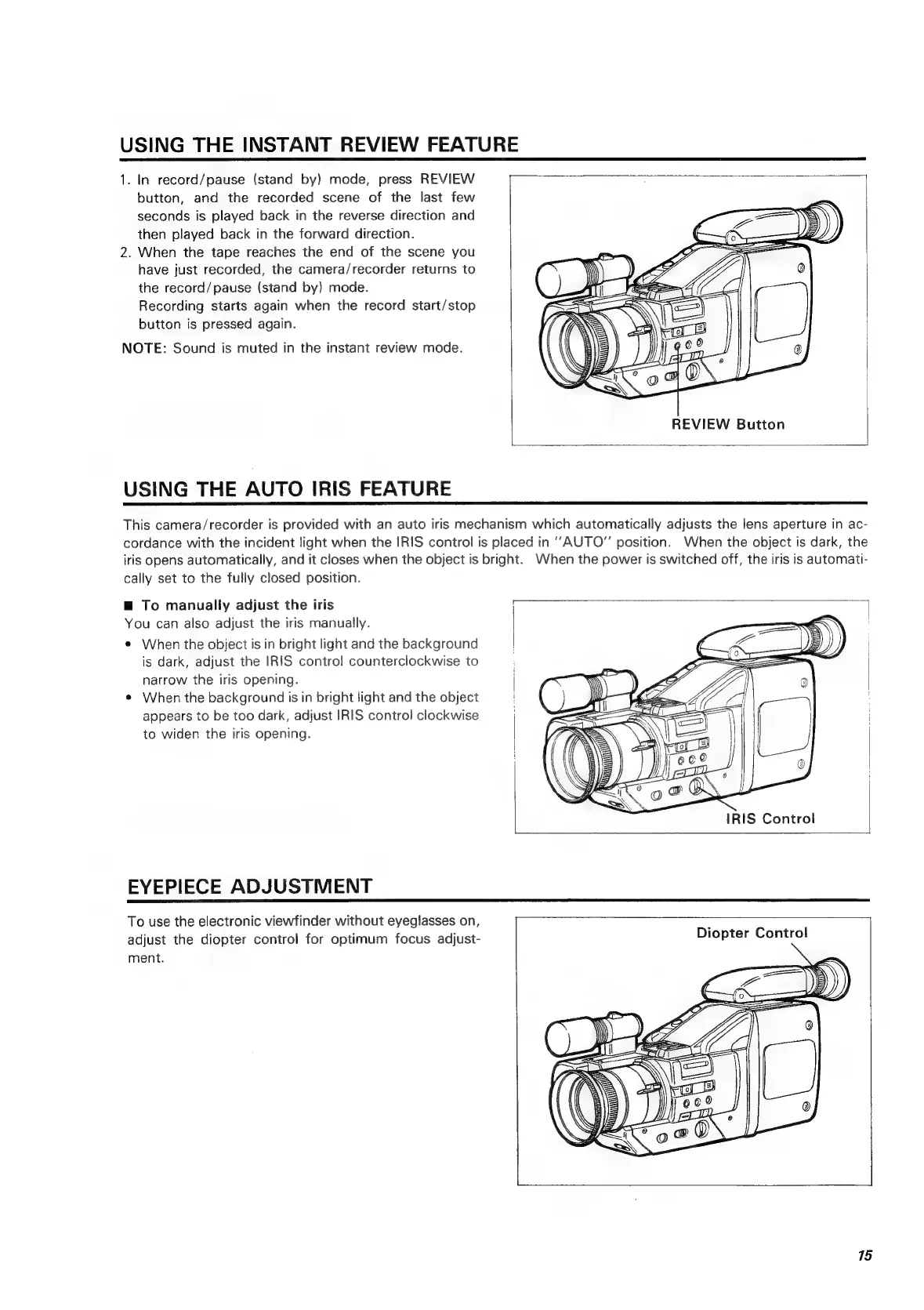
REVIEW
Button
USING
THE
AUTO
IRIS
FEATURE
This
camera/recorder
is
provided
with
an
auto
iris
mechanism
which
automatically
adjusts
the
lens
aperture
in
ac-
cordance
with
the
incident
light
when
the
IRIS
control
is
placed
in
“AUTO”
position.
When
the
object
is
dark,
the
iris
opens
automatically,
and
it
closes
when
the
object
is
bright.
When
the
power
is
switched
off,
the
iris
is
automati-
cally
set
to
the
fully
closed
position.
@
To
manually
adjust
the
iris
a
You
can
also
adjust
the
iris
manually.
¢
When
the
object
is
in
bright
light
and
the
background
is
dark,
adjust
the
IRIS
control
counterclockwise
to
narrow
the
iris
opening.
¢
When
the
background
is
in
bright
light
and
the
object
appears
to
be
too
dark,
adjust
IRIS
control
clockwise
to
widen
the
iris
opening.
IRIS
Control
EYEPIECE
ADJUSTMENT
To
use
the
electronic
viewfinder
without
eyeglasses
on,
;
adjust
the
diopter
control
for
optimum
focus
adjust-
Diopter
Control
ment.
15

Related product manuals