EasyManua.ls Logo

Hitachi VM-C52E - Using the Power Zoom Feature

Hitachi VM-C52E
29 pages
Print Icon
To Next Page IconTo Next Page
To Previous Page IconTo Previous Page
Loading...
m@
MANUAL
FOCUSING
.
Set
AUTO/MAN
FOCUS
switch
to
“MAN”
position.
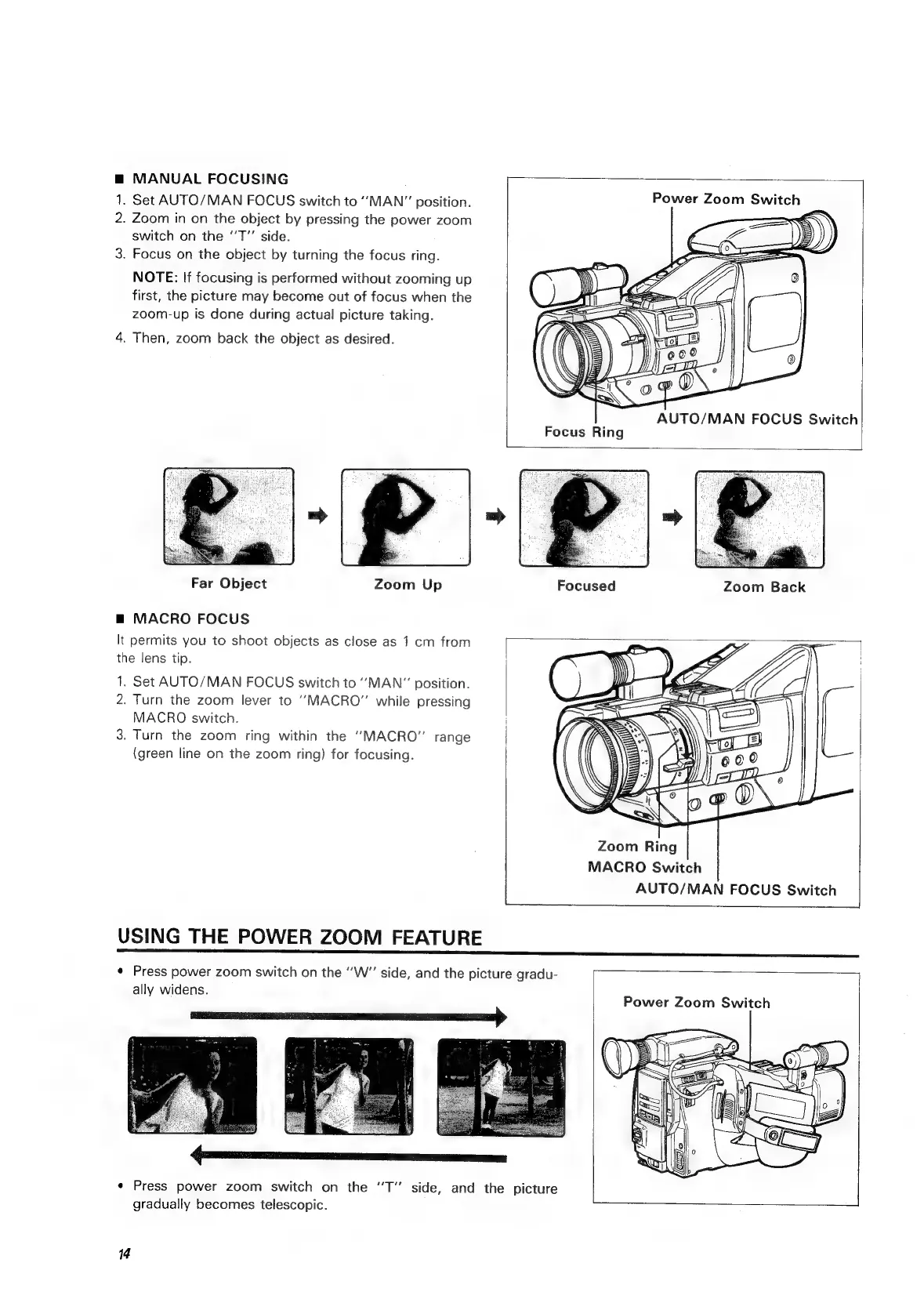
Power
Zoom
Switch
.
Zoom
in
on
the
object
by
pressing
the
power
zoom
switch
on
the
‘‘T”’
side.
3.
Focus
on
the
object
by
turning
the
focus
ring.
No
So
NOTE:
If
focusing
is
performed
without
zooming
up
first,
the
picture
may
become
out
of
focus
when
the
zoom-up
is
done
during
actual
picture
taking.
4.
Then,
zoom
back
the
object
as
desired.
AUTO/MAN
FOCUS
Switch
Focus
Ring
bi
Far
Object
Zoom
Up
Focused
Zoom
Back
m@
MACRO
FOCUS
It
permits
you
to
shoot
objects
as
close
as
1
cm
from
the
lens
tip.
1.
Set
AUTO/MAN
FOCUS
switch
to
MAN"
position.
2.
Turn
the
zoom
lever
to
“MACRO”
while
pressing
MACRO
switch.
3.
Turn
the
zoom
ring
within
the
‘‘MACRO”
range
(green
line
on
the
zoom
ring)
for
focusing.
Zoom
Ring
MACRO
Switch
AUTO/MAN
FOCUS
Switch
USING
THE
POWER
ZOOM
FEATURE
*
Press
power
zoom
switch
on
the
‘’W”
side,
and
the
picture
gradu-
ally
widens.
Power
Zoom
Switch
*
Press
power
zoom
switch
on
the
“T”
side,
and
the
picture
gradually
becomes
telescopic.
14

Related product manuals